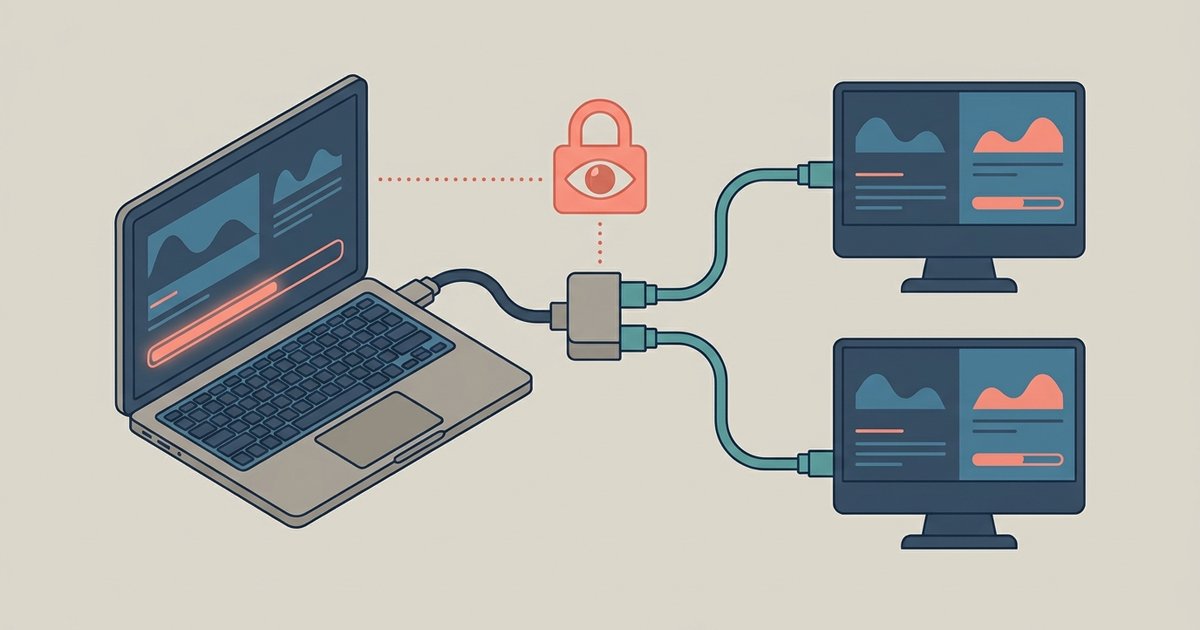
Yes, Lockdown Browser can detect the presence of a second monitor on macOS and will block the exam until it is disconnected, but it cannot directly detect a hardware HDMI splitter that mirrors a signal passively. However, using a splitter is still extremely risky because the webcam ambient light check and proctor review can reveal reflections, eye movement, or sounds from a secondary display, behaviors that are a core focus of cheating detection by Lockdown Browser.
How lockdown browser second monitor detection works
Lockdown Browser detects a second monitor by querying the operating system’s screen enumeration API. On macOS, it reads the CoreGraphics framework to count active screens. When you plug in a second monitor, the OS registers it as a separate unit with a unique identifier, resolution, and refresh rate. The browser checks this list during the exam. If it finds more than one active screen, it blocks the exam and shows an error message indicating a second monitor was detected. The exam cannot start until you disconnect the extra screen. In contrast, a passive HDMI splitter simply duplicates the signal without the OS knowing. It does not create a second screen entry in the system’s enumeration. The splitter’s output is a pure electrical mirror of the primary signal, leaving no digital footprint on the machine. Therefore, Lockdown Browser cannot see the splitter itself. It only sees one screen object in the OS list.
The false sense of security with splitters
Students often assume an HDMI splitter is undetectable because the software never flags it. This ignores the human review layer. Proctors are trained to watch for subtle cues during the recorded session. A student’s eyes might shift to the left or right of the webcam frame at regular intervals. The glow of a second screen can reflect in eyeglasses or on the wall behind the monitor. Faint keystroke sounds might come from typing on a hidden keyboard. The webcam ambient light check runs before the exam and measures the room’s baseline brightness. If a second monitor later introduces a new light source, the proctor can see the sudden change in ambient luminance during playback. Worse, if you use a splitter to feed a second screen that sits outside the webcam’s field of view, your head movements will still betray you. Proctors flag any pattern of looking away from the main screen for longer than three seconds. These behavioral signals are exactly why many institutions now require a 360-degree room scan before the exam. It becomes nearly impossible to hide a second monitor even if the software itself does not catch it. Trying to get around respondus lockdown browser with a splitter is therefore a high-risk gamble that relies on the proctor missing obvious visual evidence.
When the answer is effectively no
There is one specific scenario where Lockdown Browser does not flag a multi-screen setup. This happens when a student uses a laptop with its lid closed and a single external monitor. In this configuration, the laptop’s internal screen is physically disabled by the hinge sensor. The OS enumerates only one screen, the external monitor. Lockdown Browser sees exactly one screen and proceeds normally. This is not a detection failure. It is the intended behavior for users who dock their laptop. However, the operation of Respondus Lockdown Browser still applies. If you try to open the laptop lid during the exam to reveal a second screen, the OS will re-enumerate the internal screen and trigger the block. Similarly, if you attempt to hack browser games or other software while the exam is running, the browser’s process monitoring will detect any unauthorized application launch. This includes a split-screen utility or a remote desktop tool, and it will terminate the exam session. For students who want to use lockdown browser on a single external monitor, the safe approach is to keep the laptop closed. Ensure the external monitor is the only screen registered in System Preferences. Confirm that the Arrangement tab shows no second screen. Even then, avoid any splitter that accidentally introduces a ghost screen. Some cheap splitters can cause the OS to momentarily detect a second output. This triggers a false positive block that requires a full system restart to clear.
However, using a splitter is still extremely risky because the webcam ambient light check and proctor review can reveal reflections, eye movement, or sounds from a secondary screen.