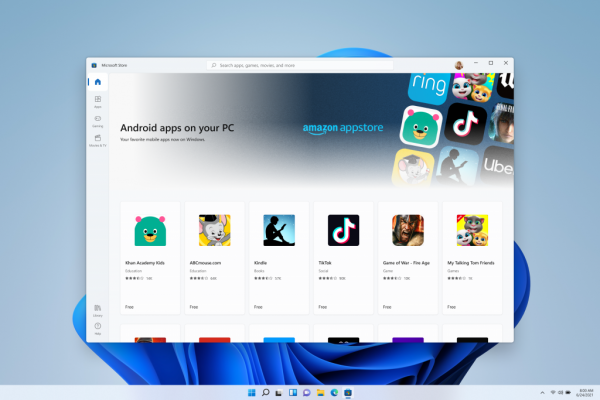
Running Android apps on Windows 11 is no longer the built-in feature it once was, but you still have solid ways to get your favorite mobile apps on a PC. Microsoft is officially deprecating the Windows Subsystem for Android (WSA) and the Amazon Appstore, with new downloads blocked since March 2024 and full support ending on March 5, 2025.
The end of official Android apps on Windows 11 support
Microsoft is shutting down the Windows Subsystem for Android and the Amazon Appstore on Windows 11. The key dates are March 6, 2024, when users could no longer search for or download the Amazon Appstore or associated apps from the Microsoft Store, and March 5, 2025, when all official support ceases entirely. After that date, any Android apps installed through this method will no longer be supported on Windows 11 devices.
What happens to your existing apps
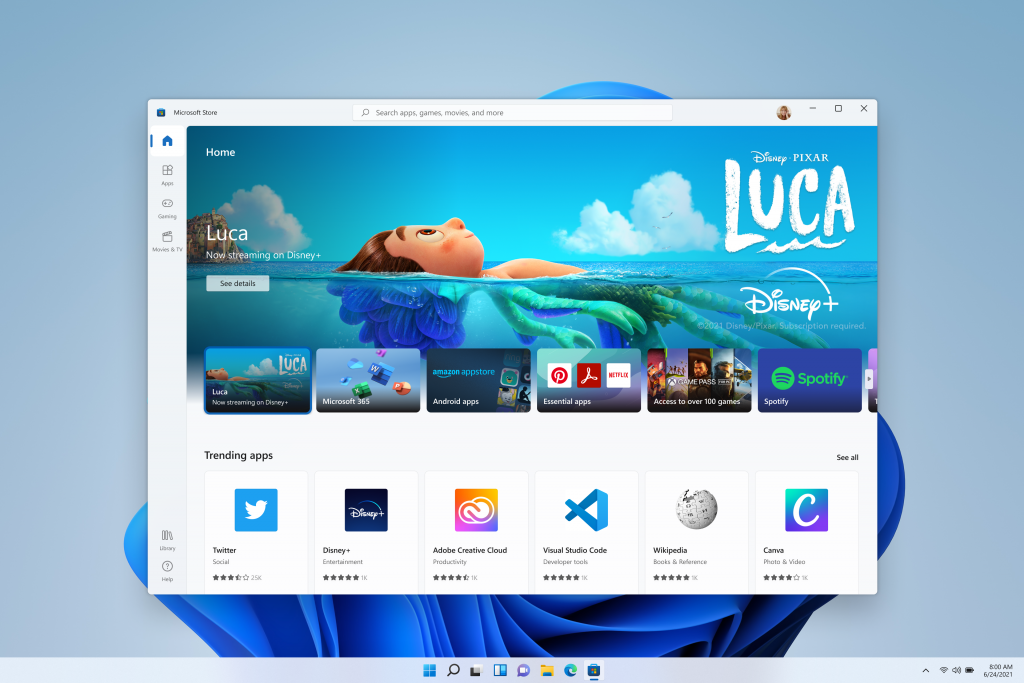
If you installed Android apps or the Amazon Appstore before March 5, 2024, you are covered by a grandfather clause. These apps will continue to function and receive updates until the final deprecation date of March 5, 2025. After that point, the apps will stop being supported, meaning no more updates, bug fixes, or security patches from the Amazon Appstore on Windows 11.
Why Microsoft is removing the feature
The official reasons for the deprecation point to lower-than-expected adoption rates and a shift in Microsoft's strategic focus. Unofficially, industry analysts and former Microsoft insiders note that WSA never gained the traction Microsoft hoped for, partly because of a significant technical limitation: the lack of native support for Google Play Services. Many popular Android apps rely on these services to function correctly, and without them, those apps would crash, misbehave, or refuse to run altogether on Windows 11.
Alternative 1: Google Play Games for PC
For gamers, Google Play Games for PC remains an official, supported alternative for running Android games on Windows 11. This is a separate platform from WSA, and it is actively maintained by Google. It focuses specifically on gaming, so you won't find general-purpose apps here, but if your primary interest is playing mobile titles on a larger screen with a keyboard and mouse, this is the most reliable and future-proof option available.
Alternative 2: Third-party Android emulators
For general Android apps after March 5, 2025, third-party Android emulators like BlueStacks are now the main solution. These emulators have been around for years and are well-established, offering a full Android environment on Windows. They support a wide range of apps, including those that require Google Play Services, which was a major limitation of WSA. BlueStacks and similar emulators are actively developed, receive regular updates, and are the go-to choice for users who need Android apps on Windows 11 beyond gaming.
A look back at sideloading with WSA
Historically, users could sideload Android APK files onto Windows 11 using Android Debugging Bridge (ADB) tools, which bypassed the Amazon Appstore's limited library. This method was popular among power users who wanted apps not available through Amazon, but it required enabling virtualization in the BIOS/UEFI settings and through Windows' optional features. However, this is no longer a viable path forward, with WSA being deprecated, sideloading APKs through it is effectively dead, and users should not rely on it for future app access.