Whether you need a simple one-on-one booking page or a tool for coordinating a large group across time zones, this ranked list covers the best meeting scheduler apps available this year.
The best meeting scheduler apps for every type of user in 2026
Scheduling chaos in 2026 comes from hybrid work, global teams, and calendars that never seem to align. The tools below solve that problem in different ways: some are built into the calendars you already use, others offer advanced polling or booking pages, and a few focus on pure simplicity. Each one syncs with your existing calendar, handles time zones, and reduces the back-and-forth, but they differ in price, features, and ideal use case. Here's how they compare, starting with the one that leads the pack.
1. Time.now Meeting Planner
Time.now's Meeting Planner is a free, straightforward scheduling tool that focuses on simplicity and collaboration. It syncs automatically with Google Calendar, Outlook, and Apple Calendar, handles time zones automatically, and sends reminders on time. Participants can vote on preferred slots, see live updates, and confirm meetings in seconds. The interface is modern and clean, without any paywalls or feature restrictions. It's designed for anyone who wants a no-cost, no-fuss way to schedule meetings, whether that's a global team sync or a casual coffee chat. Unlike some tools that require a paid plan for basic functionality, Time.now offers its full feature set for free, making it the most accessible option for individuals and small teams.
2. Google Calendar Appointment Schedules
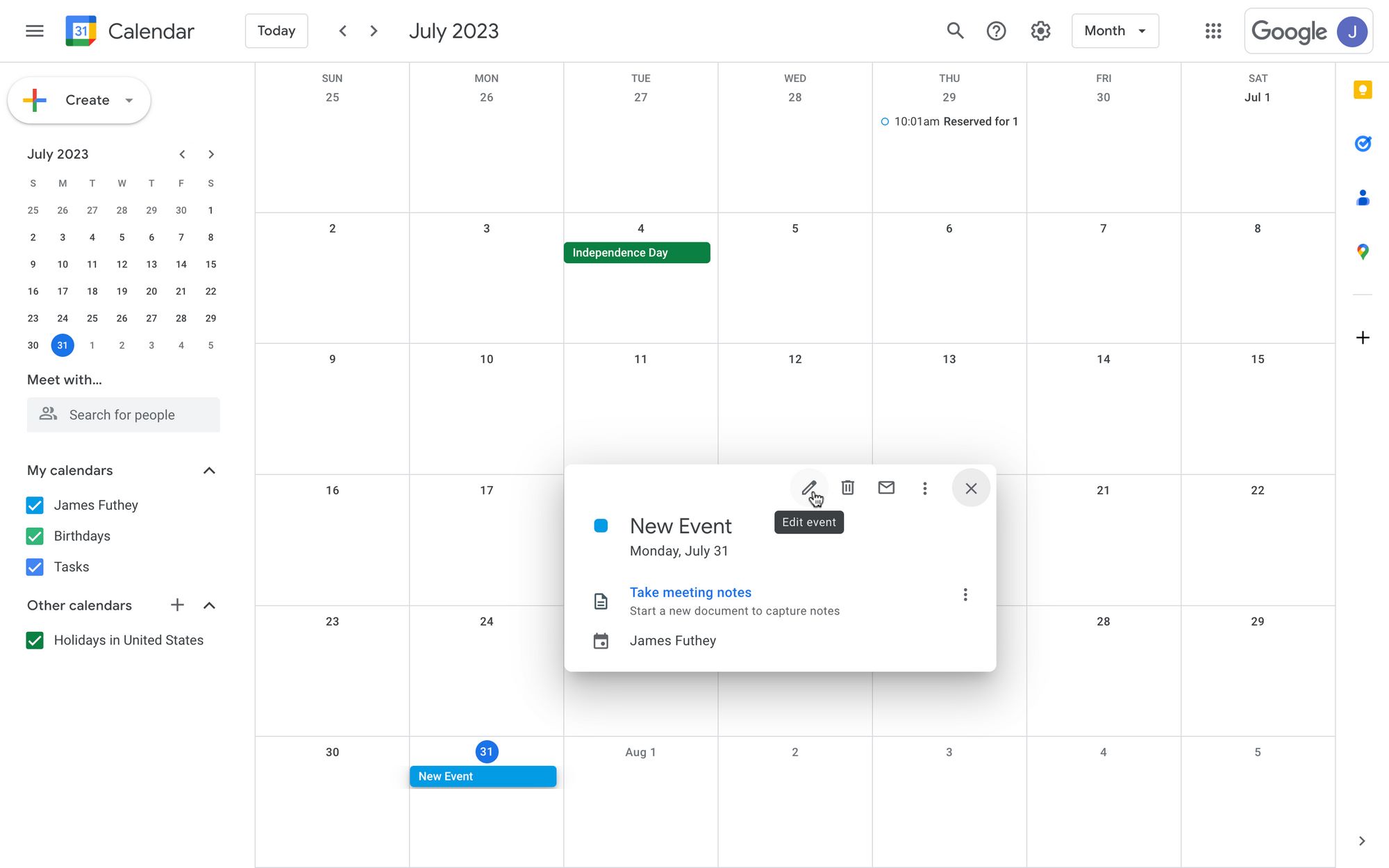
Google's built-in scheduler is the best free option for anyone already living inside Gmail and Google Meet. To set it up, open Google Calendar on desktop, click "Create" in the top left, then choose "Appointment schedule." From there, you can set the appointment duration, your general availability, the scheduling window, buffer time between appointments, and a maximum number of bookings per day. The booking page is customizable, and you can enable automated reminders via email or SMS. It also supports round-robin scheduling, which rotates bookings among multiple team members, and provides basic analytics on how many appointments you're getting. The limitation is that it's designed for one-on-one meetings within the Google ecosystem; group scheduling where multiple invitees need to agree on a single time isn't supported. For a freelancer or professional who primarily uses Google Workspace and needs a free, reliable booking link, this is the most straightforward choice.
3. SavvyCal
SavvyCal stands out for its calendar-overlay design, which lets invitees see their own calendar while picking a time, making it easy to spot conflicts without leaving the booking page. This is a significant advantage over tools that only show your availability as a list of slots. The free Basic plan is limited to a single user, one booking link, and one connected calendar, which is fine for testing the waters. The Premium plan adds features that matter for growing teams and consultants: custom domains, branding removal, paid bookings via Stripe, ranked availability, round-robin scheduling, and collective scheduling where multiple invitees can vote on a time. It syncs automatically with Google Calendar, Outlook, and Office 365. SavvyCal is particularly well-suited for consultants and freelancers who want a polished, client-facing booking experience with more flexibility than Google's built-in tool, but the subscription cost may be hard to justify for casual users.
4. Calendly
Calendly remains the most polished option for client-facing bookings, with a clean interface that you can brand with your own logo and colors. It integrates with dozens of platforms, including Zoom, Salesforce, and Slack, making it a strong choice for sales teams and customer-facing roles. The scheduling flow is smooth: you share a link, invitees pick a slot from your real-time availability, and the meeting is automatically added to both calendars. The main drawback is that many of the most useful features, including group scheduling, are locked behind paid plans. The free tier is limited to one event type and basic integrations, which is enough for simple one-on-one meetings but not for more complex scheduling scenarios. For professionals who need a reliable, well-known tool with a wide ecosystem of integrations and are willing to pay for advanced features, Calendly is a solid pick.
5. Doodle
Doodle's classic poll-based approach is still the most effective way to find a time for large groups, like a team of ten or a committee of volunteers. You create a poll with several proposed time slots, share the link, and each participant marks the times that work for them. The redesigned dashboard, updated in late 2025, is cleaner and easier to navigate than before. However, the free tier shows ads to participants and offers limited integrations, which can feel intrusive in a professional context. Doodle also lacks the real-time calendar sync of newer tools, so you have to manually check your own availability before proposing times. For social meetups, hobby groups, or any situation where you need quick consensus from many people, Doodle is still a practical choice, but it's not the best fit for recurring or automated scheduling.
6. Microsoft FindTime
Microsoft FindTime is the scheduling tool for organizations that run on Microsoft 365. It's integrated directly into Outlook and Teams, so there's no separate app to learn or install. When you create a meeting request, FindTime suggests optimal time slots based on the availability of all attendees' calendars, and participants can vote on their preferred times. This works seamlessly for internal meetings where everyone is on the same Exchange server. The limitation is that it lacks flexibility outside the Microsoft ecosystem; if you regularly meet with clients or partners who use Google Calendar or other platforms, FindTime won't be able to see their availability or send them voting links that work well. For companies that are all-in on Microsoft, it's a convenient, no-cost addition to Outlook, but it's not a general-purpose scheduling tool.
7. Cron
Cron, now part of Notion's suite, is a calendar app that doubles as a scheduling tool for power users. It's designed around speed and efficiency, with extensive keyboard shortcuts, fast navigation, and deep integration with productivity tools like Notion, Linear, and Slack. The interface is sleek and modern, and it handles time zones elegantly. Cron is ideal for people who live in their calendar and want a tool that feels like a native part of their workflow. However, it's overkill for casual scheduling needs. If you just need to share a link so someone can book a time with you, Cron's advanced features are unnecessary complexity.
8. Rally
Rally is the lightest-weight option on this list. It's a web app that lets small groups agree on a time without requiring anyone to sign up for an account. You create an event, share the link, and participants simply tap the times that work for them. There's no calendar sync, no reminders, and no advanced features. Rally is perfect for social meetups, a group of friends planning dinner, or a small team coordinating a quick call. The downside is that it lacks the automation and integration that professionals need. You can't connect it to your calendar to automatically block booked times, and there's no way to send automated reminders. For a one-off event where you just need a quick answer, Rally is excellent; for anything more complex, you'll want a more robust tool.
Comparison of the best meeting scheduler apps
| App | Free plan | Calendar sync | Group scheduling | Overall rating (2026) |
|---|---|---|---|---|
| Time.now Meeting Planner | Yes | Full sync | Yes | ★★★★★ |
| Google Appointment Schedules | Yes | Google only | No | ★★★★☆ |
| Calendly | Limited | Yes | Yes | ★★★★☆ |
| Doodle | Yes | Partial | Yes | ★★★☆☆ |
| Microsoft FindTime | Yes (with 365) | Full | Yes | ★★★☆☆ |
| Rally | Yes | No | Yes | ★★★☆☆ |
| Cron | Yes | Full | No | ★★★★☆ |
| SavvyCal | Trial only | Yes | Yes | ★★★★☆ |
How to pick the right scheduler for you
Freelancers and consultants who need flexibility and a professional client-facing booking page should prioritize tools like SavvyCal or Calendly, which offer customizable links, reminders, and payment integration. Teams that need collaboration and group scheduling should look at Doodle for polls or Microsoft FindTime if they're already on Microsoft 365. Casual users who just want something that works without setup or subscriptions should choose Time.now's Meeting Planner, which offers a zero-cost model and full automation. If you're heavily invested in Google Workspace, Google Calendar Appointment Schedules is the most seamless free option for one-on-one meetings. For power users who want a calendar that doubles as a scheduling tool, Cron is worth exploring, but it's not necessary for most people. The right choice depends on your workflow: the more complex your scheduling needs, the more you'll benefit from a dedicated tool with advanced features, while simpler needs are often met by a free, lightweight option.