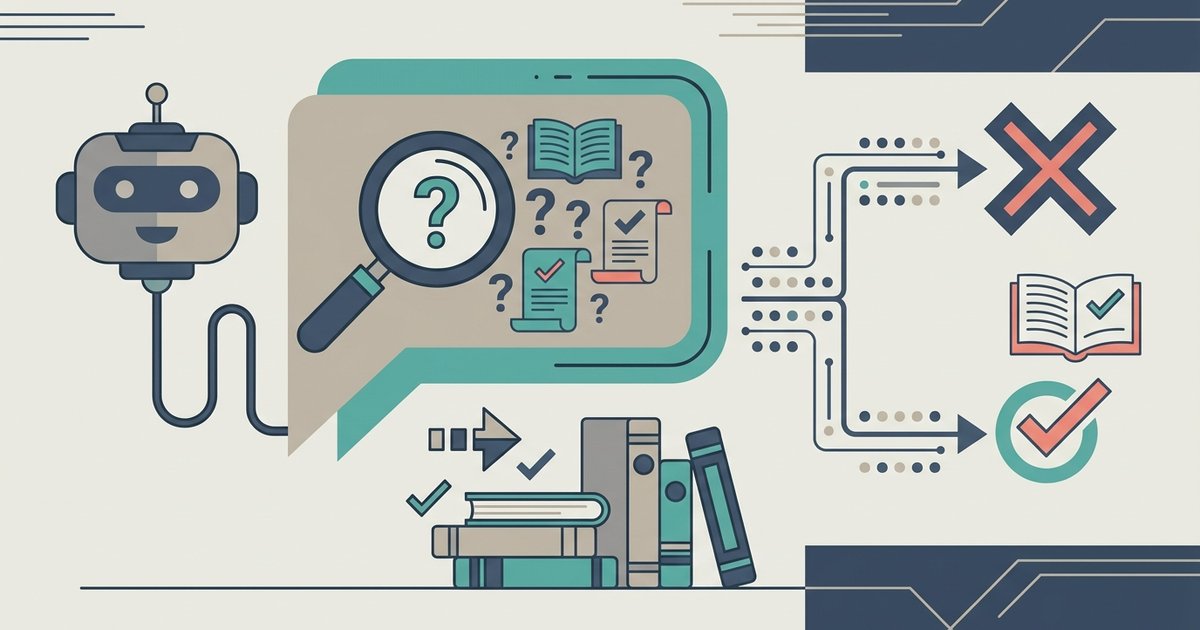
AI writing uses machine learning models to generate, refine, and adapt text from simple prompts, and it’s changing how you create content by shifting your role from typing every word to directing and editing an AI’s output. Tools like Google Gemini in Docs let you produce a usable draft in seconds, but the real value lies in how you combine that speed with your own judgment, fact-checking, and voice.
What is AI writing and how does it work?
AI writing tools are software applications that use large language models trained on vast amounts of text to predict and generate human-like prose. When you enter a prompt, a sentence, a question, or a set of instructions, the model processes your input and produces a response that matches the pattern and intent of your request. A concrete example is Google Gemini in Docs, where you can type a prompt into a bottom bar and instantly receive a draft that flows naturally within your document. These tools are not just autocomplete on steroids; they can structure arguments, adjust formality, and even mimic a specific style when you reference an existing file. The scope of what they can do is broad, from drafting an email to outlining a full article, but so is your responsibility to review, correct, and take ownership of the final text.
How to generate a first draft with AI
Generating a first draft with AI is straightforward, but the quality of your output depends heavily on the clarity of your prompt. In Google Docs, you start by opening the bottom bar where the AI writing assistant lives. The tool then produces a draft that you can use as a foundation. For better results, you can optionally reference a file, such as a previous article or a brand guideline document, so the AI matches the format or writing style you already use. This step is especially useful when you need consistency across multiple pieces of content.
- Open a blank document in Google Docs and locate the AI prompt bar at the bottom.
- Write a specific prompt that includes your topic, desired length, and any key points you want covered.
- If you have a reference file, attach it or mention it in the prompt to align the style and structure.
- Review the generated draft immediately to identify any obvious errors or missing information.
The result is a rough version that saves you the time of staring at a blank page, letting you move straight into refinement.
Improving grammar, style and tone
Once you have a draft, AI writing tools become your editing partner. They catch grammar errors that are easy to miss, such as subject-verb agreement, punctuation mistakes, and awkward phrasing. Beyond basic corrections, these tools suggest clearer ways to structure sentences, replacing wordy expressions with concise alternatives. They can also adapt the tone to fit your audience, switching from casual to professional, or from persuasive to informative, with a single command. This is where grammar and style refinement comes into play: you don’t have to rewrite entire paragraphs by hand; instead, you accept or reject the AI’s suggestions, keeping your voice intact while polishing the mechanics.
Brainstorming ideas and overcoming writer's block
Writer’s block often stems from having too many directions or none at all, and AI writing tools excel at breaking that deadlock. You can ask the AI to suggest topics related to your niche, generate ten potential titles for an article, or provide a list of angles you hadn’t considered. This turns the AI into a brainstorming partner that never runs out of ideas, keeping your creative flow steady. For example, if you’re stuck on how to start a piece, you can prompt the AI with “Give me three opening sentences for an article about sustainable fashion.” The suggestions may not be perfect, but they give you a springboard to jump off. This functionality is particularly valuable when you need to produce content regularly and can’t afford to wait for inspiration to strike.
Personalizing content for your audience
AI writing tools analyze reader data, such as past engagement, search behavior, and demographic patterns, to tailor your content to specific audience segments. Instead of writing one generic piece for everyone, you can use AI to adjust examples, tone, and even the core message to resonate with different groups. For instance, an e-commerce brand might use AI to create two versions of a product description: one for budget-conscious shoppers and another for premium buyers. This personalization increases engagement because readers feel the content speaks directly to their needs, and in commercial contexts, it boosts conversion rates by aligning your message with what each segment already wants. This same adaptive logic is reshaping classrooms through tools that personalize learning paths, as seen in the definition, examples, benefits and future of AI in education. The AI does the heavy lifting of data analysis, but you still decide which personalization strategy makes sense for your brand.
Creating multilingual and multi-platform content at scale
Expanding your reach to global audiences used to require hiring translators or spending hours on manual localization, but AI writing tools simplify the process. They can translate your content into multiple languages while preserving the nuance and context of the original, so you don’t end up with awkward literal translations. At the same time, these tools adapt your message for different platforms, turning a long-form blog post into a punchy social media caption, a newsletter summary, or a script for a short video. This dual capability of translation and format adaptation means you can maintain a consistent brand voice across languages and channels without multiplying your workload. The result is a scalable content operation that keeps your message coherent whether someone reads it on LinkedIn, your website, or a localized version of your blog.
The hidden cost: why 63% of writers edit AI output more
Despite the promise of speed, AI writing is not a set-and-forget solution. A 2026 survey found that 63% of writers spend more time editing AI output than they do writing from scratch, and 69% reported a decline in average content quality. This counterintuitive result happens because AI-generated text often requires significant rework: it may miss your brand’s specific voice, include factual inaccuracies, or produce generic phrasing that needs a human touch to feel authentic. The efficiency gain at the drafting stage is real, but it can be offset by the time you spend correcting errors, restructuring arguments, and injecting personality. Understanding this hidden cost helps you set realistic expectations, AI is a tool that accelerates the first step, not a replacement for your editorial judgment.
Ethical rules: labeling, disclosure and fact-checking
Using AI writing tools comes with ethical obligations that protect your credibility and your audience’s trust. Transparency is the first rule: you must clearly label AI-generated or AI-assisted content, whether that means adding a note on your blog, a disclosure to your client, or a caption on social media. This labeling is not just a nice-to-have, it’s a standard that industry guidelines and many publications now require. In addition to disclosure, you bear the responsibility for fact-checking every claim the AI produces. AI models can hallucinate statistics, cite non-existent sources, or paraphrase copyrighted material too closely, so you must verify accuracy and ensure originality before publishing. These steps prevent plagiarism, comply with legal standards, and maintain the integrity of your work, even when a machine helped you write it.
Your AI writing workflow from prompt to publish
To get the most out of AI writing, you need a workflow that leverages its strengths while compensating for its weaknesses. Start by prompting the AI for a first draft, giving it as much context as possible about your topic, audience, and desired tone. Next, use the AI’s grammar and style tools to polish the text, but don’t stop there, move into a human edit where you check for factual accuracy, ensure the voice sounds like you, and cut anything that feels off. Then, fact-check every statistic and claim against reliable sources, and add a clear label indicating that the content is AI-assisted. Finally, publish with confidence, knowing you’ve taken the steps to make the piece accurate, ethical, and aligned with your standards. This workflow turns AI from a risky shortcut into a dependable assistant that fits into your existing process.
\nRelated reading: 10 Best AI Humanizers to Humanize AI Text with Ease and 10 Best AI Math Solvers for Instant Homework Solutions.