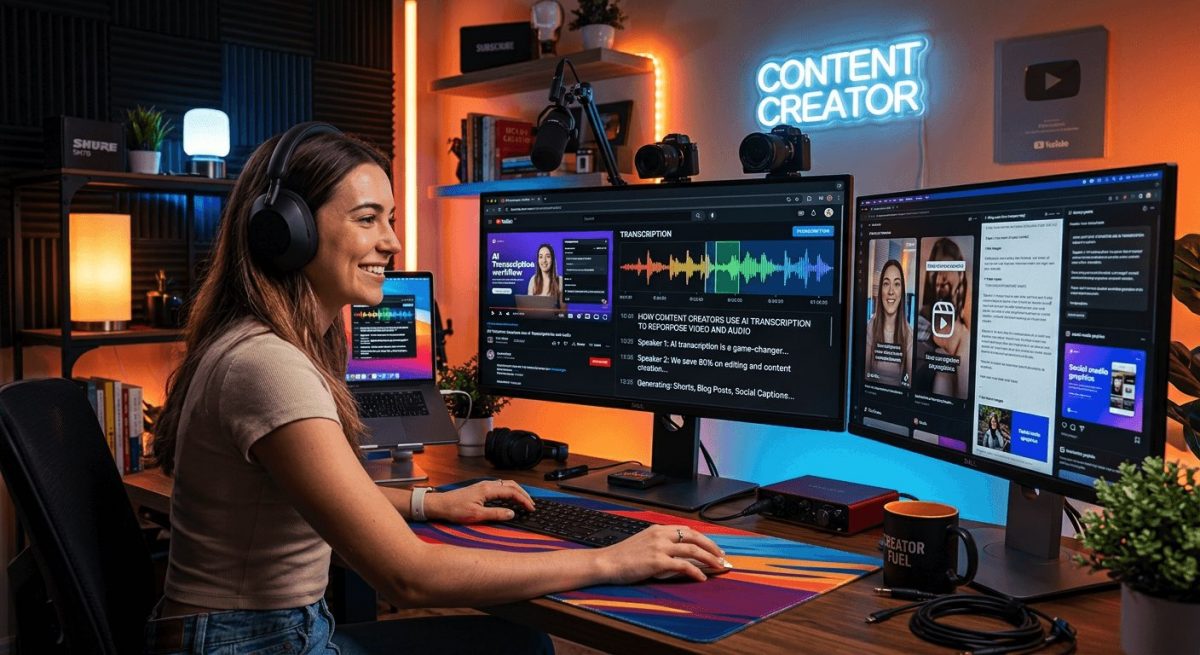
If you post videos or run a podcast, you already know the grind. You spend hours recording, editing, and publishing. Then someone asks, “Do you have a blog post version of that?” And your stomach drops a little. AI transcription is changing that reality fast. Instead of manually retyping every word you said on camera, creators are now feeding their recordings into AI tools and walking away with clean, usable text in seconds. That text becomes blog content, social captions, email newsletters, and show notes, without hiring a freelancer or blocking out a full afternoon.
Key Takeaway: AI transcription lets YouTubers, podcasters, and short-form video creators convert recordings into written content automatically. Instead of spending hours retyping or paraphrasing what they said, creators get clean text they can immediately reshape into blog posts, show notes, captions, and more. The result is a faster content cycle with less manual effort and more output from a single recording session.
Why Creators Are Drowning in Content Debt
Most creators are great at recording. They’re not always great at the writing that should follow.
A typical YouTube video takes hours to produce. A 45-minute podcast episode takes even longer. But the written content that should accompany each piece, the blog summary, the social captions, the email teaser, often never gets made. There simply isn’t time.
This is what researchers call content debt. You have material, but it’s locked in a format most people won’t sit down to consume. A productivity study found that knowledge workers lose significant time switching between creation modes, and moving from speaking to writing is one of the biggest friction points in any content workflow. Transcription removes that friction entirely.
The Text Is Already There, You Just Can’t See It
Here’s the thing: every video or audio file already contains the words. They just happen to be stored as sound rather than text. AI transcription reads those sounds and writes them down.
And today’s AI models are remarkably accurate. They handle accents, crosstalk, filler words, and fast talkers better than any tool that came before them. The output isn’t perfect raw text, but it’s 90 to 95 percent there, which is a starting point, not a finished draft.
For creators, that starting point is everything.
What One Recording Can Actually Produce
The reason AI transcription matters so much to creators isn’t just speed. It’s volume. A single 20-minute video, once transcribed, can generate:
- A 600 to 800 word blog post
- Three to five LinkedIn or social media captions
- A short-form newsletter section
- Timestamped show notes for a podcast feed
- Subtitle files for the original video
- Quotable pull quotes for image graphics
That’s six or seven pieces of content from one recording session. Without transcription, most creators would be lucky to get two.
How the Repurposing Workflow Actually Works
The actual process is simpler than most creators expect. Here’s a typical workflow from recording to published content:
- Record the video or audio as normal, without changing anything about how you already create.
- Upload the file to an AI transcription tool, either by pasting a link or dropping in the raw file.
- Wait for the transcript to generate, usually under a minute for most recordings.
- Skim the output and fix obvious errors, because names, technical terms, and proper nouns need the most attention.
- Copy sections into your preferred writing tool and reshape them for the intended format.
- Publish the written pieces alongside or shortly after the video goes live.
That’s the whole loop. Most creators who adopt this workflow report that the written content now takes a fraction of the time it used to.
Tools Built Around How Creators Actually Work
Generic transcription tools can handle a single file. But creators don’t work with single files. They batch-record episodes, upload in bursts, and need subtitle exports that sync with platform timing requirements.
That’s where purpose-built creator tools stand apart. A YouTube transcript workflow is designed around the specific way creators use that platform, pulling captions, generating summaries, and outputting text in formats that are ready to paste into a blog CMS or email tool. These platforms support bulk processing, structured exports, and integrations that generic tools simply weren’t built for.
If you’re publishing consistently at scale, that kind of dedicated infrastructure matters.
Why Platform-Native Workflows Save More Time
A tool built for creators understands the difference between a how-to tutorial transcript and a commentary video transcript. It formats output differently, handles chapter markers, and often lets you export in multiple formats from the same transcription session. That specificity cuts post-processing time down significantly compared to copying and cleaning text from a general-purpose tool.
Dropping Any File, From Any Platform
Not everything lives on YouTube. Creators publish on TikTok, Instagram Reels, Vimeo, their own websites, and private podcast feeds. Many work with raw .mp4 or .wav files straight from their editing software.
AI transcription tools that accept raw uploads handle this well. If you need to convert video to text regardless of where the file came from, the process is the same: upload the file, get back clean text. Platform doesn’t matter. Format doesn’t matter. The AI parses the audio track and returns written output.
This makes transcription genuinely useful across a creator’s entire content library, not just their YouTube archive.
The Numbers That Explain Why This Matters Now
Video is not a niche format. According to global video consumption data, online video viewing has climbed year over year, with people now watching over a billion hours of video per day across major platforms. That’s a massive audience, but it’s also a saturated one.
Creators who only publish video are competing for attention in one format. Creators who repurpose that video into written content show up in search engines, newsletters, and social feeds too. The transcript is what makes that possible without doubling your workload.
Where AI Fits Into a Broader Creator Stack
Transcription is one piece of a larger AI toolkit that creators are assembling right now. AI creation tools have expanded significantly in recent years, covering everything from script generation to SEO optimization and automated social formatting.
Transcription sits near the top of that stack because it feeds everything downstream. You can’t repurpose what you can’t read. Once the words exist in text form, every other tool can work with them.
The Part Most Creators Don’t Expect
The real surprise for most creators isn’t the time savings. It’s what the transcript reveals.
When you read your own words back, you notice patterns. You see which explanations are actually clear and which ones need work. You spot the best soundbites. You identify the moments that would make the strongest newsletter hook or the most shareable caption.
The transcript becomes a mirror. And for creators who care about improving their communication over time, that feedback loop is genuinely valuable.
From One Recording to a Full Content Week
If you’re a creator who still writes everything by hand, or who skips written content entirely because it takes too long, AI transcription changes the math.
A single recording session can now fuel a full week of written content. The video goes up. The blog post follows. The newsletter goes out. The captions get scheduled. All from the same source material, with a fraction of the traditional effort.
The creators doing this aren’t working harder. They’re publishing smarter, and they’re using the same hour of recording that everyone else has to go considerably further.
\nRelated reading: How AI Image Generators Are Changing Visual Content for Tech Writers and DomoAI: One-Stop Shop Solution for Your Creative Purposes.