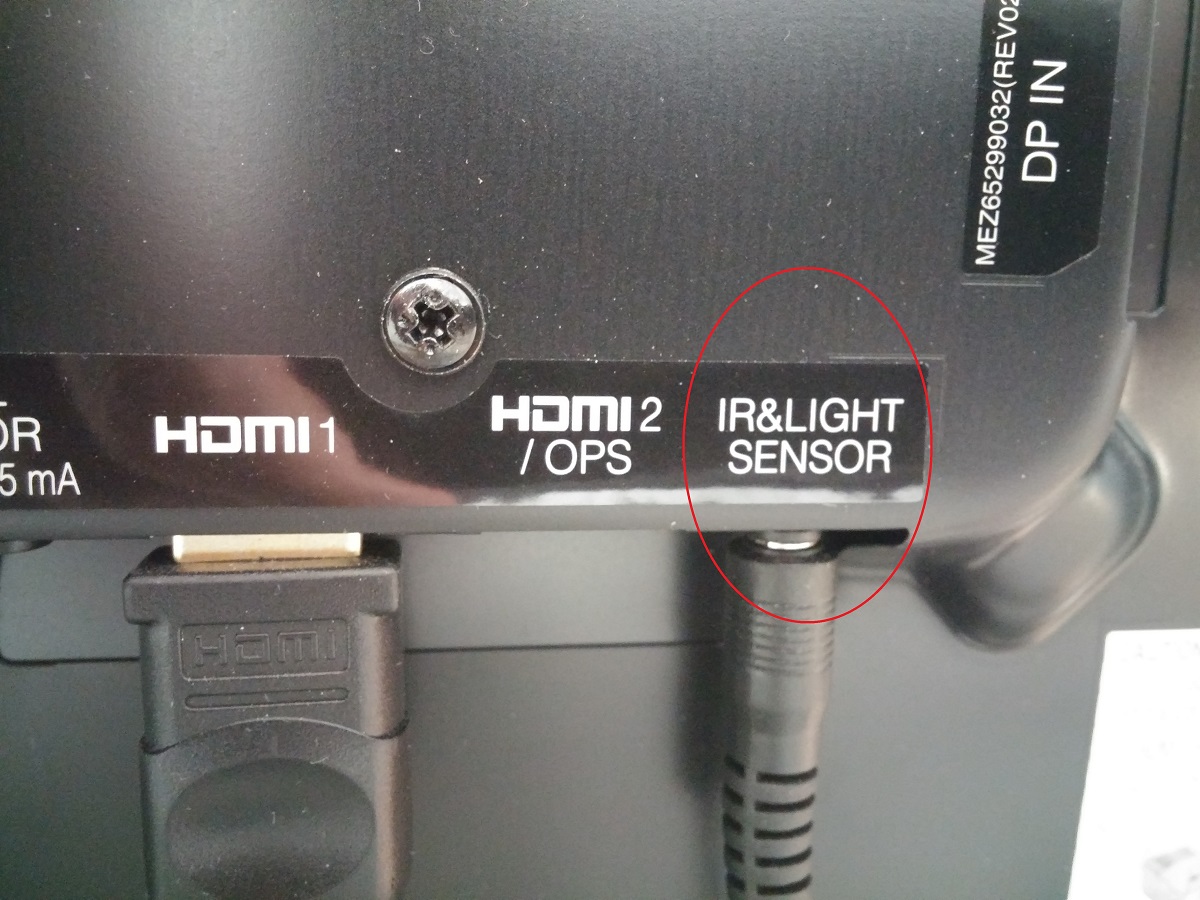
On most LG OLED TVs, the IR sensor is a small, dark, glossy window located on the bottom bezel, typically near the center or slightly off-center beneath the screen. For 2021 and newer models, this physical sensor may be absent entirely, as the Magic Remote communicates via Bluetooth or RF instead of infrared.
Where is the IR sensor on an LG OLED TV?
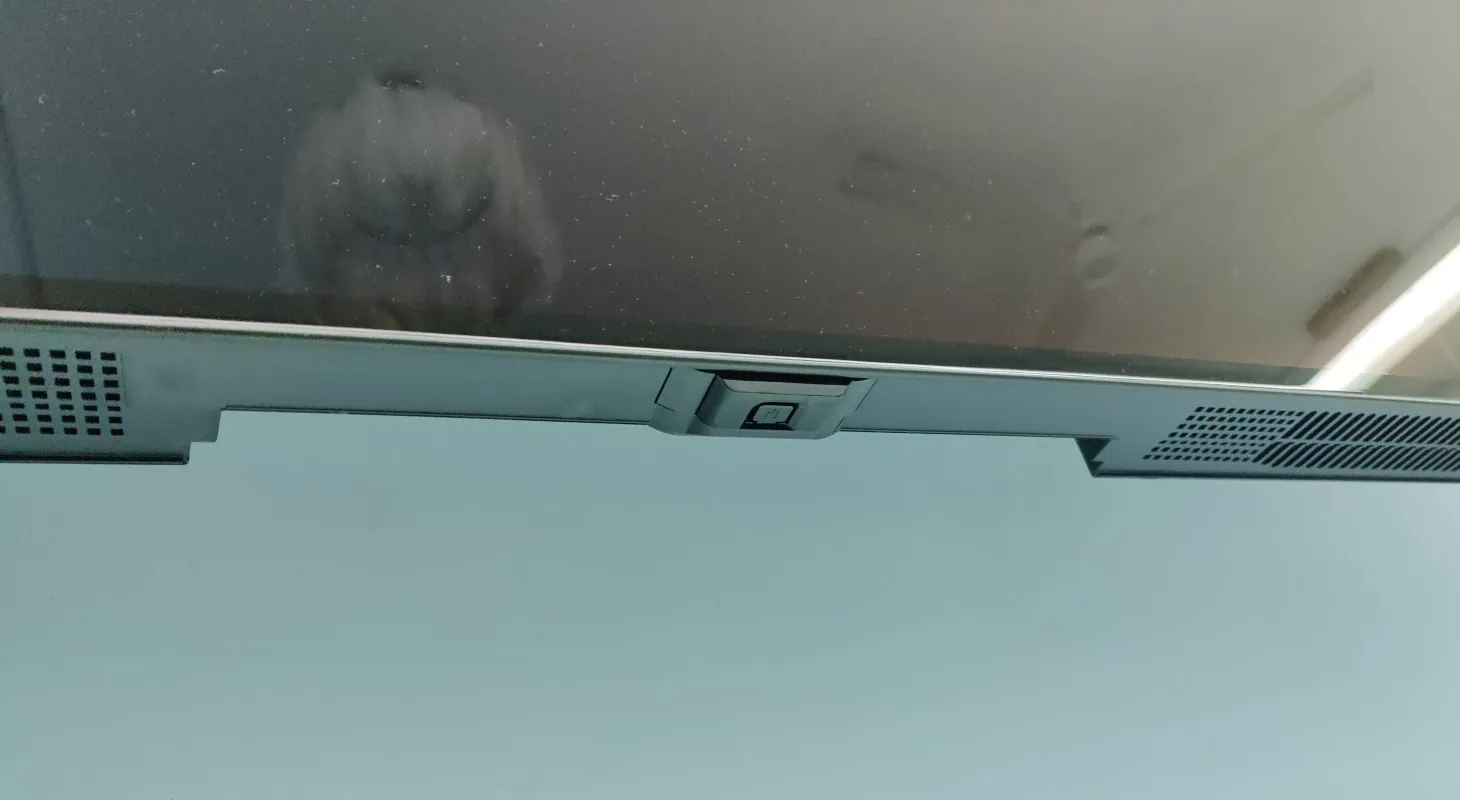
Look at the front edge of your TV, specifically the thin strip of plastic below the display panel. The IR sensor sits behind a tiny, almost invisible window that appears darker than the surrounding bezel. In most models, this window is positioned at the bottom-center, though some versions place it at the bottom-left or bottom-right corner. On older LG OLED TVs (pre-2021), the sensor is always present and visible as a small, glossy dot or elongated rectangle. If you have a 2021 or newer model, check whether your remote has a physical IR emitter at its top, if it does, the TV still has a matching sensor; if your remote is pure Bluetooth, there may be no IR window on the TV at all.
Quick visual guide: what the IR sensor window looks like
The IR sensor window is not a prominent feature. It appears as a small, dark, glossy or translucent rectangle, usually no wider than a fingernail, sitting flush against the bezel. On some models, it is circular; on others, it is a narrow horizontal strip. The material is slightly recessed or flush, and it may reflect light differently than the surrounding plastic. One exception to this visual rule is the "Internal IR Blaster" feature found on select LG OLED models. When this is enabled, the TV uses its own IR emitter to control external devices, and the front-panel sensor may be hidden or integrated into a different location, making it harder to spot.
Why the IR sensor matters for your LG OLED TV
Without a functioning IR sensor, your remote cannot send commands to the TV. The sensor is the sole receiver for infrared signals, and it requires a direct, unobstructed line of sight from the remote to the sensor window. When you press a button on the remote, it emits a burst of infrared light that travels in a straight line to the sensor. If anything blocks that path, a coffee mug, a soundbar, or even a glare from sunlight, the signal never reaches the sensor, and the TV ignores the command. This is why the sensor's placement matters: it is deliberately positioned on the front bezel to maximize the chance of a clear line of sight from typical seating positions. If a soundbar is blocking the sensor, you may need to find the ir profile of a soundbar to pass commands through it instead.
What to do if you can't find a visible IR sensor
If you have a 2021 or newer LG OLED TV and cannot locate any dark window on the front bezel, your TV likely relies entirely on Bluetooth or RF for remote communication. These models do not use infrared at all, so there is no physical IR sensor to find. Instead, the Magic Remote pairs directly with the TV via a wireless connection. The relevant next step is to ensure your remote is paired correctly. If the remote is not paired, the TV will not respond to any button presses, regardless of where you point it. To check pairing, press any button and watch for a response. If nothing happens, you will need to re-pair the remote using the procedure below.
Pairing your LG Magic Remote when the TV won't respond
When your Magic Remote is unresponsive, re-pairing it is the first fix to try. The process is simple and takes less than ten seconds. First, make sure the TV is powered on and you are within a few feet of it. Then, press and hold the HOME button and the SETTINGS button on the remote simultaneously for 5 seconds. On 2021 and newer models, this is the correct method. If you are unsure which method applies to your TV, try the HOME + SETTINGS combination first, as it is the current standard. If the remote still does not respond, you may need to deregister it before pairing again. To deregister, press and hold the BACK button and the HOME button together for more than 5 seconds. After deregistration, repeat the pairing step to reconnect the remote to the TV.
Simple troubleshooting for IR sensor problems
If your TV has a visible IR sensor but the remote is unreliable, start by clearing any obstructions between the remote and the sensor. Move objects like books, vases, or decorative items off the TV stand. Next, clean both the sensor window and the remote's emitter. Dust and fingerprints can block infrared signals, so wipe both surfaces with a soft, dry, lint-free cloth. Replace the batteries in the remote with fresh ones, as weak batteries can cause intermittent signal transmission. Finally, check for firmware updates on your TV. LG periodically releases updates that improve remote control functionality, including IR sensor responsiveness. To check for updates, go to the TV's settings menu and look for the software update option. If none of these steps resolve the issue, the problem may be hardware-related, and you should contact LG support.
Still stuck? LG support and next steps
When basic troubleshooting fails, consult your TV's user manual. The manual typically includes a diagram that shows the exact sensor location for your specific model. You can also visit the official LG website and search for your model number to find detailed specifications and support documents. If you still cannot locate the sensor or resolve the issue, contact LG customer support directly. They can provide model-specific guidance and, if necessary, arrange for a service visit. Before you call, have your TV's model number and serial number ready, as these will help the support team assist you faster. If you are setting up a new TV or troubleshooting other connectivity issues, consider exploring related setup guides for your LG OLED model to ensure you are using all its features correctly.
\nRelated reading: Where Is The Power Button On LG OLED TV.