A Zoom free vs paid comparison reveals that free accounts cap group sessions at 40 minutes and lack cloud capture, while paid Pro accounts remove the time limit and add 10 GB of cloud storage. Zoom sets the pricing band for Pro at the entry level, with Business and Enterprise tiers priced higher; visit Zoom’s official pricing page for current figures. You can still download Zoom and start hosting immediately, but the free tier imposes hard limits that become visible when you try to host a session with three or more participants. Understanding these boundaries helps you decide whether upgrading is necessary or if the free version meets your needs.
The 40-minute wall in zoom free vs paid plans
When you host a zoom meeting with three or more participants, the free tier enforces a strict 40-minute cutoff. A countdown timer appears in the session toolbar during the last five minutes, and when time expires, Zoom automatically ends the call for everyone. This limit does not apply to one-on-one calls, which remain unlimited even on a free account. The 40-minute rule exists as Zoom’s primary incentive to upgrade; it forces hosts with recurring group calls to consider a paid plan. If you need to check zoom meeting history after the cutoff, the free account shows the session ended at the 40-minute mark, with no option to resume without starting a new session. You can immediately start another call, but the timer resets, so long sessions require manual restarts.
Cloud storage and capture access
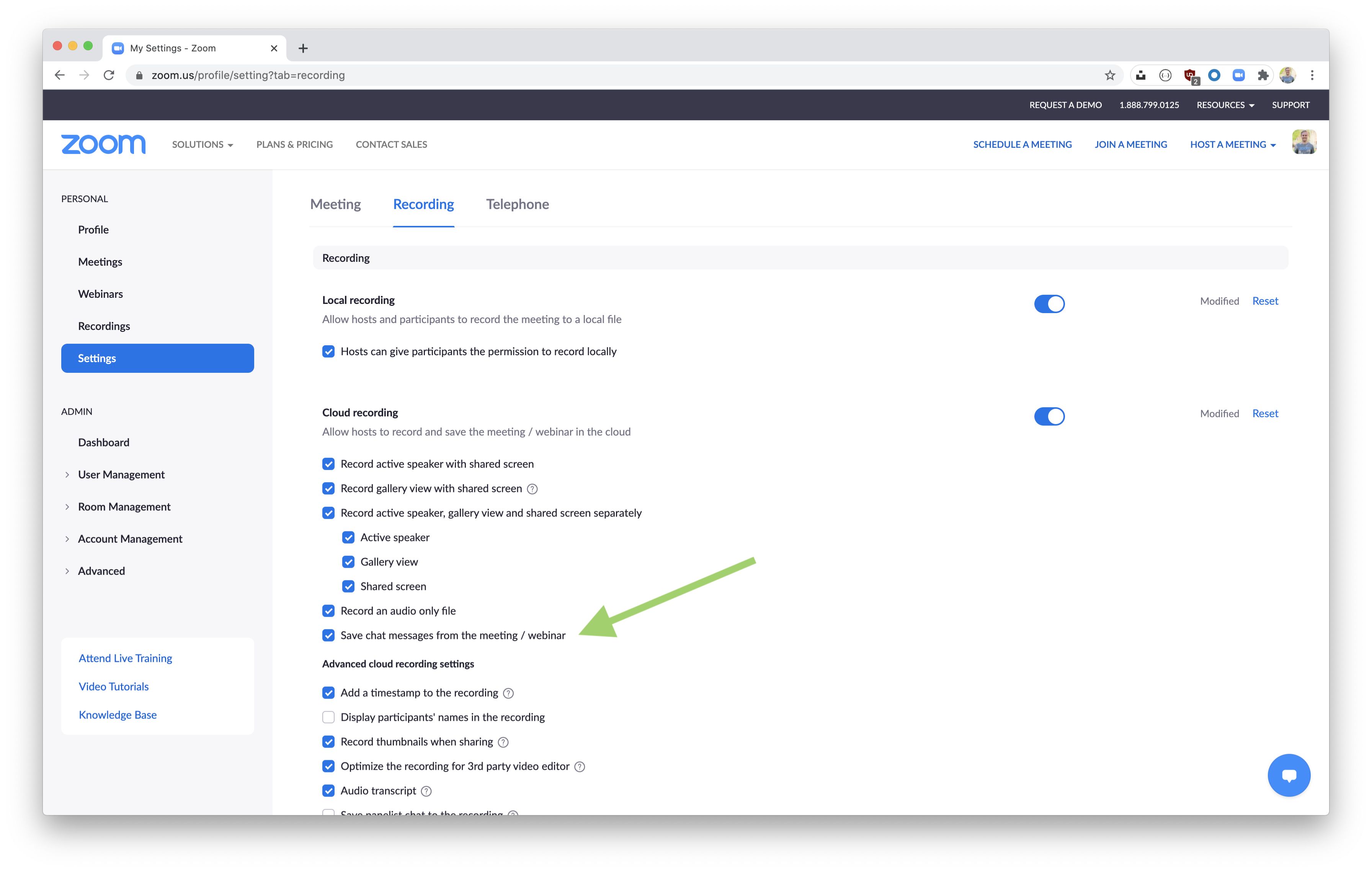
Free accounts restrict capture to local storage on your computer. You can save to your hard drive, but you cannot save sessions to Zoom’s cloud. Paid Pro accounts include cloud capture with 10 GB of storage, and higher tiers increase that cap. Cloud captures are automatically processed after a session ends and appear in your Zoom web portal under the Recordings tab. If a participant shares a cloud capture with you, you can download the Zoom recording directly from that shared link, provided the host has a paid account. Without cloud capture, you must manually share large local files, which can be cumbersome for teams that need automatic access for absent members. Only Zoom offers the integrated workflow where a shared cloud capture link lets any invited viewer download the Zoom recording without installing the desktop client.
When a free account is actually enough
A free account works perfectly for unlimited one-on-one calls, where the 40-minute limit does not apply. It also suits small team standups, client check-ins, or short brainstorming sessions that finish under 40 minutes. If you host a zoom meeting for a quick daily sync with three colleagues, the free tier handles it without interruption. The local capture option suffices when you only need a copy for yourself and don’t require cloud sharing. For personal use, such as remote family gatherings or casual calls with friends, the free account rarely hits its limits. Only upgrade when you consistently run over 40 minutes with groups or need cloud-based capture for later distribution.
Pricing tiers beyond pro
Zoom’s Business plan sits in a pricing band set by Zoom above the Pro tier and below Business Plus, removing the 40-minute limit for sessions up to 300 participants, adding 1 GB of cloud capture per license, and including single sign-on (SSO) integration. The Business Plus tier occupies a higher pricing band set by Zoom, adding managed domains, which let an admin control account settings for all users under a verified domain. Enterprise plans, occupying Zoom’s top pricing band with a minimum of 50 hosts, add dedicated support, unlimited cloud storage, and advanced admin features like custom branding and compliance dashboards. See Zoom’s official pricing page for the exact current rates for each tier. These tiers go far beyond the free-versus-Pro comparison, targeting organizations that require centralized control, larger session capacities, and audit-ready capture archives.