You can't restore an unsubscribed calendar from the trash because unsubscribing doesn't delete it—it just removes it from your view. You need to resubscribe to it using the original calendar's URL or email address, or ask the owner to share it with you again.
Why you can't restore an unsubscribed calendar from the trash
When you click "Unsubscribe" on an "Other calendars" entry in Google Calendar, the system removes the subscription link from your account but leaves the original calendar untouched on its owner's server. Unlike deleting a calendar you created, which moves it to the "Trash" or "Deleted calendars" section for 30 days, unsubscribing does not generate any trash item. The calendar never appears in your trash because you never owned it; you only had a read-only or edit-access link to it. This is why searching the "Trash" or "Deleted calendars" sidebar yields nothing. The action is immediate and irreversible from your account side, so there is no undo button or bin to check, and while you can undo in Google calendar for actions like moving or deleting events, that capability does not extend to restoring a removed subscription. If you previously used automation to populate that calendar, you can link Google sheets to Google calendar again to rebuild the data connection.
Resubscribe using the original link or address
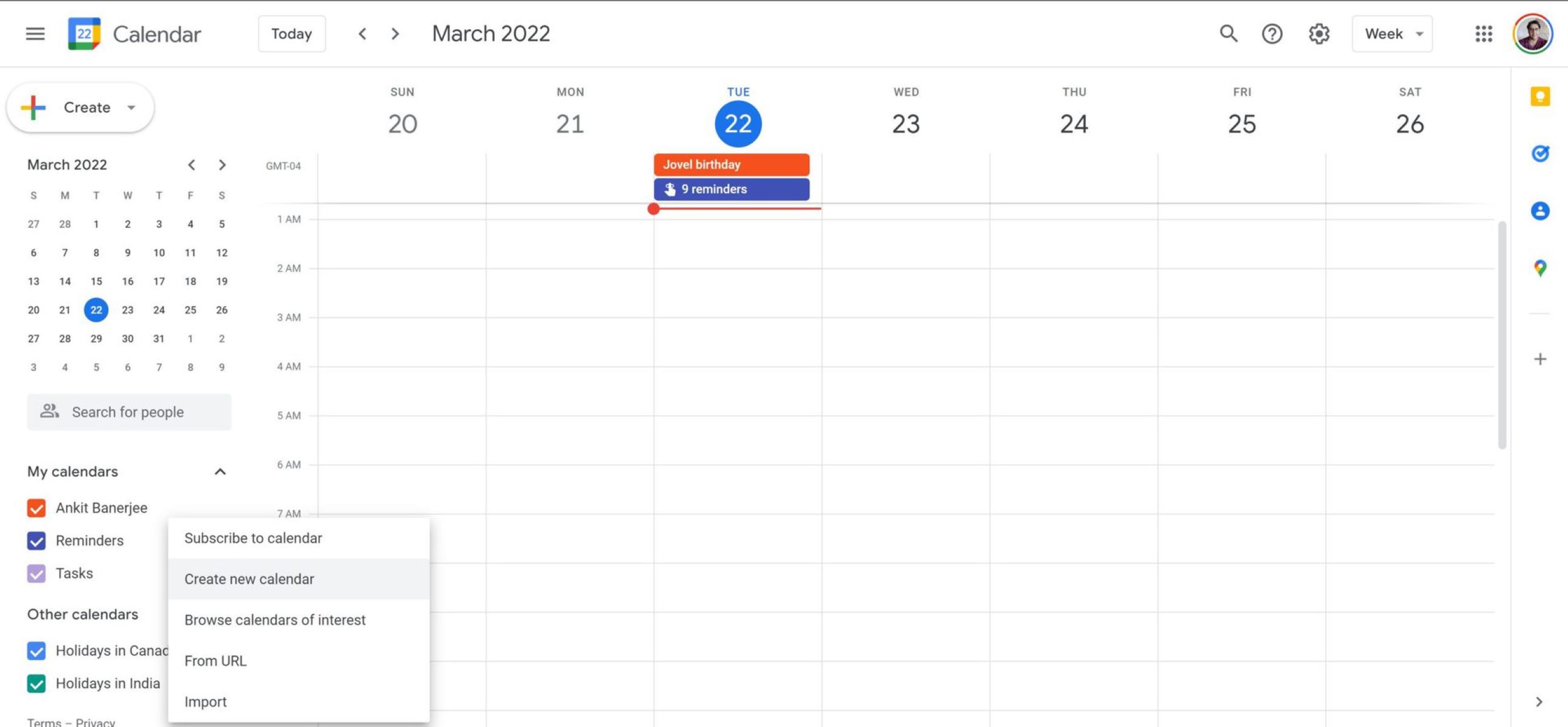
To get the calendar back, you need to re-establish the subscription. Start by locating the original calendar URL or the owner's email address. If you received a share invitation by email, search your Gmail inbox for "Google Calendar invitation" and click the "Add this calendar" button in that message. If you imported a public calendar from a URL, like a sports team schedule or a university academic calendar, check your browser history for the original link. Open Google Calendar, click the plus (+) icon next to "Other calendars" in the left sidebar, select "From URL," and paste the link. If the calendar was shared with you via email, ask the owner to share the calendar with you again. The calendar will reappear in your "Other calendars" list immediately, and you can then change background on Google calendar to visually distinguish it from your primary schedule.
When you don't have the link and can't reach the owner
If you cannot find the original URL in your history or email, and the calendar owner is unavailable, you cannot restore the calendar to your view. Without the subscription source or a new share invitation, Google Calendar has no mechanism to reattach it. The calendar data still exists on the owner's side, but your account has lost the permission token. In this scenario, you must create a new calendar from scratch and manually re-enter events. However, none of these actions will recover the original unsubscribed calendar, they only mitigate the loss. The key takeaway: always save the original share URL or invitation email before unsubscribing, because the ability to undo in Google calendar only works for edits like moving events, not for subscription removal.