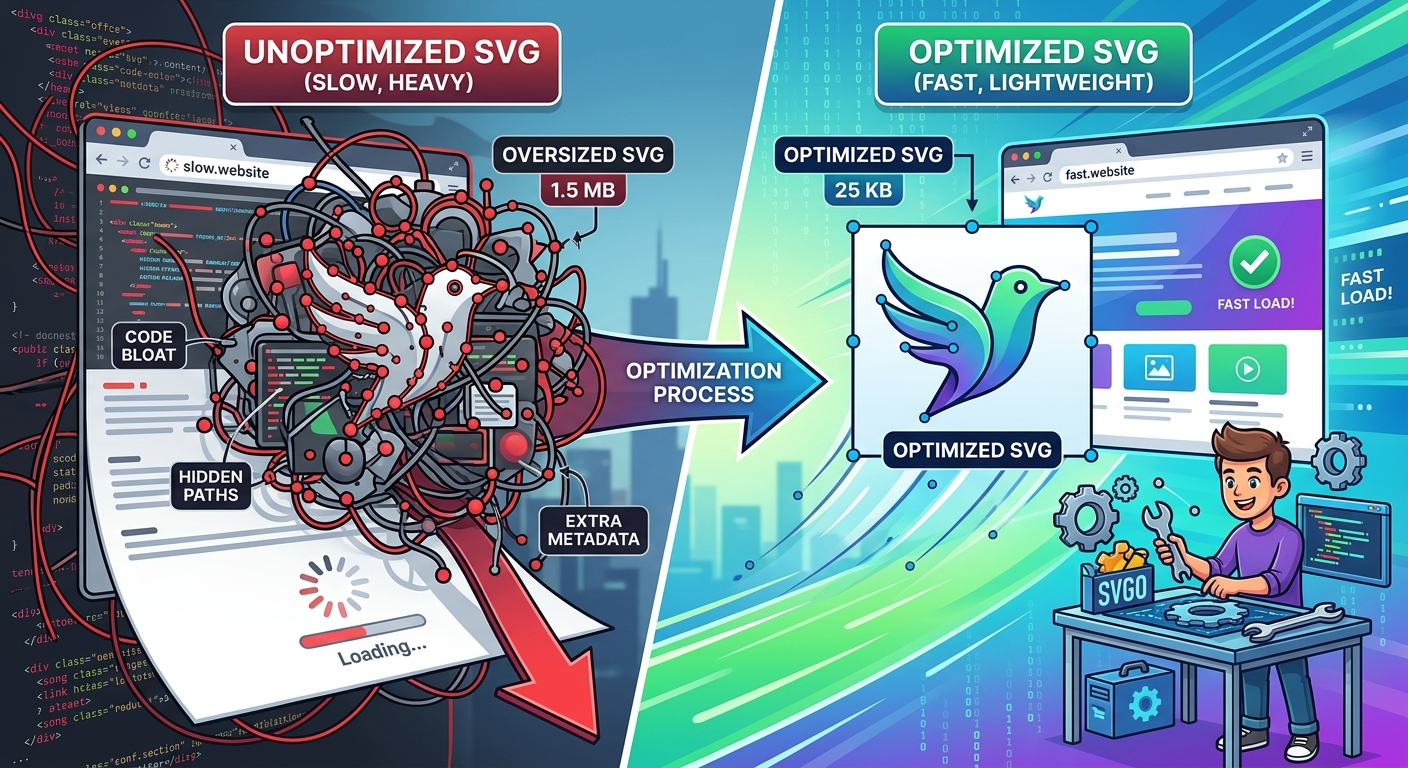
SVG files look clean. They scale without losing quality, they work at any resolution, and they keep your graphics sharp on retina screens. But what you see in the browser is rarely what you got from the export dialog. Design tools like Figma and Adobe Illustrator pack a surprising amount of invisible data into every file they produce, and that data costs you real performance on every page load.
Most SVG exports carry significant hidden overhead. Before publishing any vector graphic to your website, you need to know what is actually inside the file.
- Design tools embed editor metadata, generator comments, and internal IDs that the browser never uses but still has to parse.
- Hidden layers and unused symbol definitions that were part of your design process survive the export and inflate file size.
- A single unoptimized icon can be two to five times larger than its optimized version, multiplied across every icon on the page.
What a Design Tool Actually Exports
When you finish an icon in Figma or Illustrator and hit export, the tool does not think about your users. It thinks about round-trips. The file it generates is designed to be reopened and edited later, which means it includes information that serves the design environment rather than the browser.
Figma exports include generator comments that identify the app version used to create the file. Illustrator embeds XMP metadata, sometimes including author details, creation timestamps, and editing history. Both tools can include `
According to the SVG format specification, SVG is a text-based format built on XML. That means all of this invisible overhead is human-readable text sitting in your file, character by character, adding to the payload your server sends every time a visitor loads a page that contains that file.
The Anatomy of an Unoptimized SVG
Open any freshly exported SVG in a text editor and you will likely find several categories of bloat. Editor metadata appears near the top, often inside an XML comment block. These comments can span dozens of lines. Below that, you may find `
Then come the structural issues. Groups that contain a single element. Transforms stacked on top of transforms that could be collapsed into one. Decimal coordinates recorded to six places when two would be visually identical. Color values expressed as long `rgb()` strings instead of three-character hex codes. Unused `id` attributes on every path, generated to support Figma's internal selection and component model.
None of these issues change how the icon looks. They only change how long it takes to arrive and how much work the browser does to parse it.
Why File Size Compounds Faster Than You Think
A single over-weight SVG is not the end of the world. The problem is that icons rarely travel alone. A typical web page might use a navigation icon set, social media badges, feature section graphics, and decorative illustrations. If each of those is exported raw from a design tool, you might be sending ten or fifteen kilobytes of unnecessary XML on every page load.
Web performance research consistently shows that page weight correlates with bounce rate, particularly on mobile connections. When core web vitals became a Google ranking signal, the conversation about asset weight moved from best practice to business necessity. SVGs are easy to overlook in this context because they seem small next to a JPEG. But SVGs require parsing by the browser engine, not just decompression, and a bloated SVG with hundreds of redundant path nodes or deeply nested group structures can hold up rendering in ways that a well-optimized image never would.
The Browser-Based Fix That Requires Nothing to Install
The most practical answer for most designers and developers is a browser-based SVG optimizer. You paste your exported markup or upload the file, and the tool strips the bloat automatically using safe, well-established transformations. Well-optimized SVG icons can end up dramatically smaller than their raw exports, often with no visible difference at any scale.
This matters especially for teams where the designer and developer are the same person. You should not have to set up a Node.js build pipeline and configure SVGO with a custom preset just to ship a clean icon. A browser tool handles the common cases without friction, and the output drops straight into your codebase or component library.
The transformations these tools apply follow predictable patterns. They remove comments and metadata. They collapse redundant group elements. They merge transforms. They reduce coordinate precision to a level that is indistinguishable at any viewport size. They convert color formats to their shortest valid equivalents. The result is a file that renders identically to the original but arrives faster and parses faster.
When Your Graphics Move Into Documents Instead of Web Pages
Not every SVG ends up in a browser. Designers frequently work with the same icons and diagrams across multiple deliverables, and sometimes those deliverables are PDF documents rather than web pages. A pitch deck, a technical spec, a client report, these all carry graphics that need to look sharp in print and on screen.
For document-level workflows, the tooling looks different. When you are managing graphics inside PDFs, whether compressing them, restructuring them, or converting between formats, purpose-built AI PDF tools cover the operations that a browser-based SVG optimizer does not. The graphic itself might be the same asset you already optimized for the web, but once it lives inside a PDF the optimization context changes entirely.
Keeping these two workflows separate matters. Web optimization is about parse speed, HTTP payload, and rendering performance. Document optimization is about compatibility, print fidelity, and file portability. Reaching for the wrong tool in either context produces results that work poorly in both.
Putting Optimization Into Your Normal Workflow
The easiest moment to optimize an SVG is immediately after export, before it goes anywhere else. Many developers add optimization to their build step, which means every file in the project gets cleaned automatically at deploy time. But for smaller projects or individual assets, a browser-based tool fits naturally into the handoff step between design and development.
The key habit is treating the raw export as a working draft, not a finished asset. What the design tool produces is correct for editing purposes. What your users receive should be stripped of everything that serves the editor rather than the browser. Those are two different files, and treating them the same introduces weight into your pages that serves no one.
The Real Cost of Skipping This Step
Skipping SVG optimization is the kind of decision that feels fine at scale of one file and starts to hurt at scale of fifty. By the time you notice that your pages are heavier than they should be and start auditing your assets, you have weeks or months of unoptimized files embedded across dozens of templates, components, and stylesheets.
The corrective work is not catastrophic, but it is tedious. Running everything through an optimizer retroactively, checking output against originals, updating references throughout your codebase, it all takes time that a lightweight front-end habit would have prevented.
What Optimized SVGs Actually Change for Your Users
Faster pages are not an abstract engineering goal. They translate directly into how quickly a first-time visitor decides whether your site is worth staying on. On a fast connection, the difference between a raw and optimized icon set might be invisible. On a slower mobile connection, or in a region with higher latency, it compounds with every other asset on the page.
The vector format is one of the most powerful tools available to anyone building for the web. Resolution independence, small size relative to equivalent raster images, and inline control over styling through CSS, these advantages only hold if you ship the format in a clean state. A bloated SVG undercuts the entire reason you chose the format.
SVG Optimization Is Not Optional Anymore
The web performance bar has moved. Users expect pages to load fast. Search engines reward them when they do. Every unnecessary byte you send is a byte that delays paint, increases parse time, and asks more of devices that may already be working hard to render your page.
Optimization used to feel like an optional polish step for perfectionists. It is now part of responsible asset handling, no different from compressing a JPEG or writing efficient CSS. The tools that make it easy are available, they are fast, and they require no setup. The main thing standing between an over-weight export and a clean deployed asset is the habit of running one more step between design and delivery.
\nRelated reading: How to Find High-Quality PNG Files for Any Design Project, Robots Acquires SpyOnTech, and Hyperbaric Oxygen Therapy: Revolutionizing Treatment for Various Conditions.