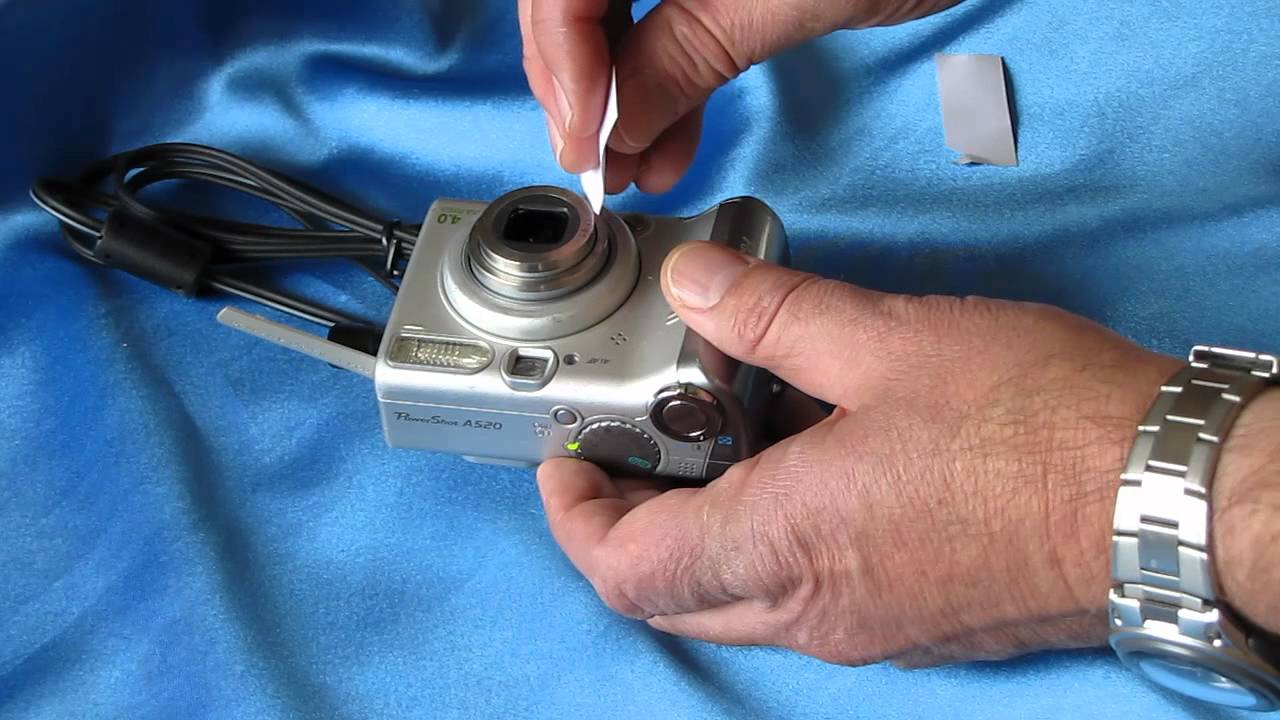
To fix a stuck camera lens, start by checking the battery and power cycling the camera, these simple steps resolve many cases. If the lens remains jammed, carefully clean visible debris and use compressed air to dislodge hidden particles, but never force the mechanism.
Why your camera lens gets stuck (and how to fix it fast)
A dropped camera, a dead battery, or a day at the beach can leave your lens frozen in place. In most cases, the culprit is either dirt or debris jamming the delicate barrel, or a low battery that lacks the power to drive the motor. The good news is that you can often fix this yourself in minutes with basic household items, no repair shop needed. Below, you’ll find a step-by-step troubleshooting plan that moves from the simplest, safest fixes to more involved ones, so you can get back to shooting without spending a dime.
Before you touch the lens: check the battery first
Your camera’s lens motor needs a steady power supply to extend and retract. If the battery is low or depleted, the lens may stop mid-cycle or refuse to move at all, this is one of the most common causes of a stuck lens. Fully charge the battery or try a fresh one before attempting any physical repair. Even if the camera powers on, a weak battery can still cause the lens to stall, so this step is essential. If a new battery doesn’t solve it, move on to the next step.
Power cycle your camera to reset the lens
A software glitch can leave the lens motor in a confused state, and a full power cycle often clears it. Follow these steps in order:
Step 1: Turn off the camera
Press the power button to shut it down completely. If the camera is unresponsive, remove the battery immediately.
Step 2: Remove the battery and memory card
Open the battery compartment and take out the battery. Also remove the memory card to ensure all power is drained from the system.
Step 3: Wait 30 seconds to 15 minutes
Leave the camera powered down for at least 30 seconds; for stubborn glitches, wait up to 15 minutes. This allows internal capacitors to discharge and the firmware to fully reset.
Step 4: Reinsert and power on
Put the battery and memory card back in, close the compartment, and turn the camera on. Test the lens by zooming in and out. If it moves smoothly, you’re done. If not, proceed to the next step.
Inspect and clean visible dirt from the lens barrel
Sand, dust, or lint can wedge between the lens segments and block movement. Turn the camera off and hold it under bright light. Gently rotate the lens barrel (if it’s a retractable model) to expose any debris. Use a soft, dry microfiber cloth or a blower brush to wipe away particles. Avoid using lens cleaning solution, it can seep into the mechanism and cause more harm. Do not apply pressure; you’re only removing surface dirt, not forcing the lens. If you see stubborn grit, use a dry cotton swab to coax it out. Power on and test again.
Use compressed air to dislodge hidden particles
If debris is lodged deeper inside the barrel, compressed air can blow it out without disassembling the camera. Hold the camera with the lens facing downward so gravity helps pull particles away. Use short, controlled bursts from a can of compressed air, keeping the nozzle at least a few inches from the lens. Cover the battery compartment and memory card slot with your fingers to prevent air from pushing dirt further inside. After a few bursts, power on and test. Repeat once if needed, but never tilt or shake the can, as that can release propellant liquid onto the lens.
Tap the camera gently against your palm
Sometimes a minor impact or a tiny grain of sand causes the lens to bind. With the camera powered off, hold it firmly in one hand and tap the bottom or side of the camera against your other palm, use light, rhythmic taps, not hard hits. This can dislodge a particle or realign a slightly misaligned gear. For retractable models, you can also try gently assisting the lens while powering on: press the power button and, with your fingertips, apply light, even pressure to the lens barrel in the direction it should move. Do not force it, if it resists, stop immediately. Power on and test after each attempt.
Reset your camera to factory settings
If the lens still won’t budge, a software corruption might be the culprit. A factory reset clears all settings and returns the firmware to a clean state. First, consult your camera’s manual or manufacturer’s website for the exact reset procedure, it’s usually in the setup menu or via a dedicated reset button. Before you reset, back up any important photos stored on the internal memory, as this process erases all data. Navigate to the reset option, confirm your choice, and wait for the camera to restart. After the reset, power on and test the lens. If it extends and retracts normally, the issue is resolved.
When to seek professional repair
If you’ve tried every method above and the lens remains stuck, the problem is likely mechanical, a broken gear, a bent rail, or internal damage from a drop. At this point, contact the camera manufacturer’s customer support or find a certified camera technician. They can diagnose the issue precisely and give you a repair estimate. Weigh the repair cost against the camera’s current value, if the camera is old or inexpensive, it may be more economical to replace it. When you call, mention the steps you’ve already taken, as this helps the technician pinpoint the fault faster. Attempting further DIY disassembly at this stage risks permanent damage, so leave it to the experts.
\nRelated reading: How To Fix A Drone, How To Reset Power Bank, and How To Unlock A Logitech Wireless Keyboard.