To download Koikatsu cards, you need to grab the original .png file from a reputable community site and drop it into your game’s UserData\Chara folder. The entire process takes under five minutes once you know the correct file path and have the HF Patch installed, which is essential for most cards to load without errors.
What you need to know before you download Koikatsu cards
Koikatsu cards are special .png image files that contain embedded character data, everything from body sliders and clothing choices to hair style and personality flags. The game reads this hidden data when you import the card, so the file must be the original upload, not a screenshot or a compressed preview.
The single most important prerequisite is installing the HF Patch, a community-made mod pack that includes the plugins and asset bundles required by the vast majority of shared cards. Without it, many cards will load with missing textures, invisible clothing, or fail to appear entirely. The patch also updates your game to the latest community-supported version, which keeps newer cards compatible.
One critical warning: never download a thumbnail, miniature, or screenshot of a card. These are just images, they contain no embedded data and will not work in the game.
The best websites to find and download Koikatsu cards
Stick to these verified, reputable sources to avoid malware and broken files. Each site has a different focus, so try all three to build a solid collection.
- BepisDB (db.bepis.moe/koikatsu), The largest and most organized database, with thousands of cards tagged by character, outfit, and creator. It offers advanced search filters and direct
.pngdownloads. This is the best starting point for any character type. - Kenzato (kenzato.uk/booru/category/KK), A booru-style gallery that’s particularly strong for anime-style and original characters. It has a simple tag system and a clean interface, making it easy to browse by series or theme.
- Illusion Cards Booru (illusioncards.booru.org), A long-running community archive with a huge backlog of older and niche cards. It’s less polished than BepisDB but contains hidden gems and rare characters you won’t find elsewhere.
Additionally, the #card-sharing channel on the official Koikatsu Discord server is a live community hub where creators post new cards daily. This is the best place to find fresh releases and request specific characters.
How to download the correct Koikatsu card file
Once you’ve found a card you like, follow these exact steps to ensure you get the working .png file and not a broken preview.
Step 1: Open the card’s detail page
Click on the card’s thumbnail to open its full page. This page contains the original file, the creator’s notes, and any required mods listed in the description. Do not right-click and save the thumbnail, that will only give you a low-resolution image without embedded data.
Step 2: Locate the original download button
Look for a button labeled “Original,” “Download PNG,” “Full Size,” or a direct file link. On BepisDB, it’s usually a green button that says “Download” next to the file size. The file you save must end in .png, if it ends in .jpg or .webp, you’ve grabbed the wrong file.
Step 3: Handle zip archives that contain mods
Some cards are packed in .zip, .7z, or .rar archives. These archives often include the card .png plus required mod files (like custom clothing or hair assets). Download the archive, extract it to a temporary folder, and check the contents. You’ll see the card image alongside a mods or Plugins folder. Copy those folders into your Koikatsu directory just like you would install any mod, this ensures the card has everything it needs to load correctly.
How to install Koikatsu cards into your game
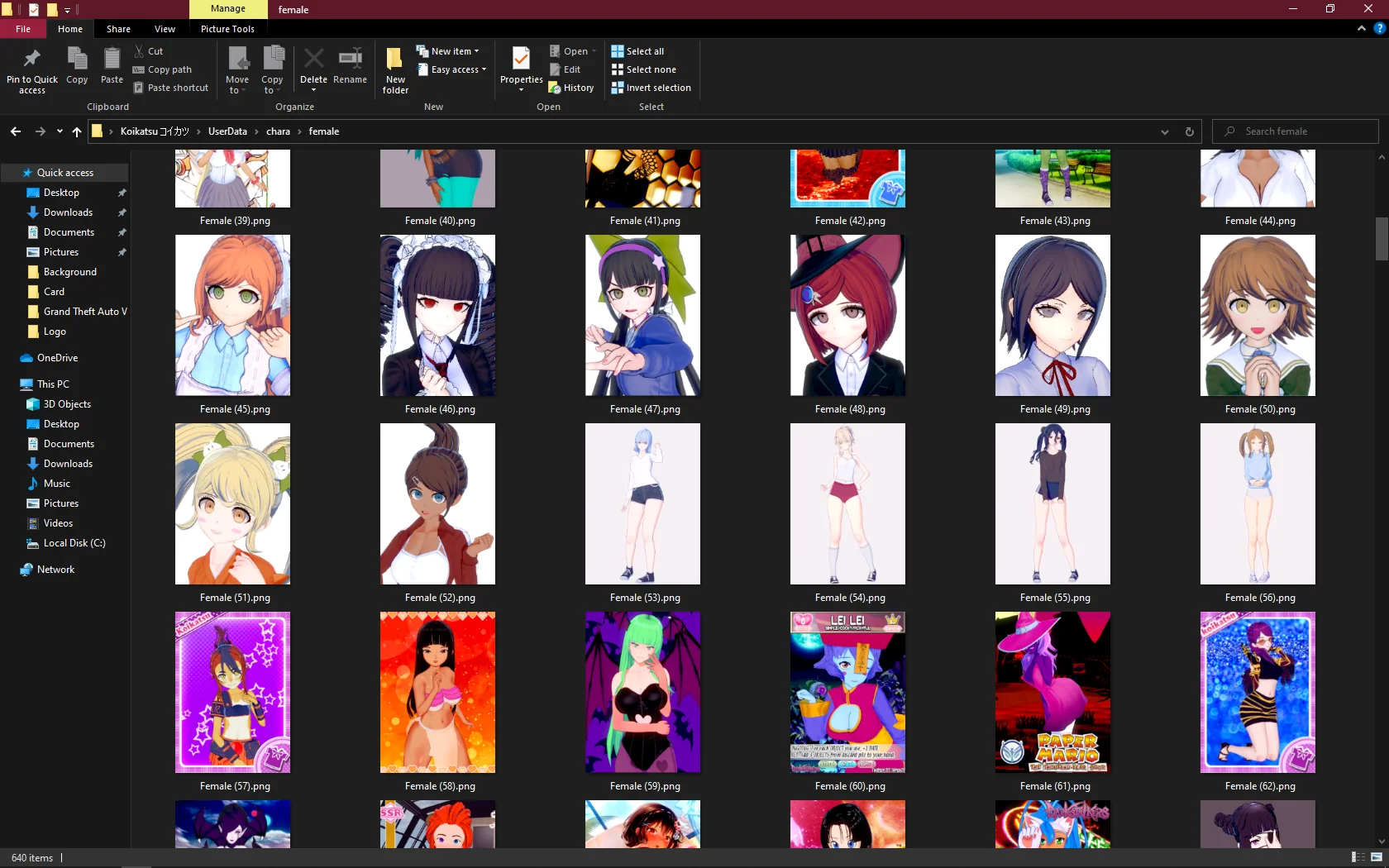
Installation is simply a matter of placing the .png file into the correct folder. Here’s the exact path for both genders:
- Female characters:
UserData\Chara\female - Male characters:
UserData\Chara\male
Navigate to your Koikatsu installation folder (where the game’s .exe file is located), open UserData, then Chara, and drop the .png into the appropriate subfolder. If the folder doesn’t exist, create it manually, the game will recognize it on the next launch.
For Koikatsu Sunshine (the sequel), the process is identical but the folder path is UserData\Chara\female inside the Sunshine directory. The game will automatically detect new cards when you open the character maker or the in-game load screen.
If you’re moving cards from the original Koikatsu to Sunshine, you can use them directly, Sunshine is backward compatible with original cards. However, the reverse is not true: Koikatsu Sunshine cards are not backward compatible and will not work in the older Koikatsu game.
Troubleshooting common Koikatsu card problems
Even with correct installation, you may run into issues. Here are the most frequent problems and their fixes.
Card doesn’t appear in the game
First, double-check the file extension. It must be .png, not .jpg or .webp. If it’s a different format, re-download the original from the source. Second, confirm you placed it in the correct gender folder, a male card in the female folder won’t show up in the female list. Finally, restart the game completely after adding new cards; the game only scans the folders on startup.
Card loads with missing textures or invisible clothing
This is almost always a missing mod issue. Check the card’s description page for a list of required mods. If the creator listed specific mods, install them from the provided links. The easiest fix is to run the HF Patch installer again, which will update all core mods to the latest versions.
Card loads but the character looks completely wrong
This usually means the card was created for a different game version. If you’re using the original Koikatsu and the card was made for Sunshine, it will not load correctly, Sunshine cards are not backward compatible. If it’s a Sunshine card, you need to play Koikatsu Sunshine to use it.
Another cause is an outdated game version. Run the HF Patch updater to ensure your game is updated to the latest version. Some newer cards require the most recent game patch, and older versions will silently drop features.
If you’ve verified all of the above and the card still fails, the card file itself may be corrupted. Re-download it from the original source and try again.
\nRelated reading: How To Download A FNF Mod, How To Download Mods From Mod.io, and How To Download Mods For Gorilla Tag.