To add cash to Cash App from a bank account, open the Money tab on your home screen, tap Add Money, select your linked bank account, enter the amount, and authorize the transfer with your PIN or biometrics. The funds will appear in your Cash App balance instantly, ready to send or spend.
Before you add cash to Cash App from a bank account
Cash App requires you to link a debit card before you can add a bank account. This prerequisite must be completed first, or the option to link a bank account will not appear. You can link up to two debit cards and one bank account to your Cash App at a time. If you run into trouble during this step, you may encounter the Cash App add cash failure issue, which is often caused by skipping the debit card requirement. Following the correct order sets you up for a smooth transfer.
How to link your bank account to Cash App
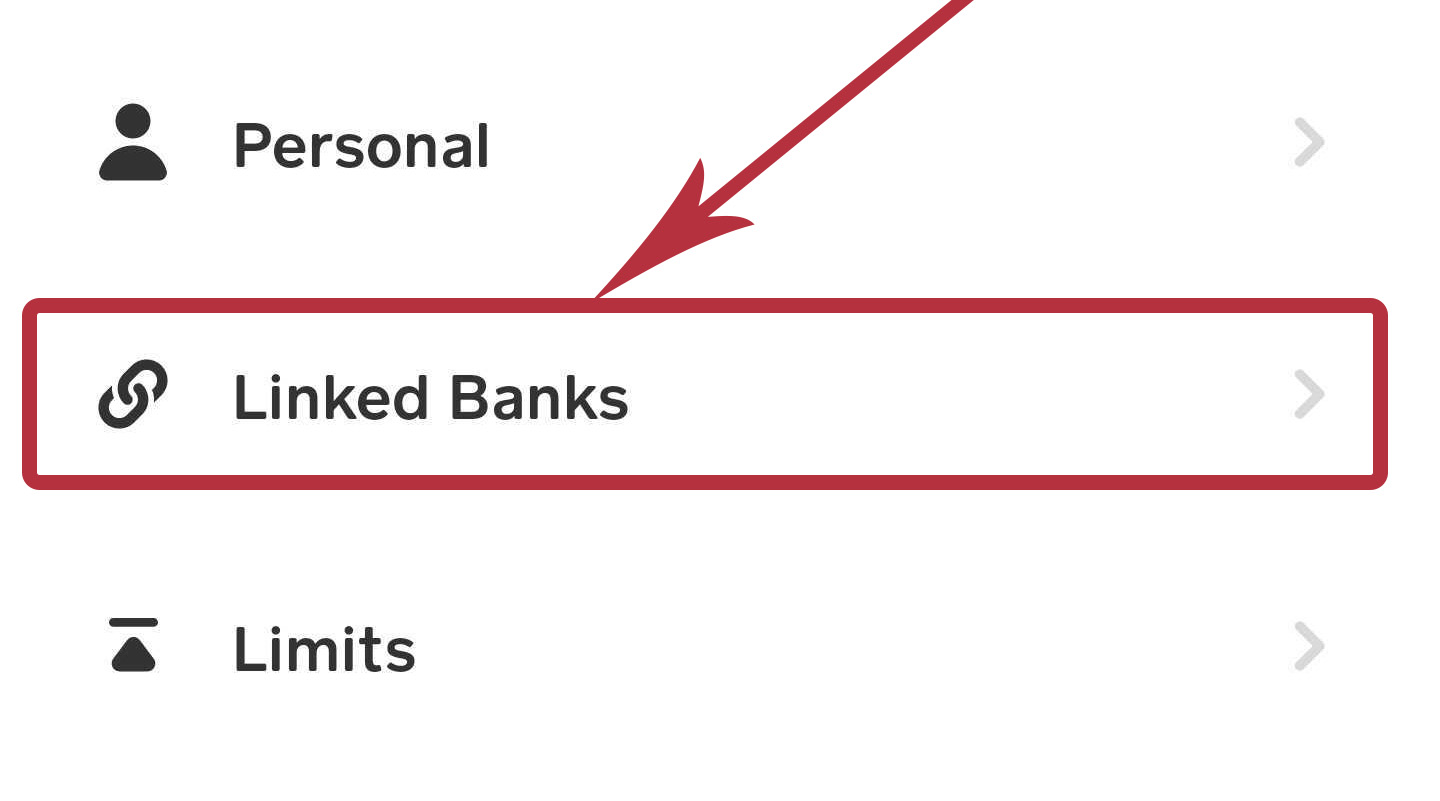
Linking a bank account is done through your profile settings. Open the Cash App and tap the profile icon in the top-right corner of the screen. From the profile menu, select Linked banks. Follow the on-screen prompts to enter your bank account information and complete the link. You can do this either on the Cash App website or directly within the app. Once linked, your bank account will appear as a payment option when you add money.
Add cash to your Cash App balance
- Tap the Money tab on your Cash App home screen. This tab may also be labeled Banking or show an icon that looks like a small bank building.
- Press Add money or Add Cash.
- Select your linked bank account as the payment method.
- Enter the amount you want to transfer.
- Confirm the transfer with your PIN or biometrics, such as Touch ID or Face ID.
The transfer happens instantly. Your Cash App balance will update to reflect the added funds. If you are looking for a workaround to add money to Cash App without a debit card, note that the app requires a debit card first before you can use a bank account. There is no official way to bypass this step.
Confirm your transfer and check your balance
After you authorize the transfer, the funds will appear in your Cash App balance immediately. You can verify this by returning to the Money tab and looking at your current balance. If you want to review the transaction details, check your activity feed for the entry. Cash App has limits for transfers, deposits, and withdrawals. For specific sending and receiving limits, paper money deposit limits, and ATM withdrawal limits, visit the official Cash App support website. Understanding the Cash App transaction process helps you know exactly when funds are available and what restrictions apply to your account.
What to do after you add cash
Once the money is in your Cash App balance, you have several options. You can send money to friends or family instantly using their Cashtag, phone number, or email. You can use your Cash Card for in-store or online purchases. You can also invest in stocks or Bitcoin directly from your balance. If you need physical cash, you can withdraw from ATMs using your Cash Card. For those who want to deposit cash into Cash App at a retail location, that process is separate and requires a different set of steps. If you have heard about the Cash App glitch method, be aware that unofficial methods violate Cash App's terms and can result in account suspension. Stick to the verified steps above for a reliable transfer every time.