If your Venmo handle is not showing, it's likely because your account's privacy settings have the "Appear in search" toggle switched off, or the person searching is typing a common display name instead of your exact username.
The privacy toggle that hides your Venmo handle
Venmo includes a specific setting called "Find Me" located under your Privacy settings. When this setting is adjusted, your account may not appear in other users' search results, even if they type your exact "Venmo handle" character for character. To check this, open Venmo, tap the "Me" tab, go to Settings (the gear icon), then Privacy, and tap "Find Me." If the preferences are not enabled, adjust them to allow searchability. After you enable it, your username will immediately become searchable again. This setting also affects whether your presence appears when someone searches for your display name or phone number, so turning it on is the single most reliable fix. If you've tried this and still want a fresh start, you can delete Venmo account and create a new one. While you're managing your account details, you might also want to see my Venmo card number for online purchases.
Display name vs. username confusion
Many users type a friend's first and last name, their display name, instead of the exact @handle. Venmo’s autocomplete algorithm prioritizes recent contacts and frequently paid users over exact matches, so a common name like "John Smith" might show dozens of results but skip your page if the searcher hasn't paid you before. If you share your handle as "@YourName123" but the other person types "John Smith," Venmo will show accounts with that display name, not your handle. To avoid this, always share your exact handle (the text after the @ symbol, including any numbers or underscores) and ask the searcher to type it precisely, including the @ symbol. If they still can't find you, have them check for typos or spaces, Venmo handles are case-insensitive but must be exact otherwise.
When the handle is simply wrong
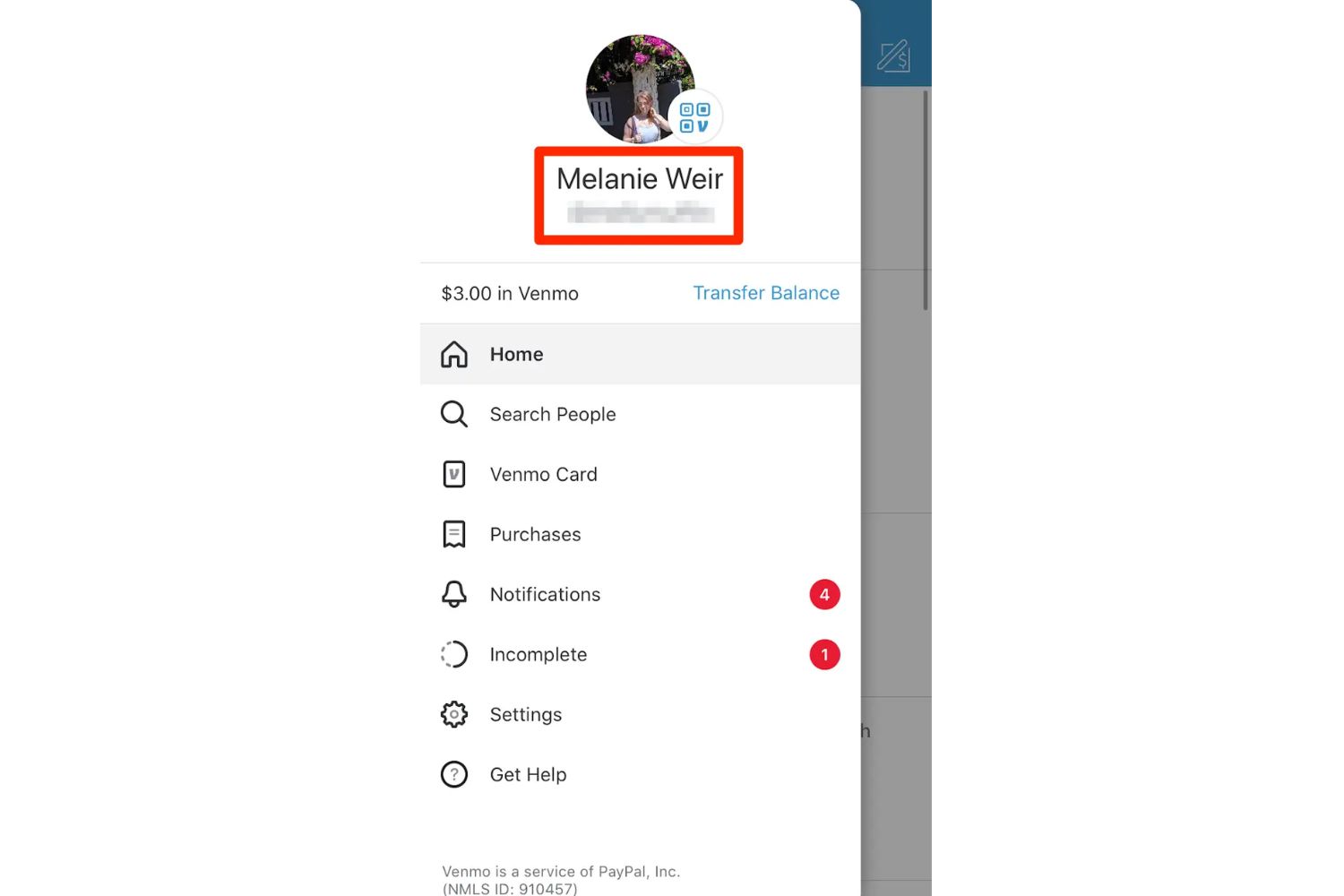
Sometimes the handle you think you have isn’t your actual username. Users often confuse their email address, phone number, or a previously changed handle with their current one. For example, you might have changed your handle months ago but still tell people the old one, or you might be accidentally sharing the email you used to sign up instead of your @handle. To confirm your exact handle, open Venmo, tap your picture, and look directly under your display name, your handle appears as @username. If the handle shown on your account doesn’t match what you’ve been sharing, that’s the root cause. Simply copy the exact handle from your page and send it to the person searching.
Unlike other payment apps, Venmo's search function only surfaces accounts when the "Find Me" privacy setting is enabled, meaning a hidden account may be invisible to other users regardless of whether they have your exact handle.