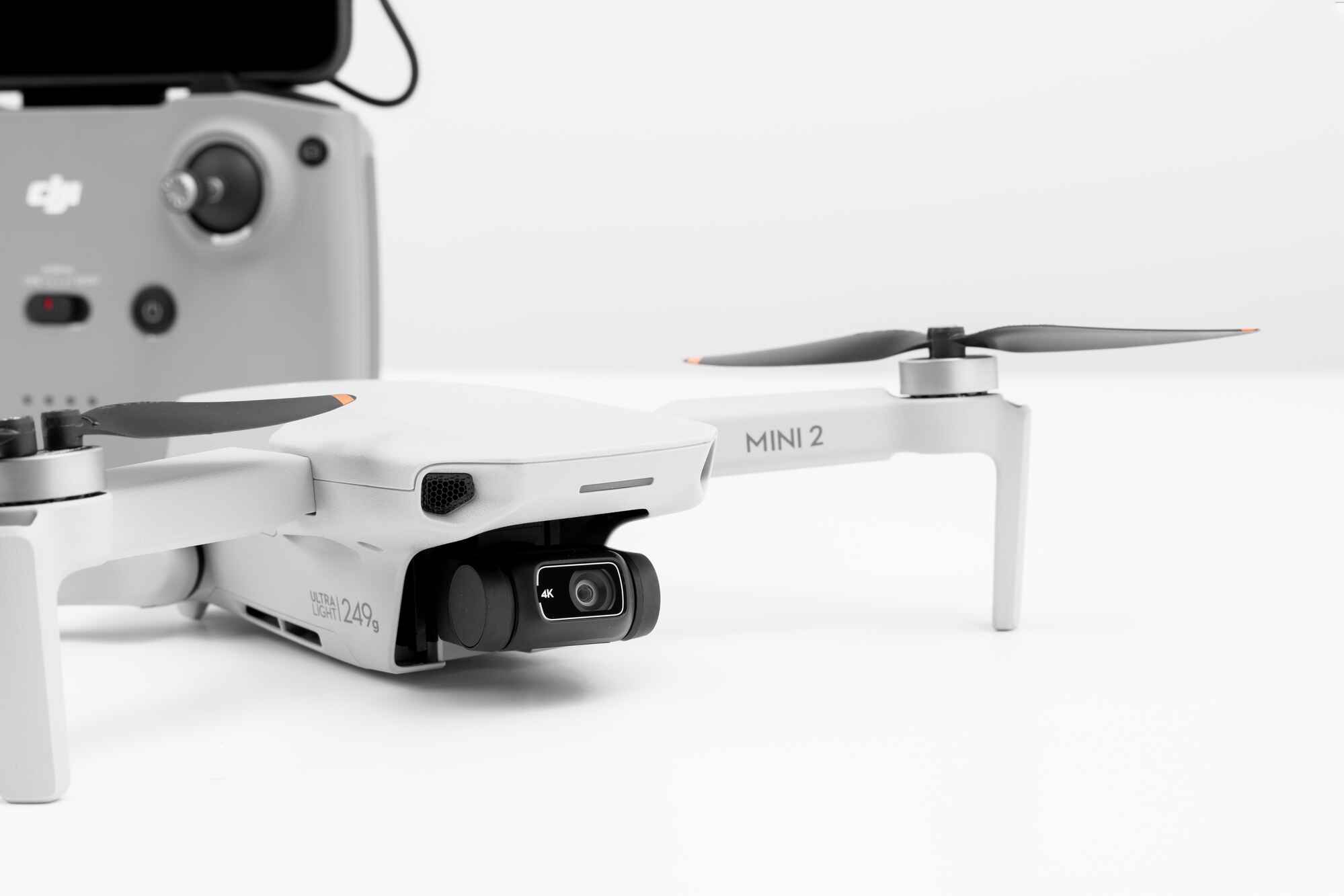
Several tablets are compatible with the DJI Fly app, including Apple iPads and select Android models from Samsung and Amazon. The most reliable choices are officially supported devices that have been tested for stable performance, but you should also check your tablet's physical dimensions to ensure it fits the remote controller arms.
Which tablets are compatible with DJI Fly app?
The following table provides a quick-reference list of tablets commonly used with the app, including key specifications to help you make an informed decision. After the table, you will find a list of devices reported to work.
| Tablet Model | Display Size | Processor | Minimum OS |
|---|---|---|---|
| iPad Air (3rd gen) | 10.5 inches | A12 Bionic | iPadOS 13.0 |
| iPad Mini (5th gen) | 7.9 inches | A12 Bionic | iPadOS 13.0 |
| iPad (5th gen) | 9.7 inches | A9 | iPadOS 13.0 |
| iPad (6th gen) | 9.7 inches | A10 Fusion | iPadOS 13.0 |
| iPad (7th gen) | 10.2 inches | A10 Fusion | iPadOS 13.0 |
| iPad (8th gen) | 10.2 inches | A12 Bionic | iPadOS 13.0 |
| iPad Pro (1st-4th gen) | 11 or 12.9 inches | A12X/A12Z Bionic | iPadOS 13.0 |
| Samsung Galaxy Tab S6 | 10.5 inches | Snapdragon 855 | Android 9.0 |
| Samsung Galaxy Tab S6 Lite | 10.4 inches | Exynos 9611 | Android 9.0 |
| Samsung Galaxy Tab S7 | 11 inches | Snapdragon 865+ | Android 10.0 |
| Samsung Galaxy Tab S7+ | 12.4 inches | Snapdragon 865+ | Android 10.0 |
| Amazon Fire HD 10 (9th gen) | 10.1 inches | MediaTek MT8183 | Fire OS 7 |
| Amazon Fire HD 8 (10th gen) | 8 inches | MediaTek MT8168 | Fire OS 7 |
Users report that the following tablets have been tested and work with the app. The following devices are commonly reported by users to work with the app: iPad Air (3rd generation), iPad Mini (5th generation), iPad (5th generation), iPad (6th generation), iPad (7th generation), iPad (8th generation), iPad Pro (1st through 4th generations), Samsung Galaxy Tab S6, Samsung Galaxy Tab S6 Lite, Samsung Galaxy Tab S7, Samsung Galaxy Tab S7+, Amazon Fire HD 10 (9th generation), and Amazon Fire HD 8 (10th generation).
Physical size limits for tablet fit
If you plan to mount your tablet directly into the remote controller arms, you need to consider physical size constraints. Mobile devices taller than 6.8 inches or thicker than 0.34 inches may not fit directly into the remote controller arms. This is a verified fact that applies regardless of software compatibility. For example, an iPad Mini 4, which is up to 8 inches tall, can be wedged into the remote controller arms, and inserts can be removed for thicker devices. This tip can help you fit a tablet that would otherwise be too large for the standard controller grip.
iPad models that work with DJI Fly
Apple iPads are among the most reliable choices for the DJI Fly app because they offer consistent performance and long-term software support. These devices provide smooth flight controls, fast image rendering, and access to all app features, which is essential for fully utilizing the flight range of the DJI Mini 3 and gives you the confidence to fly the dji mini 3 pro in complex environments. The iPad Pro models, with their ProMotion displays and powerful processors, are particularly well-suited for professional drone operations.
Samsung Galaxy Tab models that work with DJI Fly
Samsung Galaxy Tab models offer strong Android alternatives for the DJI Fly app. The Galaxy Tab S6 features a 10.5-inch Super AMOLED display and Snapdragon 855 processor, while the Tab S7 and S7+ offer larger displays and more powerful processors for demanding flight sessions. The S Pen support on these models allows for precise map annotations and footage editing.
Amazon Fire tablets that work with DJI Fly
Amazon Fire tablets provide a budget-friendly entry point for the DJI Fly app. The compatible models are the Fire HD 10 (9th generation) and Fire HD 8 (10th generation). These tablets offer decent performance for basic drone control and footage review. However, there is a potential need for sideloading if the app is not available in the Amazon Appstore. You may need to manually install the DJI Fly APK file from a trusted source, as Amazon's app store does not always carry the latest version of third-party apps. This process requires enabling installation from unknown sources in the tablet's settings.
What to know before you download
Before you download the DJI Fly app, you should be aware of a conflict between DJI's official statements and the App Store listing. The DJI Download Center states the app is "Only supported for download on phones," while the Apple App Store listing for DJI Fly indicates compatibility with "iPad" and requires "iPadOS 13.0 or later." This means you may encounter contradictory information about whether tablets are officially supported. The safest approach is to check DJI's official site for updates, as the company regularly revises its compatibility lists and may add or remove devices with new app versions.
Tips for a smooth flying experience
- Keep the app updated. DJI regularly releases updates that optimize performance, fix bugs, and add new features. Running an outdated version can cause crashes or compatibility issues with your tablet.
- Ensure sufficient storage. The DJI Fly app itself requires several gigabytes of space, and you will also need room for firmware updates, map caching, and footage transfers. A tablet with at least 32GB of internal storage is recommended.
- Use a tablet mount if the device does not fit the standard controller arms. For tablets taller than 6.8 inches or thicker than 0.34 inches, a third-party mount that attaches to the remote controller provides a secure hold and prevents the tablet from slipping during flight.
Related reading: How to Turn Off a Tablet or Set a Sleep Timer.