The exact length of your specific suspension is always stated in the email PlayStation sends to your sign-in ID, so checking that notification is the only way to know for sure how long is a PlayStation suspension in your case.
First steps when you are suspended
When you first realize your account is suspended, taking the right steps immediately can save you time and confusion. Follow this sequence to understand your situation and what comes next.
- Check the email inbox associated with your PlayStation account sign-in ID, and also look in your spam or junk folder, PlayStation’s notification often lands there.
- Open the suspension email and read the stated reason for the suspension along with the exact duration (e.g., “7 days” or “permanent”).
- Visit the official PlayStation website and log in to “My Support” to view your current account status and any additional suspension details listed there.
The three types of PlayStation suspensions
PlayStation enforces three distinct types of suspensions, and knowing which one you received clarifies what you can and cannot do while it is active.
Account Suspension
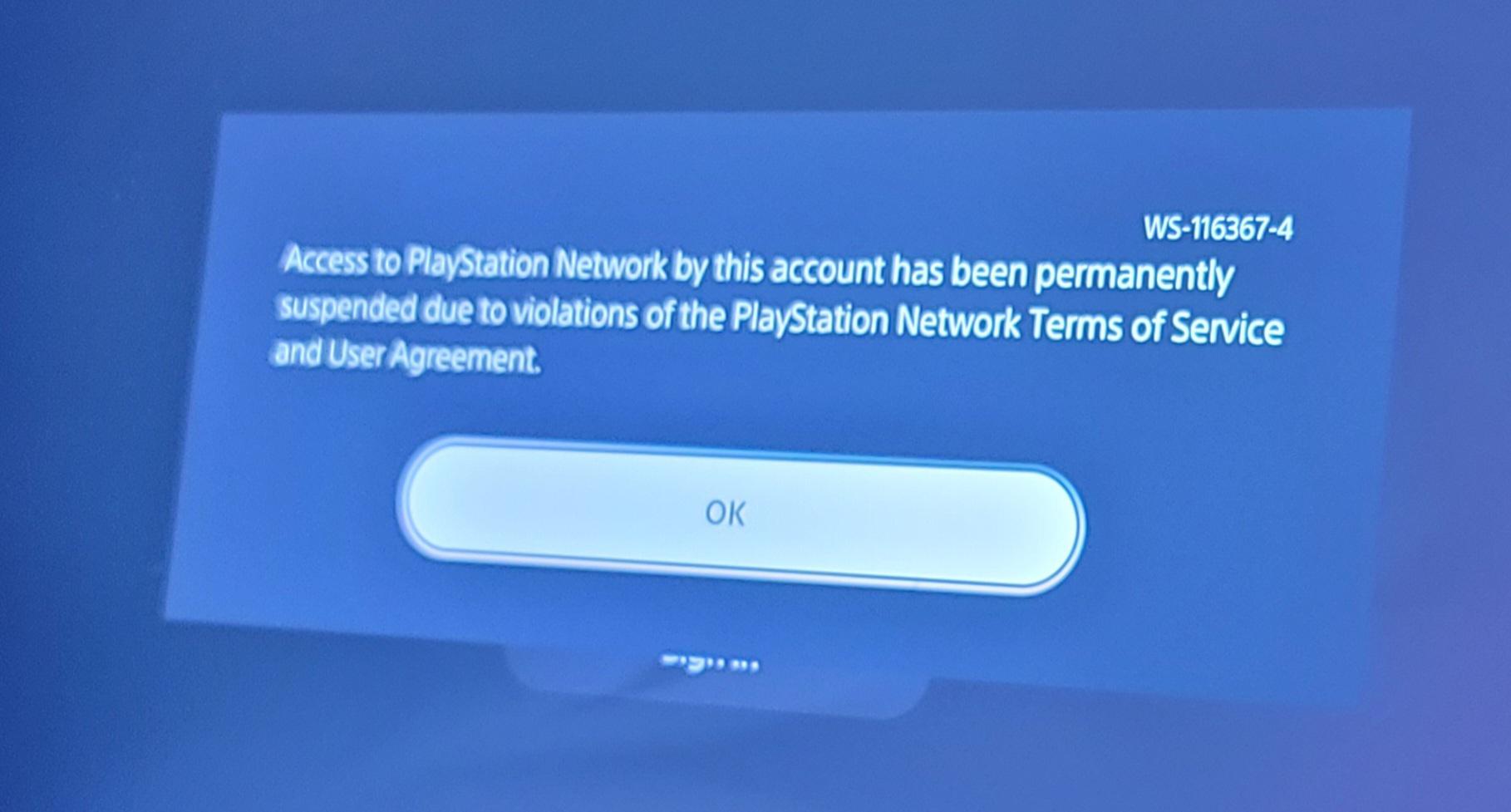
An Account Suspension restricts all PlayStation Network features on your profile, including online multiplayer, messaging, and access to your digital game library. This is the most common type for terms-of-service violations.
Communication Suspension
A Communication Suspension only limits social features, you can still play online, but you cannot send messages, use voice chat, or post to community boards. This is typically issued for harassment or inappropriate language.
Console Suspension
A Console Suspension blocks the entire PlayStation console from accessing PSN with any account, even a newly created one. This is the most severe type and is reserved for hardware-level violations like jailbreaking.
Temporary suspensions and their typical durations
Temporary suspensions are issued for minor or first-time offenses and serve as a warning rather than a permanent punishment. While the exact length depends on the violation’s severity, most temporary bans fall into predictable ranges.
PlayStation determines the duration on a case-by-case basis, considering your previous account history and whether you have prior suspensions.
One notable exception is a chargeback: if you reverse a payment on the PlayStation Store, the resulting suspension is permanent until you repay the outstanding debt. This is not a temporary ban, and it will remain on your account indefinitely until the balance is settled.
How to appeal a permanent suspension
Appeals are only available for permanent suspensions and suspensions caused by account debt, temporary bans are not eligible for the appeal process. If you believe your permanent suspension was issued in error, follow these steps.
- Go to the official PlayStation support website and locate the suspension appeal section under “My Support.”
- Prepare any evidence that supports your case, such as screenshots of conversations, video clips, or payment confirmations showing the chargeback was legitimate.
- Submit your appeal through the provided form, clearly explaining why the suspension is unjustified and attaching your evidence.
- Wait for PlayStation’s review team to evaluate your case, they will respond via email, and the outcome is not guaranteed.
If your appeal is successful, the permanent suspension may be lifted and your access to PSN restored. However, PlayStation upholds most permanent bans because they are only issued after thorough investigation, so manage your expectations before submitting an appeal.
Managing your account after a suspension
Once your suspension ends, taking proactive steps reduces the risk of future bans. This includes reading the PlayStation Community Code of Conduct, avoiding unauthorized software or hardware, and never sharing your account credentials with others.
For ongoing issues or questions about your account status, you can contact PlayStation support directly. The PlayStation support phone number and live chat hours are listed on the official support page, and using those channels is the fastest way to resolve account-related problems. Additionally, when managing a PlayStation account, always keep your sign-in email updated so you never miss a suspension notification or an appeal response, if you no longer have access to that inbox, you can change PlayStation email to a current one.
Common violations that lead to suspension
Understanding what triggers a suspension helps you avoid accidental violations. PlayStation enforces its rules strictly, and the following actions are known to result in temporary or permanent bans.
- Hate speech or discriminatory language directed at other players
- Harassment, bullying, or threatening behavior in any form
- Cheating, including using mods, exploits, or unauthorized software
- Sharing your account details with others, which compromises account security
- Chargebacks or fraudulent payment reversals on PlayStation Store purchases
While this list is not exhaustive, these are the most common reasons players receive suspensions. Minor first-time offenses usually result in temporary bans, while repeated or severe violations escalate to permanent suspension.
What to do if you believe your suspension was a mistake
If you are certain your suspension is incorrect, do not create a new account to bypass the ban, this can lead to a permanent console suspension. Instead, use the official appeal process for permanent bans, or contact support for temporary suspensions to ask for clarification.
For temporary suspensions, PlayStation support can review your case and confirm the violation’s details, but they will not overturn a valid ban. If the suspension was issued due to a compromised account (e.g., someone else logged in and violated rules), explain this in your support request and provide any evidence of unauthorized access.
Remember that PlayStation’s decisions are final in most cases, and repeated appeals for the same suspension are typically rejected. Focus on serving your suspension period without further violations, as additional offenses will likely result in longer or permanent bans.
For the wider topic, see managing a PlayStation account.