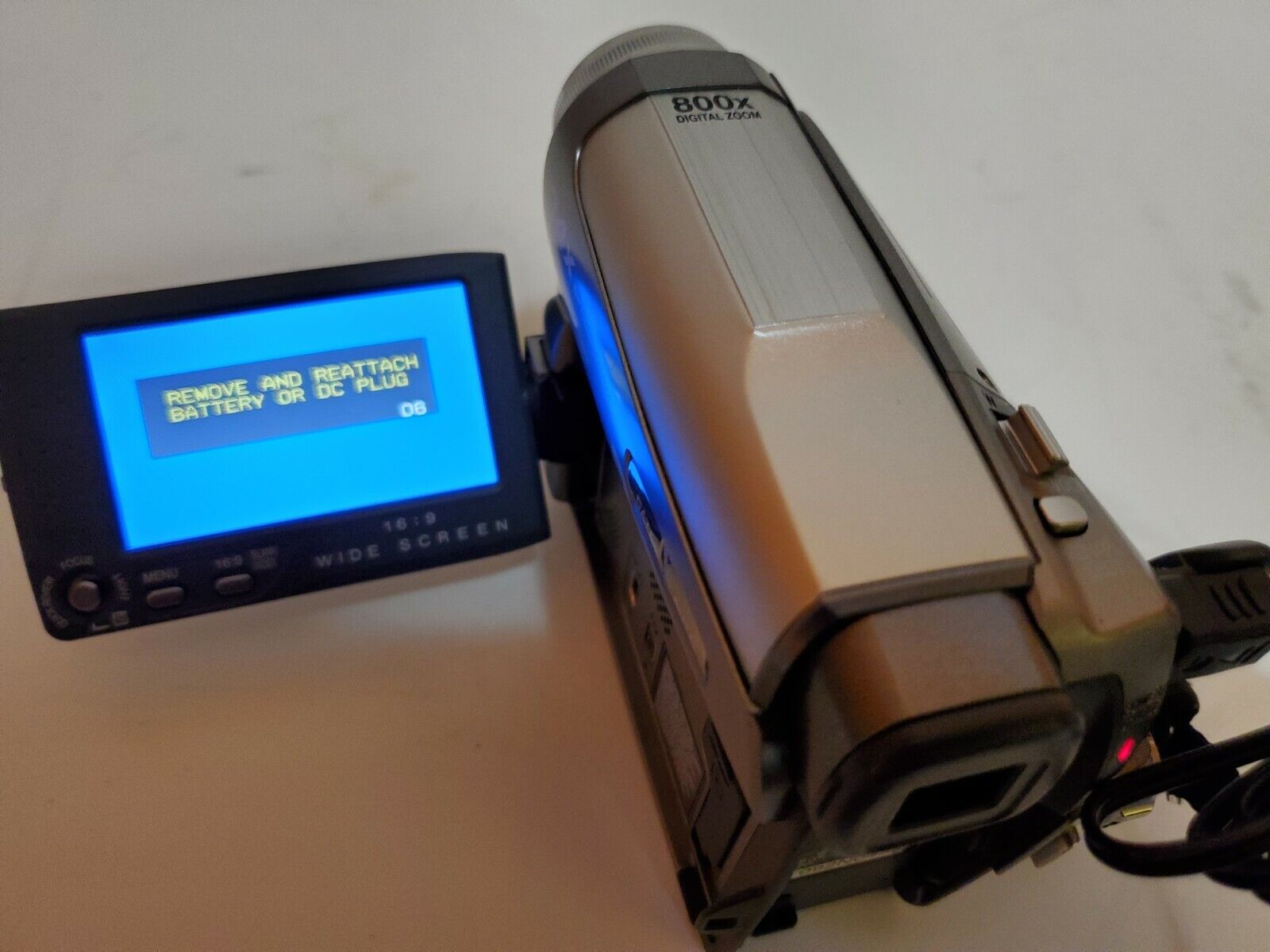
JVC camcorder safeguard mode is a protective lock-out that activates when the internal tape mechanism detects a malfunction, such as a jammed cassette or a spindle that has stopped turning. To get your JVC camcorder out of safeguard mode, you need to diagnose the specific error code and follow targeted steps to clear the fault.
What JVC camcorder safeguard mode means
Safeguard Mode is a safety feature that renders your camcorder unusable when its sensors detect an irregularity in the tape transport system. It is triggered by problems like tape loading/unloading issues, drum rotation stopping, or reel errors. The camcorder typically displays a specific error code to help you identify the problem. Error code E03 warns that the cassette take-up drive spindle is not turning properly, often due to a faulty tape or tape lubrication dust. Error code E04 indicates a similar issue with the take-up mechanism. Error code E06 signals that the capstan spindle, which drives the tape, has not moved for more than two seconds, commonly caused by a tightly wound cassette. Recognizing these codes is the first step toward a targeted fix, so it helps to understand what each code means before you begin troubleshooting.
Immediate steps for error codes E03 or E04
If your camcorder displays an E03 or E04 error, the first thing to try is a simple tape reset. Eject the cassette once and re-insert it. If the error clears after re-inserting the tape, normal camcorder use can resume. If the E03 or E04 indication remains after trying the tape re-insertion, consult your nearest JVC dealer or service center. This is the most direct path to a quick fix, so attempt this step before anything else.
Troubleshooting tape-related causes
If the immediate reset doesn't work, the problem likely lies with the tape itself. A faulty or internally sticking tape can cause the E03 error. Tightly wound cassettes can jam the capstan, leading to an E06 error. Tape lubrication dust contamination can also cause the E03 problem. If your camcorder has not been used for a while, immediately rewind any loaded tape completely both ways before attempting to play it, to help free the mechanism. This loosens the tape and clears dust. Only JVC, Panasonic, or Fuji brand tapes are recommended for use in JVC camcorders, as some third-party brands may cause drive problems. Sticking with recommended brands is a reliable way to avoid tape-related errors, so use them exclusively.
Checking power and performing a reset
Before assuming a mechanical fault, verify the power supply. A general troubleshooting step for power issues or charge indicator problems is to detach and reattach the battery pack. Ensure the power cable is properly connected to the camcorder and the AC adapter is securely connected to the outlet. Check if the battery pack is firmly attached to the camcorder. Consider replacing an old battery pack with a new one if power issues persist. A full power reset can also clear transient errors: turn off the camcorder, remove the battery and AC adapter, wait a few minutes, then reconnect and power on. Ensuring a stable power source eliminates one common cause of safeguard mode, so check it thoroughly.
Cleaning and mechanical checks
Dirt or oxidation on the tape path can trigger safeguard mode. Oxidation on the alloy drum, especially after disuse, can cause the tape to drag and trigger error codes. Dew condensation inside the unit can also trigger error codes. Cleaning the cassette recording heads with a specialized cassette cleaner can resolve issues like bluescreen or video noise, which might be related to safeguard mode triggers. After cleaning, inspect the tape compartment for any obvious mechanical blockages, such as a misaligned tape or debris. If you find a visible obstruction, remove it carefully. However, for persistent mechanical errors, the instructions manual suggests contacting an "authorized service agent." Relying on a professional for internal mechanical repairs is the safest course, so contact a JVC service agent if cleaning doesn't work.
Preventing future safeguard mode errors
Once your camcorder is working again, adopt habits that prevent safeguard mode from returning. Do not leave tapes in the camcorder, especially during long-term storage, to prevent future errors. Always remove the cassette when the camcorder is not in use, and store tapes in their cases in a cool, dry place. Avoid using tape brands that are known to cause drive problems. Sticking with recommended tapes and removing the cassette after each use will keep your mechanism clean and trouble-free. Following these simple practices is the best way to avoid safeguard mode in the future, so make them routine.
\nRelated reading: What Is AV Out On Camcorder and What Is RFU DC Out Plug On A Sony Camcorder.