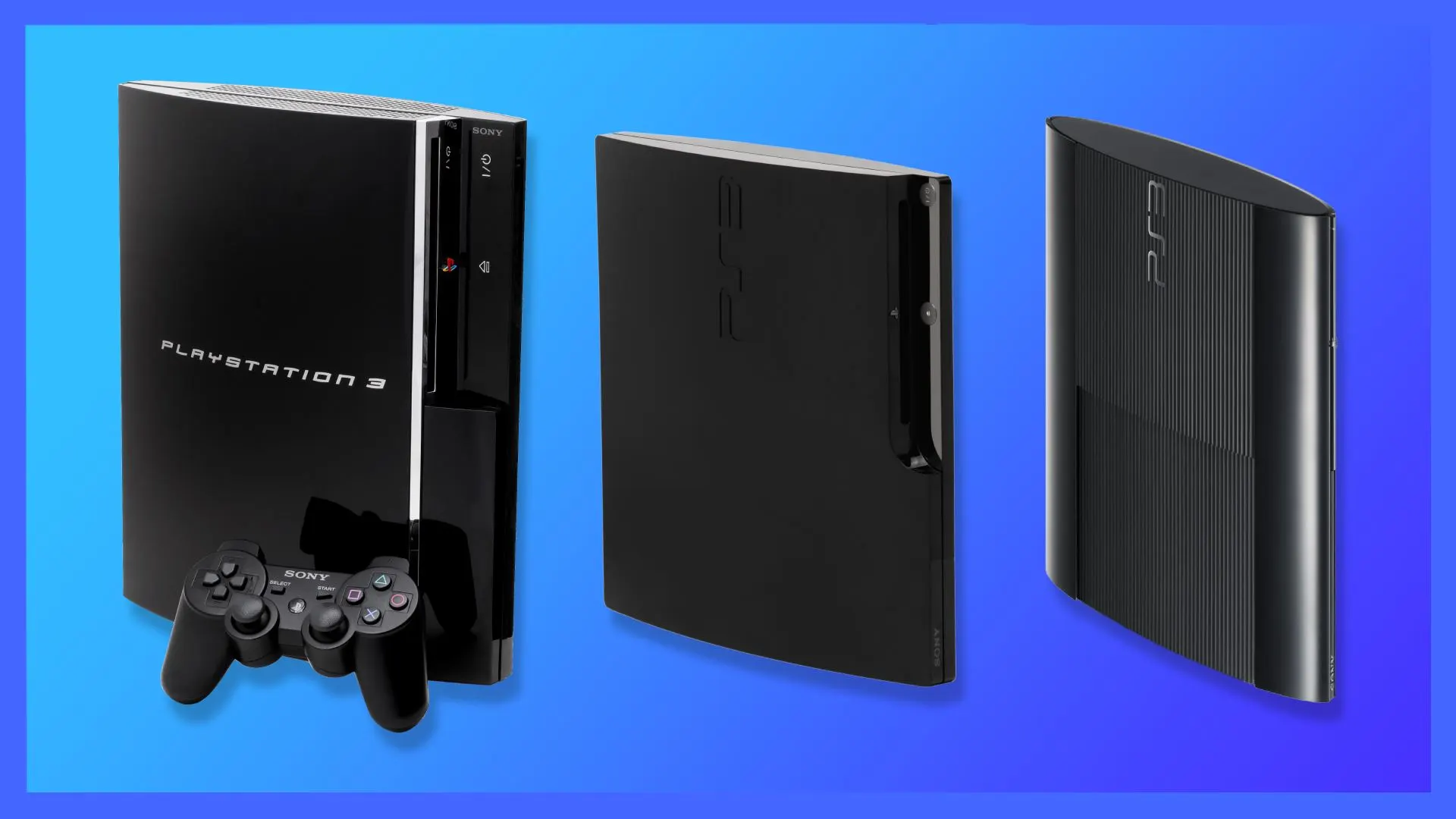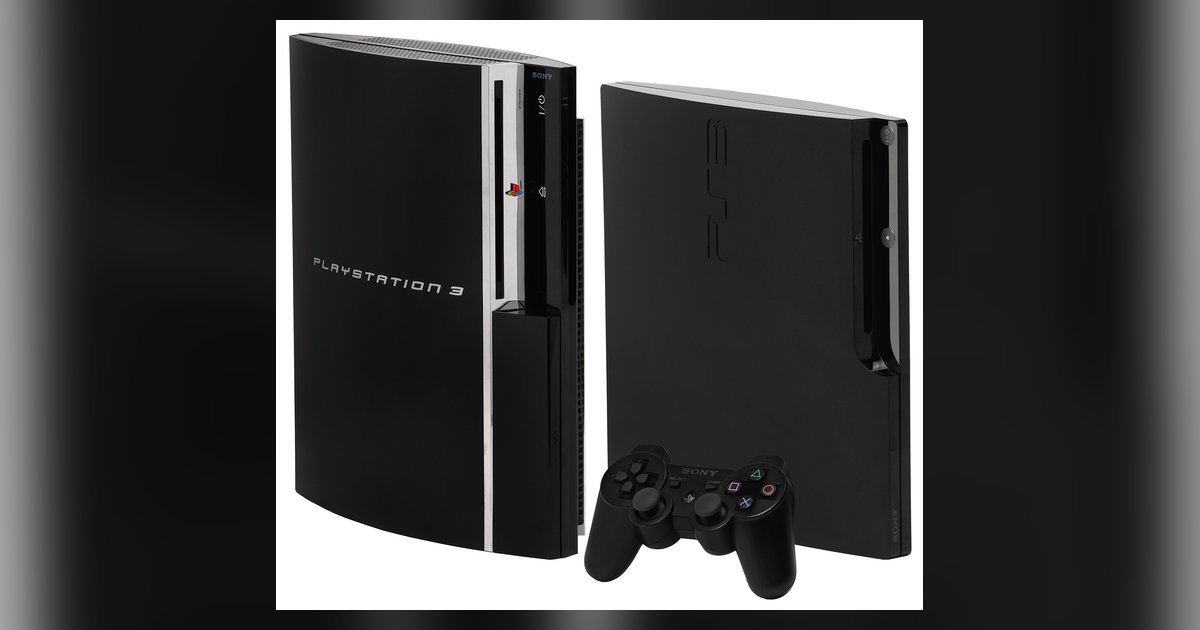
Only the original launch models with four USB ports play PS2 discs natively: the 60GB CECHAxx and 20GB CECHBxx (hardware-based), plus the 60GB CECHCxx (hybrid, PAL regions) and 80GB CECHExx (hybrid, NTSC regions). All later models, including slims and super slims, cannot play PS2 discs at all.
The full list of PS3 models with native PS2 compatibility
If you are hunting for a unit that can play your old library, you must look exclusively for these four model families. No other PS3 revision, regardless of hard drive size or case design, will spin a PS2 disc.
The hardware-based Emotion Engine units are the CECHAxx (60 GB, NTSC) and CECHBxx (20 GB, NTSC). These contain the actual PS2 CPU and GPU chips soldered to the motherboard, giving perfect compatibility with virtually every PS2 title. The hybrid emulation units are the CECHCxx (60 GB, PAL regions) and CECHExx (80 GB, NTSC regions). These lack the dedicated Emotion Engine but use a combination of the Cell processor and a software wrapper to emulate PS2 hardware. This results in slightly lower compatibility, and approximately 85-95% of games run without issues. All four models share the same fat chassis with four USB ports. The CECHExx is especially notable because it was sold in North America as an 80GB model with hybrid backward compatibility. No other PS3 model, not even the 80 GB NTSC unit (CECHKxx, CECHLxx, CECHMxx), can play PS2 discs natively. If you see a model number that does not end in A, B, C, or E, it will not work.
How to spot a compatible unit by its ports and trim
The fastest physical check is the USB port count: every PS2-compatible PS3 has exactly four USB ports on the front. Later fat models have only two. The trim is also a giveaway. Compatible units have a shiny chrome strip across the front, while non-compatible fats have a matte or darker finish. Additionally, look for a spring-loaded flap on the front panel that hides Memory Stick, SD, and CompactFlash slots. This flap is present on all CECHA and CECHC models, but not on the CECHB (which omits the memory card slots but retains the four USB ports). The disc tray bezel is also full-width, unlike the slimmer bezel on later revisions. If you flip the console over, the model number is printed on a sticker near the serial port. Verify it starts with CECHA, CECHB, CECHC, or CECHE. Do not rely on hard drive size alone, as many later 60 GB and 80 GB units are not compatible.
Why your 80GB PS3 probably doesn’t play PS2 discs
The most common trap is assuming that any 80 GB fat PS3 works. Sony released three distinct 80 GB fats: the CECHE (NTSC, hybrid emulation, backward compatible), the CECHK (NTSC, no PS2 support), and the CECHL (NTSC, no PS2 support). The CECHK and CECHL have only two USB ports and no chrome trim, yet they share the same 80 GB hard drive size as the CECHE. If your unit has a glossy black finish and two USB ports, it will not read a PS2 disc. Even the 80 GB CECHE itself is limited. Its software emulation can struggle with games that use the PS2’s EE timers or require precise GS rendering. To make matters worse, many sellers mislabel CECHK units as “backward compatible” because they see “80 GB” and assume it matches the launch specs. The only way to be certain is to check the model number sticker or boot the console and look for the “PS2” category on the XMB. If you want to understand how later PS3 models compare to modern hardware, consider what a PlayStation 6 might look like and what it could offer in terms of full backward compatibility. For now, the PS3’s support is locked to these four rare models. If you want to check your playtime across generations, you can see hours played on PlayStation through the profile menu on PS4 and PS5, but the PS3 never tracked that stat natively. Your search must remain firmly in the PS3 fat era, and for a deeper look at how these factors fit into the broader topic of PlayStation consoles pricing and value, consider exploring how each generation’s backward compatibility and hardware costs shape the overall landscape of PlayStation Consoles: Prices, Value and Playtime.