This tag collects practical, step-by-step guides for people who own or use current and older game consoles, PS4, PS5, Xbox 360, PS3, and related accessories. It is written for everyday players who want to solve a specific hardware or software problem without digging through forums or manual PDFs. Whether you are setting up a new controller, trying to connect an older console to a modern TV, or just wondering what a system costs, these articles give direct answers.

The articles fall into two broad themes. The first is connection and display setup: for example, how to connect a PS4 or PS5 to a screen when HDMI is not available, how to link an Xbox 360 to a laptop via HDMI, and how to pair a wireless keyboard with an Xbox. The second theme is game access and multiplayer setup, including how to download free games on an Xbox 360, how to download Call of Duty Modern Warfare on a PS4, and how to set up two-player matches in Mortal Kombat 11. A few pieces also cover compatibility and cost questions, such as which PS3 models can play PS2 discs, what a PS5 actually costs, and how to mount a Logitech steering wheel for racing games.

Importantly, the articles that touch on non-HDMI connections are framed as legitimate alternatives, for example, using adapters or existing ports, not as ways to bypass copy protection or pirate content. Similarly, the download guides focus on official storefronts and free-to-play titles, not on cracking or unauthorized access. The goal is to help readers get their existing hardware working smoothly, safely, and within the rules of the platforms they use.
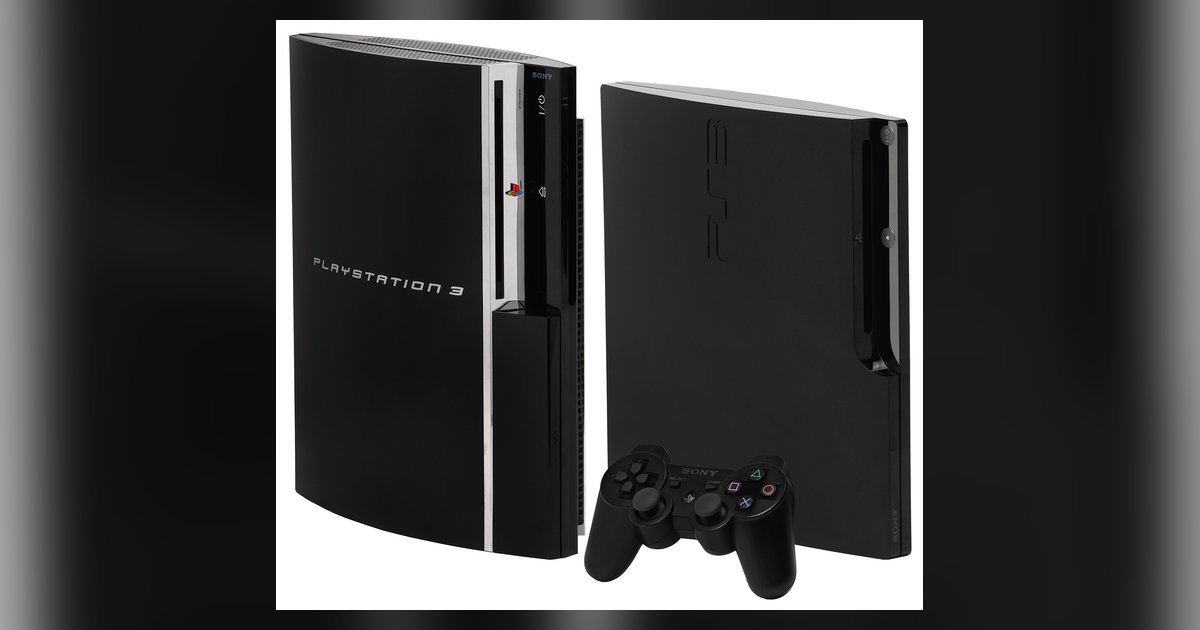
What PS3 Models Play PS2 Discs

Only the original launch models with four USB ports play PS2 discs natively: the 60GB CECHAxx and 20GB CECHBxx (hardware-based), plus the 60GB CECHCxx (hybrid, PAL regions) and 80GB CECHExx...

How To Play 2 Players Mortal Kombat 11

To play two players in Mortal Kombat 11, the quickest way is to connect a second controller to your console and select Versus Mode from the main menu. This guide...

How To Connect Wireless Keyboard To Xbox

To connect a wireless keyboard to your Xbox, you need to plug its USB dongle into the console, as Xbox does not support Bluetooth keyboards directly. This setup lets you...

How To Download Games On PS4

To download games on PS4, you typically need to either re-download a title you already own from your library or purchase a new game from the PlayStation Store. This guide...

How Much Is A PS5

How much is a PS5? As of April 2026, a new PlayStation 5 costs $649.99 for the standard Slim model with a disc drive, $599.99 for the all-digital Slim edition,...

How To Set Up A Logitech Steering Wheel

To set up a Logitech steering wheel, connect the pedals, power adapter, and USB cable in the correct order, then install Logitech G HUB software for full configuration. This guide...

How To Play PS5 Without HDMI

You can play PS5 without HDMI by using Sony's official PS Remote Play app to stream your console's video and audio to a compatible device over your home network. If...

How To Connect PS4 Without HDMI

If your TV or monitor lacks a working HDMI port, you can still connect your PS4 by using a converter or by streaming the console’s output to another screen. The...