To program a robot means writing instructions that tell the machine how to sense its surroundings, make decisions, and carry out physical tasks. This process is the bridge between a robot's hardware and its software brain, and you can start learning how to program a robot today with free, browser-based tools.
What does it mean to program a robot?
Robot programming is simply the act of creating a set of commands that a robot follows. These commands tell the robot's motors, sensors, and other components what to do and when to do it. Think of it as writing a recipe: you list the ingredients (sensor data) and the steps (movements and decisions) to produce a final result, like moving an arm or navigating a room. For a beginner, this means you don't need to understand every gear and circuit, you just need to learn how to give clear, logical instructions, a skill you can build by starting with a forgiving language like PHP, and here are 7 reasons why beginner programmers should study php programming language.
How to program a robot: choosing your first method
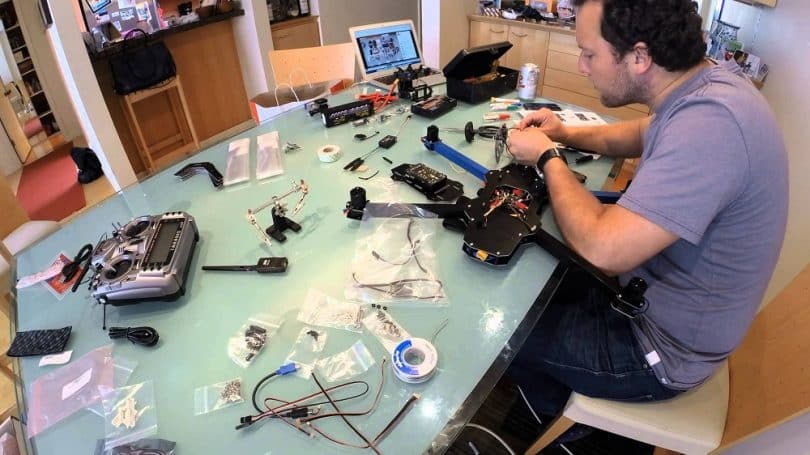
Beginners have several welcoming paths into robot programming. The most common methods include visual block-based coding, where you snap together puzzle-like pieces to create logic; text-based languages like Python or C++; and teach pendants, which let you physically guide a robot arm through motions that it then repeats. Each method lowers the barrier for a different learning style. Block coding is ideal for seeing logic without worrying about syntax, while Python offers a clean, readable text language that is widely used in AI and machine learning. Teach pendants are perfect for industrial robots, letting you program by demonstration, but you first need to make a robot with the right hardware to use one.
Your first robot program: a virtual project with VEXcode VR
The fastest way to get a hands-on win is to use VEXcode VR, a free platform that runs entirely in your web browser at VR.vex.com. No downloads or hardware are required. You will program a virtual robot using drag-and-drop blocks.
- Open your browser and go to VR.vex.com. You will see a 3D virtual playground with a robot on it.
- On the left side of the screen, find the block palette.
- Change the distance value in the block to make the robot move forward a short distance.
- Click the "Start" button. Watch your virtual robot drive forward in the playground.
- Add a "turn" block after the drive block.
- Run the program again. Your robot now drives forward and then turns.
This simple sequence is your first robot program. You have successfully written instructions that the robot executed, giving you immediate feedback and a tangible sense of accomplishment.
Moving to text: programming a robot with Python
Once you are comfortable with blocks, the natural next step is text-based programming. Python is the best first text language for robotics because its syntax is clean and readable, closely resembling plain English. It is also the dominant language for AI and machine learning, which are central to modern robotics. In VEXcode VR, you can switch from blocks to Python with a single click. The same drive and turn commands you built with blocks become lines of Python code like drivetrain.drive_for(FORWARD, 200, MM). This transition shows you how the same logic works in both visual and text forms, building your confidence to write more complex programs.

When to use C++ for robot programming
C++ is the language you turn to when performance matters most. It is typically used for tasks that require maximum speed and direct hardware communication, such as real-time control loops and processing sensor data at high frequencies. While Python is excellent for prototyping and higher-level logic, C++ gives you the fine-grained control needed for applications like balancing a robot or reading a laser scanner thousands of times per second. For a beginner, C++ is an advanced step to take after you have mastered the fundamentals with blocks and Python.
From simulation to a physical robot
The skills you learn in a virtual environment like VEXcode VR transfer directly to real hardware. The logic of "if sensor reads a wall, then turn" is identical whether the robot is virtual or physical. When you are ready to apply your programming to a real machine, you can follow a dedicated resource on building a robot in 1 day, which walks you through assembling hardware and uploading your first program. That guide walks you through assembling hardware and uploading your first program, turning your simulation experience into a tangible, moving robot. The principles remain the same: you write instructions, the robot executes them, and you iterate based on what you observe.