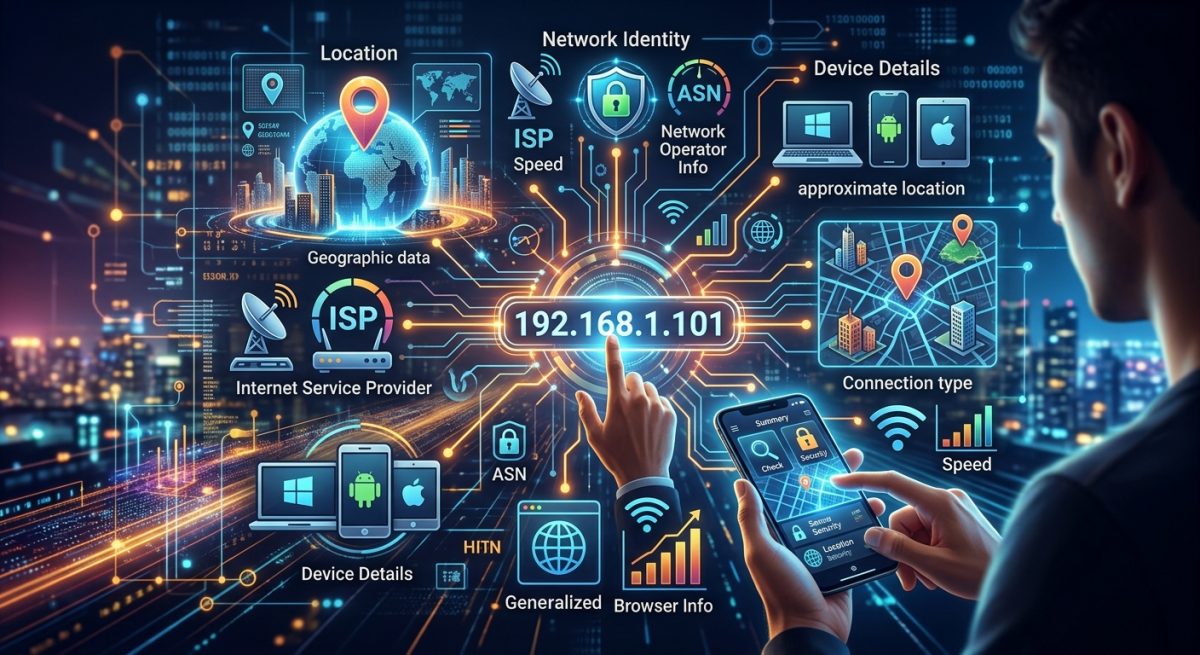
Most people think of an IP address as a technical string of numbers that only network engineers care about. In reality, it acts more like a digital postal address, one that is attached to almost everything you do online. Websites read it when you land on their homepage. Ad networks log it when you scroll past a banner. And anyone running a basic lookup tool can pull a surprising amount of information about you from it in seconds, without any hacking required.
Key Insight: Your IP address passively broadcasts your approximate location, your internet provider, and your connection type to every website you visit. Understanding what gets revealed, and when it matters, is the first step toward making smarter choices about your online privacy, especially when you use public Wi-Fi or travel abroad.
What an IP Address Actually Is
Every device that connects to the internet gets assigned an IP address, which stands for Internet Protocol address. Think of it as a return address on a letter. When your browser requests a webpage, the server needs somewhere to send the response, and that somewhere is your IP.
The address itself is either assigned by your internet service provider if you are at home, or by the local network if you are connected to a coffee shop or airport Wi-Fi. In either case, the address ties your session to a specific network, and that network has a physical location registered with regional internet authorities.
There are two main formats in use today. IPv4 addresses look like a sequence of four numbers separated by dots, for example 192.168.1.1. IPv6 addresses are longer and designed to handle the far larger number of connected devices in the world now. Both carry the same basic metadata when you run a lookup.
What a Standard IP Lookup Actually Reveals
A lookup does not hand over your home address or your name. What it does return is genuinely useful to advertisers, content platforms, and anyone paying attention.
The first thing you see is your approximate geographic location. This is typically accurate to the city level in most countries, and sometimes to the neighborhood level in dense urban areas. This is why Netflix shows you content relevant to your country, and why local news sites sometimes greet you by city name before you have typed anything.
Second, a lookup shows your internet service provider, often referred to as your ISP. This tells observers which company you pay for internet access, which can sometimes hint at whether you are a residential customer, a business subscriber, or connecting through a corporate VPN.
Third, most tools also detect connection type, meaning whether you are on a wired home connection, a mobile network, or a datacenter IP. The last category is particularly important because datacenter IPs are associated with VPNs and proxies, which is why streaming services sometimes block them.
Geolocation databases maintained by organizations like ARIN and RIPE NCC make all of this possible. These registries track which blocks of IP addresses have been assigned to which ISPs in which regions, and commercial geolocation services license that data to build lookup tools.
Why Public Wi-Fi Changes Your Exposure
When you connect to Wi-Fi at a hotel, airport, or café, you stop using your home ISP’s IP address. Your device now carries the IP of that venue’s provider. From the internet’s perspective, you are a guest on someone else’s network.
That shift creates two distinct concerns. The first is that you share the IP with every other person on that network, which can create odd side effects. If another guest on the same hotel Wi-Fi has been flagged for suspicious activity, some services may rate-limit or challenge your requests too.
The second concern is more serious. Public Wi-Fi operators can see unencrypted traffic passing through their network. Even if the IP itself is not your home address, your browsing behavior is potentially visible to whoever manages the access point. Combine that with the IP metadata a lookup reveals, and a motivated observer can build a partial profile of what you are doing and where you appear to be from.
This is not a reason to avoid public Wi-Fi entirely. It is a reason to be intentional about when you use it and what you do on it.
Traveling Internationally and the Geolocation Problem
Traveling abroad adds another layer to the IP picture. When you land in a new country and connect to hotel Wi-Fi, your apparent location shifts to wherever that hotel’s ISP is registered. Sometimes that is accurate to the country you are in. Sometimes it is not, because the hotel routes traffic through a regional hub in a different country.
Either way, this affects your experience in concrete ways. Streaming services may show a different content library. Banking apps may flag your login as suspicious because your IP suddenly appears to be overseas. Some government and news sites serve different versions based on the country associated with your IP.
This is where mobile data becomes a more reliable option than Wi-Fi. When you connect through a local SIM card or a roaming eSIM tied to a regional carrier, your IP reflects the actual country you are in, the network you are directly connected to. For travelers who need consistent access to local services, or who simply want more predictable geolocation behavior, picking up a free eSIM before or during a trip means routing through a local carrier rather than a hotel network, which gives you a cleaner, country-accurate IP and keeps you off shared public infrastructure.
The Difference Between Mobile and Home IP Addresses
Mobile network IPs behave differently than home broadband IPs in a few notable ways. Carriers rotate IP addresses among their subscribers more frequently, which makes persistent tracking somewhat harder. Mobile IPs are also registered to the carrier rather than to a fixed geographic address, which generally means less precise city-level geolocation in lookup databases.
This is not foolproof privacy. Carriers still know exactly which device is assigned which IP at any moment. But from the perspective of third-party websites running lookups, a mobile IP carries less precise location data than a residential broadband IP tied to a specific neighborhood.
How to See What Your IP Reveals Right Now
The most straightforward way to understand your own exposure is to run a lookup yourself. No account, no registration, no setup required. You simply check what is my IP and the tool returns your current IP address alongside the associated city, ISP, and connection type.
It is worth doing this in a few different contexts. Check it at home on your broadband connection. Then check it again connected to your phone’s mobile hotspot. Then check it on the next public Wi-Fi network you join. The results will be different each time, and seeing those differences firsthand is more instructive than any description of how IP geolocation works.
Pay attention especially to the city that comes back. If it matches your actual location, the database is accurate for your ISP. If it shows a city that is hours away, that tells you something useful about how your traffic is being routed and how imprecisely websites are pinpointing you.
What This Means for Your Privacy Choices Going Forward
Knowing what your IP reveals does not require you to take drastic action. For most people, for most browsing, the exposure is low-stakes. But context matters.
If you regularly work with sensitive client data on public Wi-Fi, the combination of a shared IP and unencrypted traffic is worth taking seriously. If you travel frequently and rely on access to your home country’s banking or streaming services, understanding geolocation behavior helps you plan around it rather than getting caught off guard.
The information your IP broadcasts is not hidden or secret. Every server you connect to sees it. Every lookup tool can read it. That visibility is simply part of how the internet functions. But understanding it, and knowing when to choose mobile data over public Wi-Fi or how to check what you are broadcasting in a given location, puts you in a far more informed position than most people who use the internet every day without ever thinking about what their connection reveals.