Most people have a rough sense of how fast they type. They would describe themselves as “pretty fast” or “slower than I’d like.” But vague is not useful. If you are a writer planning your output, a developer documenting your work, or an office worker processing dozens of emails a day, you need a real number, and you need to know what that number actually means in practice.
Key Takeaway:
– A two-minute typing test gives you a reliable WPM baseline, not just a one-off number.
– The average adult types between 38 and 40 WPM; most professionals hit 65 to 75 WPM.
– WPM translates directly into characters per minute, which helps you set realistic daily writing targets.
– Accuracy matters as much as speed, especially for formal writing and technical work.
– Short, consistent practice sessions improve your score faster than infrequent marathon drilling.
Why Your WPM Number Actually Matters
Speed matters differently depending on what you do. A novelist drafting a first chapter needs sustained output over hours. A developer writing inline documentation needs precision. A customer support agent needs both, and fast.
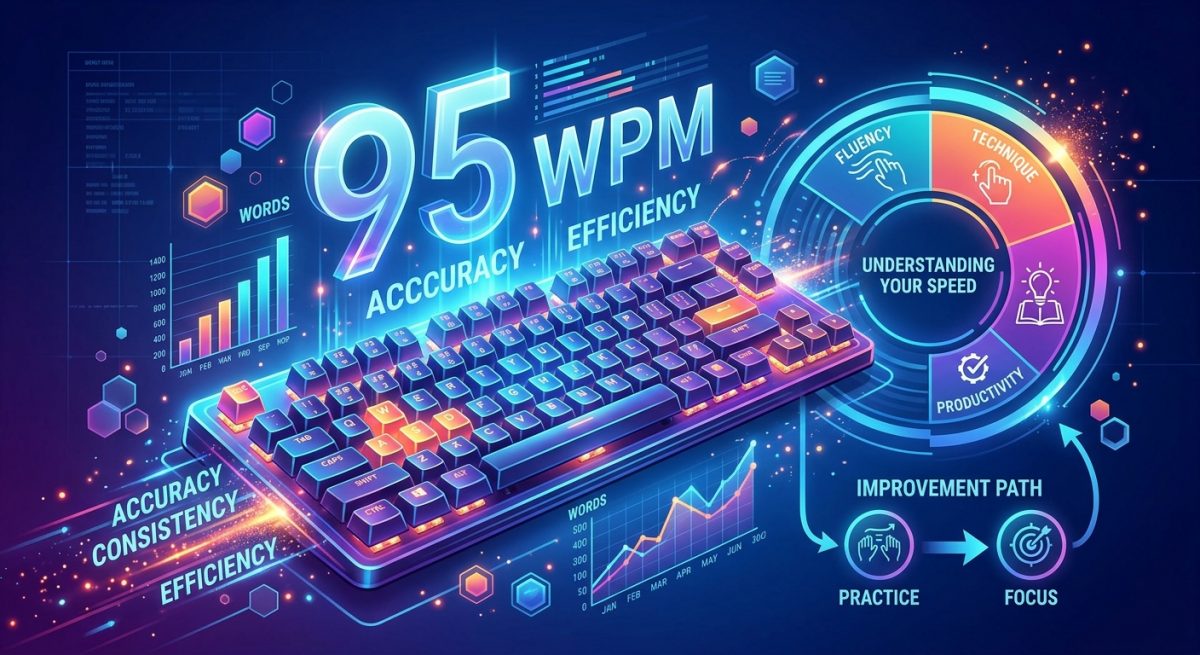
According to words per minute research, the average person types somewhere between 38 and 40 words per minute on a standard keyboard. Professional typists and transcriptionists typically operate in the 65 to 95 WPM range. Competitive typists break well past 100 WPM while maintaining high accuracy.
Those numbers give you a ladder. Knowing where you stand on that ladder tells you what gains are realistic, how long specific writing tasks will actually take, and whether your typing speed is quietly bottlenecking your workflow in ways you have not noticed.
Taking a Two-Minute Diagnostic
The most useful test is not a single sprint. It is a timed session long enough to capture your real rhythm, including the natural slowdown that comes after the first 30 seconds when adrenaline fades and your actual working pace kicks in.
Two minutes is the right window. A typing speed test runs you through a timed session and shows your WPM alongside your accuracy percentage. That accuracy figure is easy to dismiss, but it is often more telling than the speed number alone. A typist hitting 80 WPM with 92 percent accuracy is producing far more usable output than someone hitting 90 WPM with 80 percent accuracy, because errors require correction time that eats into any speed advantage.
Run the test at least twice before you accept your score. Your first attempt is often inflated by focus or deflated by nerves. The second and third runs tend to converge on your true baseline.
What Different WPM Ranges Look Like in Practice
Not all WPM scores carry the same weight across different roles, and the numbers only make sense when you understand what they look like on the ground.
WPM Ranges by Role and Output Level
| WPM Range | Typical Profile | Practical Output |
|---|---|---|
| Under 30 WPM | Casual or infrequent typist | Typing is a friction point in most workflows |
| 30 to 50 WPM | Average office user | Functional for email and basic documents |
| 50 to 70 WPM | Proficient writer or developer | Comfortable pace for sustained writing tasks |
| 70 to 90 WPM | Experienced professional | High throughput with strong accuracy |
| 90 WPM and above | Transcriptionist or power user | Typing rarely limits the work |
The middle bands, roughly 50 to 70 WPM, are where most deliberate improvement efforts pay off. Moving from 40 to 60 WPM is achievable for most adults with consistent practice. Moving from 80 to 100 WPM requires significant time investment and may not justify the effort unless speed is genuinely central to your livelihood.
Translating WPM into Actual Daily Output
Here is where the number becomes genuinely useful for planning your day. If you type at 60 WPM, you are producing roughly 300 characters per minute. Over an hour of focused writing, that adds up to around 18,000 characters, which works out to approximately 3,000 words depending on average word length.
That math changes how you approach a writing session. A 1,500-word article takes a 60 WPM typist about 25 minutes of actual typing time, assuming they are not stopping frequently to think or revise mid-sentence. Planning, research, and revision are separate from that figure.
A character counter becomes a useful companion here. Paste in a sample of your writing output and you can see exactly how many characters you produced in a given session. Cross-reference that against your session time and you have a real productivity rate. This is particularly helpful for content writers working to word-count targets, or developers tracking how much documentation they are actually generating per hour rather than guessing.
What Else Affects Your Score
Raw typing speed is not just about how fast your fingers move. Several factors shape your benchmark score in ways that are easy to miss.
Your keyboard matters more than most people expect. A mechanical keyboard with a moderate actuation force tends to produce faster, more accurate typing than a shallow laptop keyboard for the majority of users. That said, the keyboard you use every day is the one you should test on, because your score needs to reflect your actual working environment, not an ideal one.
Touch typing versus hunt-and-peck is the most significant variable of all. The touch typing method, which assigns specific fingers to specific keys without looking at the keyboard, consistently produces higher speeds and accuracy than visual typing. If you are still looking down at your hands while you type, learning the home row positions is the single highest-return investment you can make in your speed.
Familiarity with test text also inflates scores in ways worth knowing about. Tests that use common English words will produce higher WPM than tests with technical vocabulary, code-like strings, or proper nouns. If you write in a specialized field all day, your real working speed may be meaningfully lower than your test score suggests.
Fatigue plays a measurable role too. Most people type faster in the morning than in the afternoon, and faster at the start of a session than an hour into it. Your benchmark should account for this. A mid-afternoon score taken after a long meeting is a more realistic measure of your working pace than a sharp-focus morning sprint taken with nothing else on your mind.
How to Build Toward a Better Benchmark
Improvement is straightforward in principle. Consistency is where most people fall short.
Short daily sessions outperform long irregular ones. Fifteen minutes of deliberate practice five days a week produces better results than a two-hour session once a week. The muscle memory needed for touch typing builds through repetition spaced over time, not through volume crammed into a single sitting.
Prioritizing accuracy over speed in practice sessions is the counterintuitive key. Speed follows accuracy, not the other way around. Typing fast while generating errors teaches your fingers bad habits and reinforces sloppy patterns. Typing at 90 percent of your comfortable speed with near-perfect accuracy builds a cleaner, faster foundation over time.
Focusing on your weakest keys rather than practicing everything equally is also more efficient. Most people have a handful of letters or key combinations that consistently slow them down or produce errors. Identifying these through your test results and drilling them in isolation saves more time than generic full-sentence practice.
Tracking your progress on a weekly basis keeps you honest and motivated. Your score will plateau at some point, and that is completely normal. A plateau usually means your fingers are performing well but your accuracy needs work, or that you have reached a ceiling with your current technique and need to revisit your hand position or finger assignments.
Your WPM Score Is a Productivity Lever, Not a Trophy
Typing speed is not about bragging rights or comparison. It is about how much friction sits between your ideas and the page. A higher WPM with solid accuracy means less time transcribing your thoughts and more time refining them.
The two-minute diagnostic is not a pass-or-fail exam. It is a starting point. Run it, note your score and your accuracy, translate those numbers into what your daily output actually looks like, and use the result as a baseline you can improve from. Whether you are at 35 WPM or 75 WPM today, you now have a real number. That number is something you can work with.
\nRelated reading: Testing Your Reaction Time and Cognitive Speed With Online Tools, What Your IP Address Shows About You and How to Check it, and Saving Online Videos to Watch Later Without Installing Software.