Your storage is full. Again. The notification lands at the worst possible moment, right when you need to send a project file or share a folder with a client. Google gives every account 15 gigabytes split across Drive, Gmail, and Google Photos, and for active users that ceiling arrives faster than expected. The good news is that several alternatives genuinely outperform Google in the areas that matter most to everyday users, and a few of them cost nothing to start.
Before You Switch: Key Points to Know
- Free storage tiers range from 2GB to 20GB depending on the service, with Mega leading the pack.
- Zero-knowledge encryption is not available on Google Drive, but it is a standard feature on Mega and Sync.com.
- Cross-device sync quality varies, especially on mobile, and some apps handle large folders slowly.
- Sharing links do not always behave the same way, and some services require recipients to sign in.
- Lifetime storage plans exist on platforms like pCloud, making long-term costs lower than monthly subscriptions.
Why Google Drive Leaves So Many Users Hitting Walls
Google Drive is not broken. It handles documents and collaboration inside Google's own ecosystem very well. The frustration comes when you push it into real-world use at scale. Photos from your phone stack up. Old email attachments quietly eat into your quota. Shared folders from colleagues reduce your available space without any obvious warning.
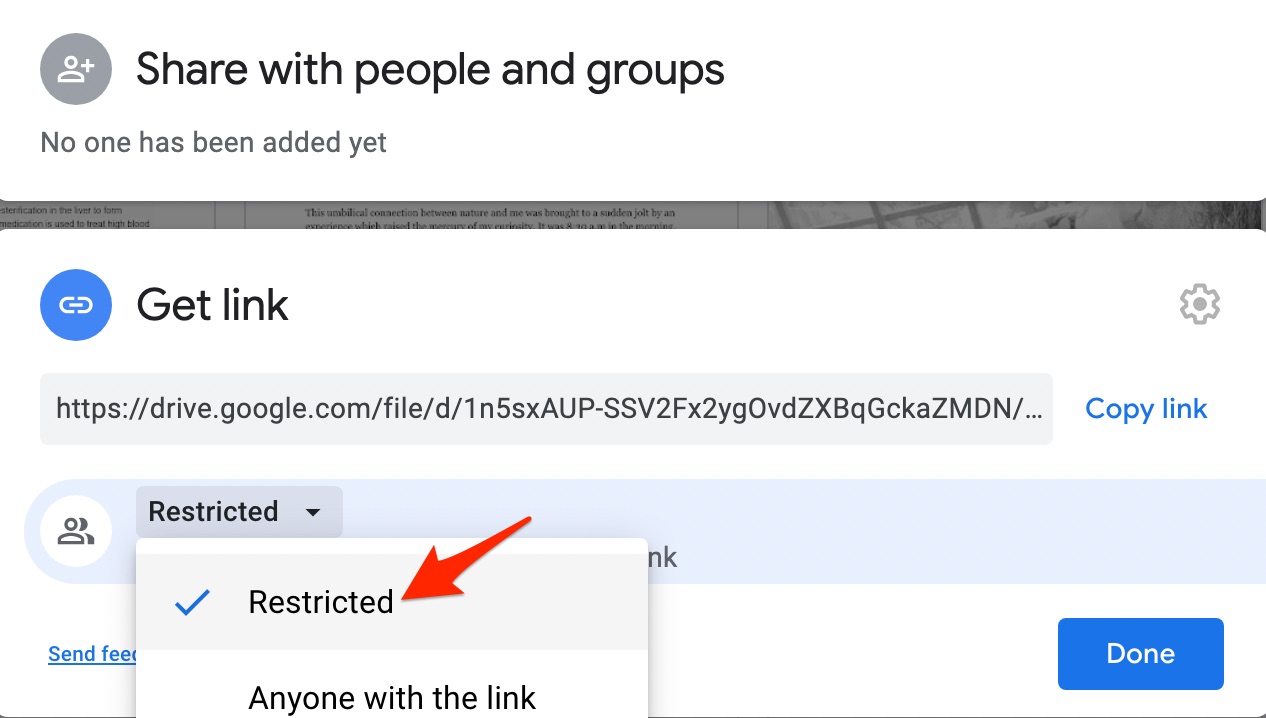
Sharing is another recurring headache. Google's link-based sharing works cleanly inside Google's ecosystem, but external recipients run into sign-in prompts, permission errors, or file previews that simply will not load. Anyone who has sent a Google Drive link to someone outside of a Google account knows the experience can feel unreliable.
Privacy is a third concern worth addressing. Google's business model is built around data, and storing sensitive files on a platform that processes behavioral signals for advertising makes many users uncomfortable. These are fair concerns, and they explain why dedicated cloud storage services continue to attract users away from Google.
The Contenders That Actually Deserve Your Attention
Dropbox has the most polished desktop experience in this category. File sync is nearly instant, and the file request feature lets anyone upload to your folder without needing a Dropbox account. The free plan's 2GB limit is the main drawback, but the reliability and speed are hard to match.
Microsoft OneDrive is the obvious choice for Windows users. It is baked directly into File Explorer, requires no separate installation, and Microsoft 365 Personal subscribers receive 1 terabyte of storage bundled into their subscription. For households already inside the Microsoft ecosystem, this is simply the path of least resistance.
pCloud deserves significantly more recognition than it receives. The free tier starts at 10GB, the desktop client syncs large files quickly, and pCloud offers a lifetime plan that is rare in this industry. Heavy users who plan to stick with a service for years will find the math compelling compared to monthly billing.
Mega leads the industry on free storage with 20GB from the moment you create an account. It also uses zero-knowledge encryption by default, meaning Mega itself cannot read your files. That privacy guarantee is not something Google Drive can offer at any tier.
Sync.com is built around privacy from the ground up. End-to-end encryption is default rather than optional, and the company operates out of Canada, placing it outside US data-sharing agreements. The free plan offers 5GB, but the security architecture justifies paying for more if you store anything confidential.
Box sits at the business end of the spectrum but offers a 10GB free personal tier. It integrates well with Slack, Salesforce, and Microsoft Office, and its workflow automation tools go beyond what consumer-focused services provide.
Free Storage and Key Features Side by Side
| Service | Free Storage | Zero-Knowledge Encryption | Best Use Case |
|---|---|---|---|
| Google Drive | 15 GB | No | Google Workspace collaboration |
| Mega | 20 GB | Yes | Private file storage |
| OneDrive | 5 GB | No | Windows and Microsoft 365 users |
| pCloud | 10 GB | Optional (paid add-on) | Large file transfers |
| Sync.com | 5 GB | Yes | Sensitive documents |
| Dropbox | 2 GB | No | Fast desktop sync |
| Box | 10 GB | Yes (Business tier) | Team workflows |
When Sharing Files Is the Whole Point
Storage space matters, but ease of sharing is what separates a serviceable cloud tool from a genuinely useful one. Recipients need to actually receive the file, open it without friction, and not hit a login wall that stops everything cold.
pCloud and Mega both generate public links accessible without any account. This mirrors Google Drive's public share behavior, but without the occasional Google sign-in prompt that catches external users by surprise. For people who regularly send files to clients or contacts outside their organization, this is a meaningful difference.
For anyone actively weighing their options, browsing a detailed Google drive alternative comparison before committing to a paid plan is a practical move. It lays out the key differences in a scannable format rather than requiring you to test each service independently.
Dropbox's file request feature stands apart from anything else in this category. You generate a link, send it to anyone, and they can upload files directly into your Dropbox folder without owning an account. Collecting documents from multiple people at once has never required less back-and-forth.
How These Services Perform Across All Your Devices
A cloud storage tool that syncs beautifully on desktop but lags on mobile is only doing half the job. File access from phones and tablets has become the default for a large share of users, and performance gaps between platforms are real.
OneDrive's mobile app runs tightly integrated with both Android and iOS. Files from Word, Excel, and Teams appear automatically, and background sync is reliable without noticeable battery drain. For Microsoft 365 users, the transition between desktop and phone feels seamless.
Mega's mobile experience is functional but slower when loading large folder structures. Uploading from a phone works without issues, but browsing and previewing files does not feel as responsive as Dropbox or Google Drive. That trade-off matters if your phone is your primary device.
Dropbox performs best on mobile. The app loads fast, offline access works as expected, and camera uploads handle photo backups automatically. NIST's foundational framework on cloud computing standards identifies broad network access from any device as one of the core qualities that defines legitimate cloud services. Not every provider meets that bar equally, and the gaps show up most clearly on mobile.
Five Questions to Ask Before Picking a Service
The right platform depends on how you actually use it. Running through a few specific questions before signing up saves the hassle of migrating twice.
- What types of files do you store most often? Photos, videos, and documents behave differently in cloud storage. Some services compress images; others preserve originals. Video eats storage at full resolution on most platforms.
- Who are you sharing files with? If recipients do not have accounts on the platform you choose, anonymous link access is a requirement, not a nice-to-have.
- Which devices do you use? Windows users get more from OneDrive. Mac users find iCloud Drive more native. Linux users should confirm a desktop client exists before committing.
- How sensitive is your data? Zero-knowledge encryption physically prevents even the service provider from reading your files. This matters for legal documents, health records, and financial files.
- How long do you plan to use it? Lifetime plans from providers like pCloud cost more upfront but become cheaper than monthly billing after three to four years of use.
Privacy and Security Features Worth Understanding
Most users breeze past privacy settings during account setup. For general file storage that is probably fine. For file sharing with external parties, it is worth knowing what protections are active by default.
- Zero-knowledge encryption means the provider cannot read your files under any circumstances, including legal requests. Mega and Sync.com offer this by default.
- Two-factor authentication should be enabled on any account that holds files worth protecting. Every major service supports it; most do not require it.
- Link expiration dates let you set a deadline on shared links. Files become inaccessible after that date without any manual intervention from you.
- Password-protected share links add an access layer so only recipients with the password can open the file. pCloud, Sync.com, and Box all support this on free or low-cost tiers.
Google Drive supports two-factor authentication and offers some link control, but zero-knowledge encryption is absent at every plan level. For users storing anything genuinely sensitive, that gap is worth taking seriously.
Stretching a Free Plan Further Than You Might Expect
Free tiers run out faster when users upload duplicates, keep files they no longer use, or back up full-resolution media that could be compressed first. A few deliberate habits extend a free plan considerably.
- Use selective sync to avoid downloading every folder to your local drive. Only sync what you actively need.
- Archive completed projects into a zip file before uploading. Compressed archives take up less space and keep folders tidy.
- Avoid storing full-resolution video on free tiers. Video is storage-heavy and most services count it at full size against your quota.
- Combine two platforms. Use one for working documents and another for photo backups. Spreading files across services doubles your effective free storage.
Matching Your Files to the Right Cloud Home
There is no universal winner in this category. The best service is the one that fits your specific situation rather than the one with the most features on paper.
Windows users already subscribed to Microsoft 365 should start with OneDrive. The storage is included, the integration is native, and there is nothing to configure beyond signing in.
Users who store documents that carry real sensitivity, such as legal, medical, or financial files, will find Mega and Sync.com worth paying for. Zero-knowledge encryption is not marketing language. It has concrete implications for who can access your data and under what conditions.
Anyone who regularly collects files from people outside their organization will find Dropbox's file request feature alone justifies the platform. It removes every barrier between a sender and your storage folder.
Users who want the most free storage available without spending anything should start with Mega. Twenty gigabytes at no cost, with encryption on by default, is a stronger opening offer than Google currently provides.
Teams embedded in business tools like Salesforce or Slack will get more from Box than any consumer-focused alternative. The workflow automation features it offers have no real equivalent among the personal storage services.
The broader point is simple. Google Drive is familiar and adequate for many situations. But adequate is not the same as optimal, and in several specific use cases, including privacy, free storage volume, and external file sharing, the alternatives covered here perform better. Spending an afternoon testing one or two of them against your actual workflow is a low-risk way to find out whether a better option has been sitting there waiting for you.
\nRelated reading: How To Download Shared Files From Google Drive Without Permission, A Brief Guide for Google Drive Upload and Download, and Google Drive: A Comprehensive Guide to the Cloud Storage.