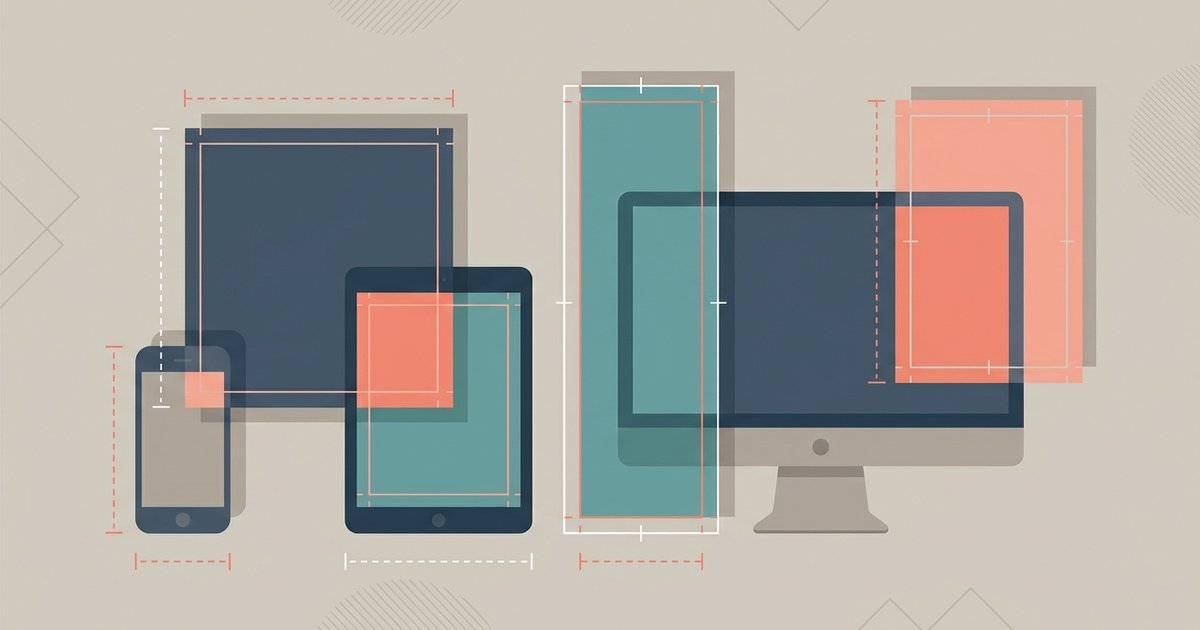
Instagram publishes fewer exact pixel sizes than most guides suggest. What it does publish is a width range and an aspect ratio range: for feed photos, Instagram keeps your image at its original resolution if the width is between 320 and 1,080 pixels and the aspect ratio falls between 1.91:1 and 3:4. Get the ratio right and upload at 1,080 pixels wide, and the rest mostly takes care of itself.
Feed posts
Instagram's help documentation is specific about feed photos. A photo with a width between 320 and 1,080 pixels and an aspect ratio between 1.91:1 and 3:4 is kept at the resolution you uploaded. At 1,080 pixels wide, that ratio range works out to a height between 566 and 1,440 pixels. Anything narrower than 320 pixels gets enlarged to 320, anything wider than 1,080 gets scaled down to 1,080, and an image whose ratio falls outside the supported range is cropped to fit one that does.
In practice that gives you three useful shapes. Square, at 1080 by 1080, is the safe default and the one that behaves predictably in a profile grid. Portrait at 3:4 is the tallest shape Instagram now supports for feed photos, and it takes up the most vertical space on a phone screen, which is why it tends to hold attention longer. Landscape at 1.91:1 is the widest, and it is the shape to use when the image genuinely needs the width.
Carousels take their shape from the first image. Every slide is displayed in the ratio of the first one, so mixing a landscape photo with portrait photos in the same carousel means everything after the first slide gets cropped. Crop the whole set to a single ratio before you upload.
Stories and Reels
Stories and reels are vertical and full screen. Instagram documents reels as accepting an aspect ratio between 1.91:1 and 9:16, with a minimum frame rate of 30 frames per second and a minimum resolution of 720 pixels. In reality 9:16 is the only ratio worth using, because anything else leaves the frame padded and wastes the screen.
For pixel targets, Meta's advertising specifications are the most reliable published numbers. Meta lists 1440 by 2560 pixels at a 9:16 ratio for both the Stories and the Reels placement, with a minimum width of 500 pixels, JPG or PNG files and a maximum file size of 30 MB. Those figures are written for ads, but they describe the same surfaces your organic posts appear on, so they are a sound target for a still image in either format.
Reel covers have their own size. Instagram recommends a cover photo of 420 by 654 pixels, which is roughly a 1:1.55 ratio. The cover is what appears in your profile grid, so it is cropped again there, and text near the bottom of a cover is often the first casualty.
Profile photos
Instagram does not publish a pixel specification for profile photos. What matters is the shape: the image is cropped to a circle and displayed at a small size, tiny next to a comment and only slightly larger on the profile itself. Upload a square image at least 1,080 pixels wide so the app has enough detail to work with, and keep the subject centered with generous margin, because the circular crop cuts the corners off whatever you upload.
Size reference
| Placement | Aspect ratio | Pixel guidance | Source of the number |
|---|---|---|---|
| Feed, square | 1:1 | 1080 x 1080 | Within Instagram's published 320 to 1,080 width range |
| Feed, portrait | 3:4 | 1080 x 1440 | Instagram's stated upper ratio bound for feed photos |
| Feed, landscape | 1.91:1 | 1080 x 566 | Instagram's stated lower ratio bound for feed photos |
| Stories | 9:16 | 1440 x 2560 | Meta advertising specification for the Stories placement |
| Reels | 9:16 | 1440 x 2560, minimum 720p video | Meta ad specification plus Instagram's reel requirements |
| Reel cover | About 1:1.55 | 420 x 654 | Instagram's recommended cover size |
| Profile photo | 1:1, cropped to a circle | 1080 x 1080 suggested | No published Instagram specification |
Safe zones
A full-screen vertical image is never fully visible, because Instagram draws its own interface on top of it. Meta's creative guidance for Stories and Reels recommends keeping text, logos and key elements out of roughly the top 14 percent, the bottom 35 percent and 6 percent of each side of the frame, so they are not cropped or covered by the profile icon and the action buttons.
That bottom 35 percent is larger than most people expect and it is where the caption, the audio label, the like and share buttons and the follow prompt all sit. On a 1440 by 2560 image it is about 900 pixels of the bottom of the frame. Build a template with those margins marked, and design inside it once rather than rechecking every post.
Feed posts have a milder version of the same problem. The profile grid crops every thumbnail to 3:4, so a wider or squarer image loses its edges in the grid preview while staying intact in the feed. The practical answer is to design at 4:5 and keep anything essential inside a centered 3:4 area, which survives both views.
File size, format and compression
Instagram recompresses almost everything you upload, so your job is to hand it a file that survives that process. Upload at the target pixel width rather than something much larger: an oversized file gets scaled down by Instagram's own resizer, and you lose control over how that is done. Exporting at exactly 1,080 pixels wide for feed and 1440 pixels wide for vertical gives you a predictable result.
Format matters for the content of the image. PNG holds up better for screenshots, flat color and text, while JPEG at a high quality setting is usually better for photographs and produces a much smaller file. Meta's specifications for the vertical placements list JPG and PNG with a 30 MB maximum, which is far more headroom than a still image needs.
If your export is bigger than it needs to be, resize the image to the target width first and compress after, not the other way around. Compressing a large file and then scaling it down bakes in compression artifacts at a size where they become visible. There is also a setting worth switching on inside the app: under Profile, then the menu, then Media quality, the option to upload at the highest quality tells Instagram to prioritize quality over upload speed.
If you remember one thing, make it the ratio rather than the pixel count. Export square or 3:4 at 1,080 pixels wide for the feed, 9:16 for anything vertical, keep important content out of the bottom third of a vertical frame, and turn on the high quality upload setting. Those four habits cover almost every size question Instagram will throw at you.
\nRelated reading: Instagram Guide, How to Add Captions to Instagram Reels, and Why Your Instagram Reels Get No Views.