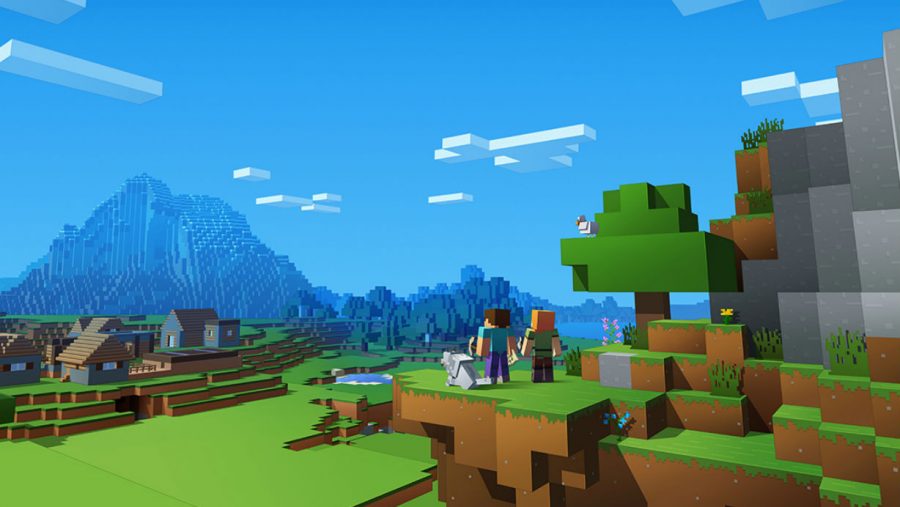
The absolute best Minecraft mods transform the game from a simple sandbox into an endless playground of possibility, and this curated list covers the all-time greats that will get you hooked. These are the top-tier modifications for the Java Edition of the game, so before you dive in, you'll need a mod loader like Forge or Fabric to run them.
Essential pre-modding checklist
Before you start adding mods, take a few critical steps to protect your game and ensure everything runs smoothly. First and foremost, always back up your important Minecraft worlds before installing any mods or add-ons. This simple precaution saves you from losing hours of builds if something goes wrong. Next, install the correct mod loader for your game version, either Forge or Fabric, as most mods require one of these frameworks to function. Finally, always check a mod's supported game version before downloading, because a mod built for an older version may crash your game or cause conflicts with other mods.
Best performance and optimization mods
1. Optifine
The Optifine mod is a legendary performance enhancer that offers HD textures and greater graphics control, instantly turning your game into a visual masterpiece on capable hardware.
2. Sodium
For those running on older or less powerful machines, Sodium is a modern alternative that dramatically improves frame rates by optimizing the game's rendering engine.
3. Iris
Pair it with Iris, which adds shader support while maintaining the performance gains, and you'll have a smooth, beautiful game even on modest laptops. These optimization mods are essential for anyone who wants to play with other mods installed, as they help offset the performance cost of running multiple modifications simultaneously.
Best map and navigation mods
4. Journeymap
The Journeymap mod is a beloved classic that lets you keep track of where you're going, maps in new territories you've explored, and lets you set up waypoint markers for locations you want to remember. The best part? You can see mob movement around you, making it easier to avoid dangerous areas or hunt for specific creatures. The map can be viewed as a mini-map, in full-screen, or even in an external browser window.
5. Xaero's Minimap
For those who prefer a more minimalist approach, Xaero's Minimap offers a lightweight alternative with waypoint support and mob tracking, ensuring you never lose your way back to your base again.
6. Waystones
Waystones allows players to create and use teleportation blocks to quickly travel between locations in their world. Players can activate discovered waystones and teleport to them from any other activated waystone. Available for Minecraft Java Edition on both Forge and Fabric mod loaders. The mod is actively maintained and updated for current Minecraft versions.
Best inventory and storage management mods
7. Just Enough Items (JEI)
The Just Enough Items (JEI) mod is an absolute essential, it's like having a walking encyclopedia at all times, showing you recipes for new items and helping you find the materials you need.
8. Sophisticated Backpacks
For portable storage, Sophisticated Backpacks adds upgradable backpacks that can hold far more than your standard inventory, complete with features like auto-pickup and filtering.
9. Applied Energistics 2
When you're ready for end-game storage solutions, Applied Energistics 2 is the king of all storage mods. It turns all your stored items into energy, which is then saved into hard drives in your base, and the coolest feature is that these drives are accessible from anywhere in your base, wirelessly. No more running back and forth between chests, everything you own is just a click away.
10. Refined Storage
Refined Storage is a mass storage network mod that allows players to store and manage items and fluids in a centralized system. Features include auto-crafting, wireless access, and grid-based item management. It is available for Minecraft Java Edition on the Forge mod loader. The mod is regularly updated and maintained for recent Minecraft versions.
11. Storage Drawers
Storage Drawers provides a compact, aesthetic, and functional storage solution for large quantities of single items. Items are stored in "drawers" that visually display their contents and quantity. Compatible with both Forge and Fabric mod loaders for Minecraft Java Edition.
Best building and decoration mods
12. Chisel
The Chisel mod (and its updated version, Rechiseled) lets you redecorate your boring blocks with texture, color, and design to truly stand out. In the standard game, there's only one cobblestone texture, but with Chisel, you now have dozens of different textures to choose from.
13. Rechiseled
14. Instant Massive Structures
For those who want to populate their world quickly, Instant Massive Structures lets you instantly build huge and magnificent buildings with a simple click of your mouse. Just select the structure you want and it will appear, saving you countless hours of manual construction. This mod is perfect for players who want to focus on interior design and landscaping rather than spending hours laying bricks.
15. Macaw's Bridges
Macaw's Bridges adds a wide variety of new bridge types and styles, allowing for more diverse and aesthetic building options. Bridges come in different materials and designs, including rope, wood, and stone, with various railing options. It is part of a larger series of "Macaw's" mods that enhance building with doors, windows, roofs, and more.
Best farming and food mods
16. Pam's Harvestcraft 2
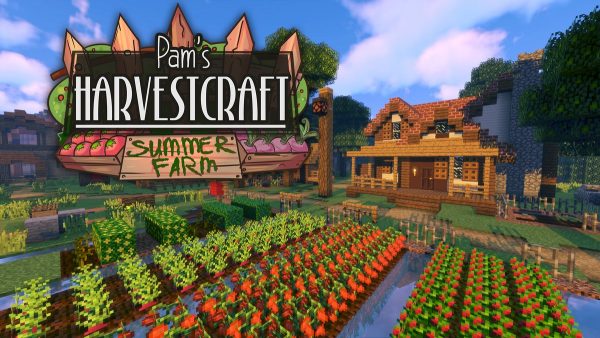
The Pam's Harvestcraft 2 mod solves this problem by adding hundreds of new crops, trees, and food items to the game. You can now grow everything from artichokes to zucchini, and combine them into elaborate meals that provide better hunger restoration and even buffs.
17. Botania
For a completely different take on farming, Botania is a magic-tech mod centered around generating power from flowers. These aren't just decorative blooms, you can use them to turn mobs against each other, heal yourself, or even build a magical portal to the world of elves. It's a unique mod that rewards creativity and adds a whole new dimension to resource gathering.
Best mods for exploration and new dimensions
18. Biomes O'Plenty
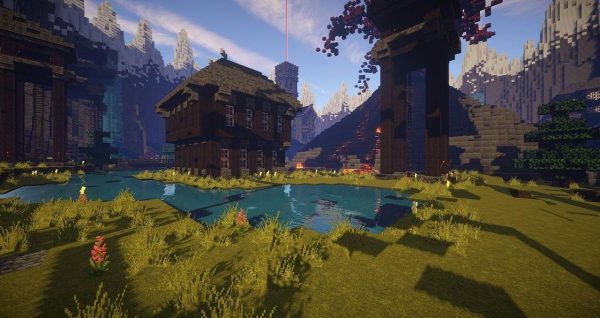
The Biomes O'Plenty mod adds dozens of new biomes and sub-biomes that completely overhaul your world's terrain. Mountain ranges, vast desert wastelands, or large bodies of water, you can change it all, plus you'll get new tools, food, armor, and extra blocks with color to build with.
19. Galacticraft
For those who dream of the stars, Galacticraft lets you explore and occupy space, with space missions that let you travel to the furthest solar systems, build spaceships, and even establish your own moon base.
20. The Lost Cities
If you prefer a post-apocalyptic aesthetic, The Lost Cities mod transports you to a ruined, crumbling world where you must survive among the remnants of a fallen civilization. Each of these mods completely changes the exploration experience and gives you compelling reasons to venture beyond your starting area.
21. The Twilight Forest
The Twilight Forest introduces a new, densely forested dimension filled with unique creatures, dungeons, and bosses. Players must progress through a series of challenges and boss fights to unlock new areas of the dimension. The mod is a long-standing and well-maintained adventure mod, updated for recent Minecraft versions.
22. When Dungeons Arise
When Dungeons Arise adds a vast array of new, procedurally generated dungeons, structures, and ruins to explore in your world. These structures range from small ruins to massive castles and underground complexes, offering diverse challenges and loot. The mod is regularly updated with new content and compatibility for recent Minecraft versions.
Best mods for fun and gameplay twists
23. Minecraft Comes Alive
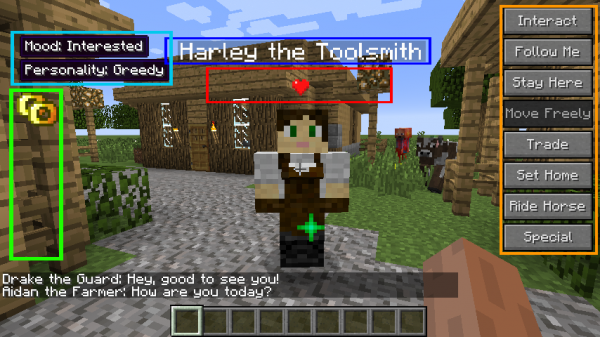
The Minecraft Comes Alive mod switches your gameplay to replicate the SIMs game, adding AI-controlled villages to the map for more fun interactions. You can talk to, trade with, marry, and even have children in this mod, it really brings the world to life.
24. Hats
For purely cosmetic fun, the Hats mod adds a wide variety of silly and stylish hats that drop from mobs, giving you a way to customize your character's look with no gameplay impact.
25. HWYLA
And for a quality-of-life tool that you'll wonder how you lived without, HWYLA (Here's What You're Looking At) offers information like a tooltip and the name of the block or object your mouse is pointing at. With so many mods available, we don't always recognize everything we see, and HWYLA helps you identify new mods and their blocks instantly.
26. Quark
Quark is a "vanilla-friendly" mod that adds many small, configurable features and improvements to Minecraft without drastically changing the core game. Features include new blocks, items, mobs, and quality-of-life changes like improved inventory management and building tools. Available for Minecraft Java Edition on the Forge mod loader. The mod is actively developed and updated for new Minecraft versions.
27. Alex's Mobs
Alex's Mobs adds over 100 new real-world and fictional animals to Minecraft, each with unique behaviors and drops. Many mobs can be tamed, ridden, or interacted with in various ways, enhancing exploration and gameplay. The mod is frequently updated with new creatures and features.
Best tech and automation mods
28. Create
Create is a tech mod that focuses on automation, engineering, and aesthetic contraptions using rotational power. It allows players to build complex machines, factories, and automated systems with a unique visual and mechanical style. The mod is actively maintained and frequently updated for newer Minecraft versions.
Essential pre-modding checklist
29. Forge
30. Fabric
How to install your new mods
Now that you've found the perfect mods for your playstyle, you're probably wondering how to get them running. The process is straightforward, but it does require a few specific steps to ensure everything works correctly. First, you'll need to get Minecraft if you haven't already, and make sure you're running the Java Edition rather than Bedrock. Then, install a mod loader like Forge or Fabric, which acts as a framework for running mods. After that, download your chosen mods from trusted sources like CurseForge, making sure to match the mod versions to your game version. Finally, place the downloaded files in the "mods" folder in your Minecraft directory and launch the game. For a complete walkthrough, check out our detailed guide on how to download and install Java Edition mods on PC, which covers every step in depth and troubleshoots common issues. With your mods installed, you're ready to experience Minecraft in a whole new way, happy modding!
For the wider topic, see get Minecraft.
\nRelated reading: How To Get Minecraft Coins.