You generally cannot change your banking information with the IRS after your tax return has been accepted, and if a direct deposit fails, the IRS will mail a paper check to the address on file. For taxpayers whose return is still pending, however, there are specific steps you can take to update your direct deposit details before the deposit is processed.
Can you change your banking information with the IRS after filing?
The critical answer upfront: generally no once a return is accepted. Once the IRS accepts your electronically filed tax return, the direct deposit information you provided is locked in. The IRS system processes refunds based on that data, and there is no way to edit or cancel the deposit after acceptance. If the deposit fails, because the account number is wrong, the account is closed, or the name doesn’t match, the IRS will not retry the deposit. Instead, a failed deposit results in a mailed paper check. This check is sent to the address the IRS has on file for you, which is the address from your most recent tax return or any address change you’ve submitted using Form 8822. Before you can fix banking details for next year, you may need to get my IP pin from the IRS to verify your identity and prevent future return rejections.
How to update your direct deposit before the IRS accepts your return
If you have already e-filed but your return has not yet been accepted by the IRS system, you may still have a narrow window to act. The key step is to call the IRS at 800-829-1040 to stop a deposit that hasn't posted. An IRS representative can check the status of your return and, if it is still pending, may be able to halt the direct deposit. Keep in mind that this option is only available before the return is accepted and the deposit is initiated. For taxpayers who prepared their own return but have not yet filed, the simplest solution is to correct the banking information in your tax software before submitting. If you used a tax preparer, contact them immediately to see if the return can be recalled or amended before the IRS processes it. If phone lines are jammed, you can contact the IRS by email to document your request in writing.
- Check the status of your e-filed return using the IRS “Where’s My Refund?” tool to see if it has been accepted.
- If the return is still showing as “pending” or “not yet accepted,” call the IRS directly at 800-829-1040.
- Explain that you need to stop a direct deposit for a return that has not yet posted. Provide your personal information and the incorrect banking details.
- Follow the representative’s instructions. If the deposit is successfully stopped, the IRS will mail a paper check to your address on file.
Providing your banking information when you file your tax return
When you file your original tax return, you enter your direct deposit details on the refund line of Form 1040 or its equivalent in your tax software. This is the only reliable way to ensure your refund goes directly to your bank account. If you want to split your refund into up to three different accounts, you can use Form 8888, “Allocation of Refund,” when you file your original tax return. This form allows you to direct portions of your refund to a checking account, a savings account, or even an IRA. You must complete Form 8888 and attach it to your tax return at the time of filing; it cannot be added after the return is accepted. The accounts you list on Form 8888 must each meet the same requirements as a single direct deposit account.
What happens when a direct deposit fails or goes to the wrong account
If a direct deposit fails, because the routing number is incorrect, the account number is wrong, the account is closed, or the name on the account doesn’t match, the IRS will not attempt a second deposit. Instead, the IRS mails a paper check to the address on file. This check is sent to the address shown on your tax return, unless you have separately updated your address with the IRS using Form 8822. Importantly, the IRS is not responsible for incorrect routing or account numbers entered by the taxpayer or tax preparer. If you or your preparer made a mistake, the IRS will not reissue the refund as a direct deposit. You will have to wait for the paper check, which can take several weeks. If the check is lost or stolen, you can request a refund trace, but the IRS will not reimburse you for funds deposited to an account you did not own or control.
Rules for the bank account you use with the IRS
The direct deposit account must be in your name or a joint account you share; the IRS will reject deposits to accounts not in your name. This means you cannot use a business account, a trust account, or someone else’s personal account to receive your refund. For joint filers, the account can be in either spouse’s name or a joint account. If you use an account that is not in your name, the deposit will be rejected, and you will receive a paper check instead. The IRS sends a CP53E notice to inform you that the deposit was rejected because the account name did not match. You do not need to take any additional action, the paper check will be mailed automatically to the address on your return.
How to prevent problems with your IRS direct deposit
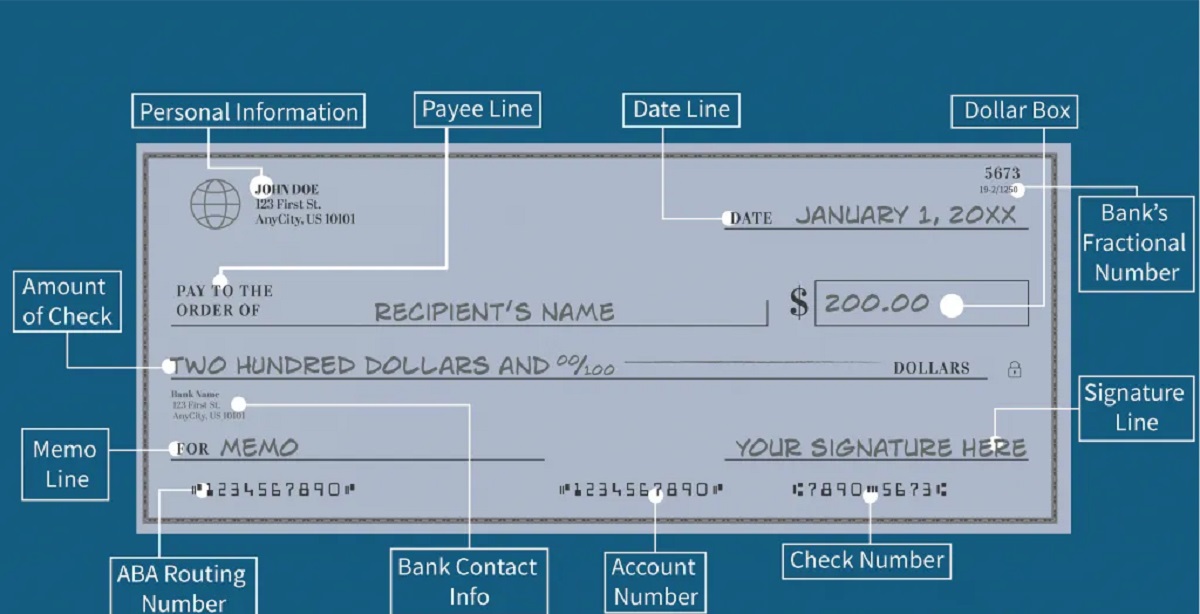
To avoid delays or lost refunds, take these precautions before filing. First, double-checking numbers is essential: verify the routing number and account number against a voided check or your bank’s online portal. A single digit error can send your refund to the wrong account. Second, ensure the account is open and accepts direct deposits. Some prepaid cards or limited-purpose accounts may not accept ACH deposits from the IRS. Call your bank to confirm. Third, keep your address current with the IRS. If a deposit fails and your address is outdated, the paper check could be returned to the IRS, causing further delays. You can update your address using Form 8822 or by writing it correctly on your next tax return. Finally, if you are using a tax preparer, review the direct deposit information on your completed return before they e-file it. You are ultimately responsible for the accuracy of the data submitted to the IRS.
\nRelated reading: What Are The Tax Implications Of Converting Crypto To Fiat Before Withdrawing.