To find anything in the dark web, you need the Tor Browser and a specialized search engine like Ahmia, Torch, or Haystak, as standard search engines cannot index .onion sites. If your search involves financial fraud, you will eventually need to know how to buy credit cards on dark web marketplaces safely. This guide provides a practical, step-by-step approach to safely accessing and searching the dark web for specific content, while also clarifying what the dark web actually is and how to mitigate its risks.
What the dark web actually is
The dark web is a small, intentionally hidden subset of the deep web that requires specialized software, specifically the Tor Browser, to access. Unlike the surface web, which is indexed by Google and other search engines, dark web sites use .onion addresses and are not discoverable through ordinary browsing. This anonymity layer is used for both legitimate purposes, such as protecting journalists and activists, and for illegal activities, but the technology itself is neutral. Understanding this distinction is essential before attempting to search for anything within it.
Step 1: Get the right tools for access
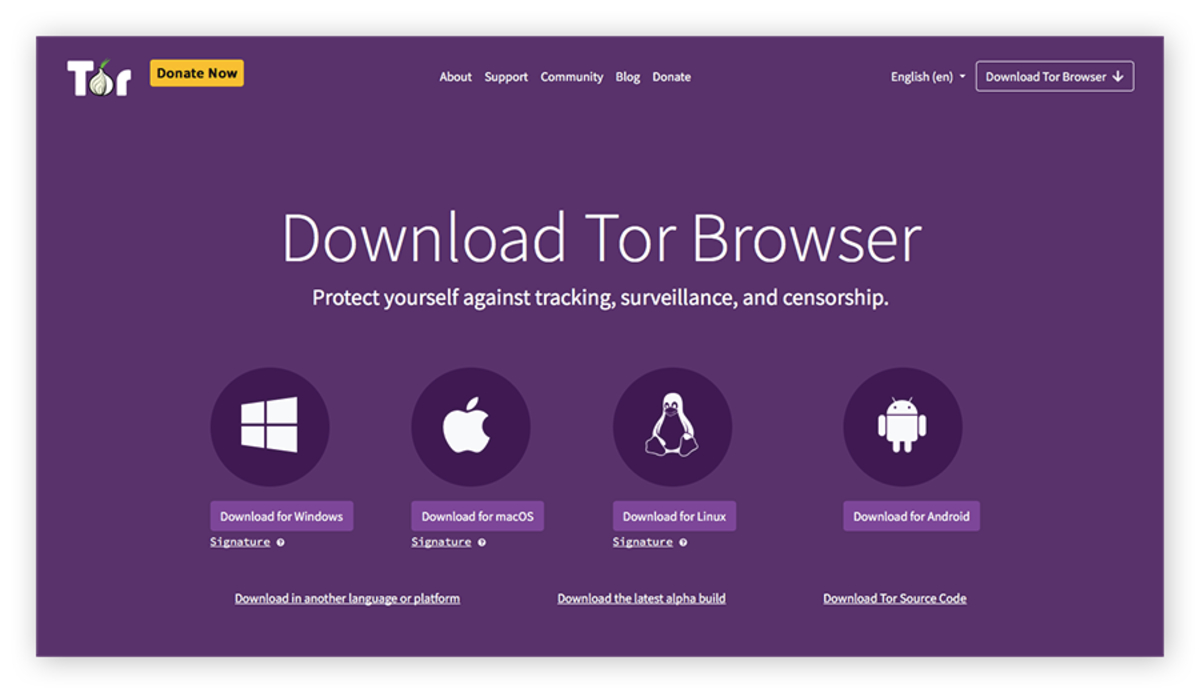
Before you can search, you must install the Tor Browser. This is the only reliable way to reach .onion sites, as it routes your traffic through multiple encrypted relays to anonymize your activity.
- Download Tor Browser: Go to the official Tor Project website and download the version for your operating system. It is available for Windows, macOS, Linux, and Android.
- Install the software: Run the installer and follow the on-screen prompts. No special configuration is needed for basic use.
- For iOS users: The Tor Project recommends the third-party Onion Browser, as Tor Browser is not officially available for iOS.
- Consider a VPN: While not required, using a VPN before launching Tor Browser adds an extra layer of privacy by hiding your Tor usage from your internet service provider.
Once installed, launch Tor Browser. It will automatically connect to the Tor network. You are now ready to search.
Step 2: Use dark web search engines to find content
To search the dark web, you cannot use Google. Instead, you must use specialized search engines that index .onion sites. These tools are your primary method for finding anything.
- Ahmia: This search engine is often recommended for safer searching because it filters out illegal content and is supported by the Tor Project. Type “ahmia” into Tor Browser’s address bar to reach its .onion site.
- Torch: One of the oldest and most comprehensive dark web search engines. It indexes a large number of .onion sites and returns results based on your query.
- Haystak: It also offers a paid version with more advanced features.
- VormWeb: A lesser-known but effective search engine that provides a clean interface for finding .onion content.
To use these, simply enter their .onion address into Tor Browser’s URL bar. Once on the search engine, type your query, for example, “privacy tools” or “whistleblower forums”, and browse the results. Be aware that search results may include links to illegal or malicious sites, so proceed with caution.
Step 3: Find .onion sites from the surface web
Some surface web sites advertise their dark web counterparts directly, making it easy to find them without a search engine. This is done through the “Onion-Location” HTTP header.
- Look for the .onion pill: When you visit a surface web site that has a dark web version, Tor Browser will display a purple “.onion available” pill in the URL bar.
- Click the pill: Clicking it automatically redirects you to the site’s .onion address, providing a more private connection.
- Check the page source: If you don’t see the pill, the site may still advertise its .onion address in its HTML header. This is common for privacy-focused services like DuckDuckGo.
This method is useful when you want to get to the dark web on DuckDuckGo or other privacy-oriented sites that maintain both a surface and dark web presence.
Step 4: Use curated directories of onion links
When search engines fail to return the results you need, curated directories of .onion links are a reliable alternative. These lists are maintained by communities and often categorize links by topic.
- Find a reputable directory: Search for “dark web link directory” on Ahmia or Torch. Popular directories include “The Hidden Wiki” and “Darkweb Wiki,” but verify their authenticity through multiple sources.
- Browse categories: Directories typically organize links into sections like “forums,” “markets,” “privacy tools,” and “whistleblowing.” This helps you narrow down your search.
- Check recency: Many .onion sites go offline quickly. Look for directories that list the last confirmed uptime or have active user comments verifying links.
Curated directories are especially helpful if you want to buy off the dark web, as they often list verified marketplaces with user ratings, though you should still exercise extreme caution.
Staying safe while you search
Searching the dark web carries inherent risks, even if you are only looking for information. Your anonymity does not protect you from malware or scams.
- Avoid illegal content: Searching for or accessing illegal material can expose you to legal consequences. Stick to legitimate uses like privacy tools, forums, or whistleblowing sites.
- Do not download files: Files from unknown .onion sites can contain malware. Only download from sources you have verified through multiple channels.
- Recognize the dangers of the dark web: Scams, phishing sites, and malware are common. Even legitimate-looking search results can lead to malicious pages. Use Ahmia for its filtering, and always check the URL for typos or odd characters.
- Keep Tor Browser updated: The Tor Project regularly releases security patches. Using an outdated browser can compromise your anonymity.
By following these steps and staying aware of the risks, you can effectively find anything in the dark web while minimizing exposure to harm. The key is to use the right tools, search smartly, and always prioritize your safety over curiosity.