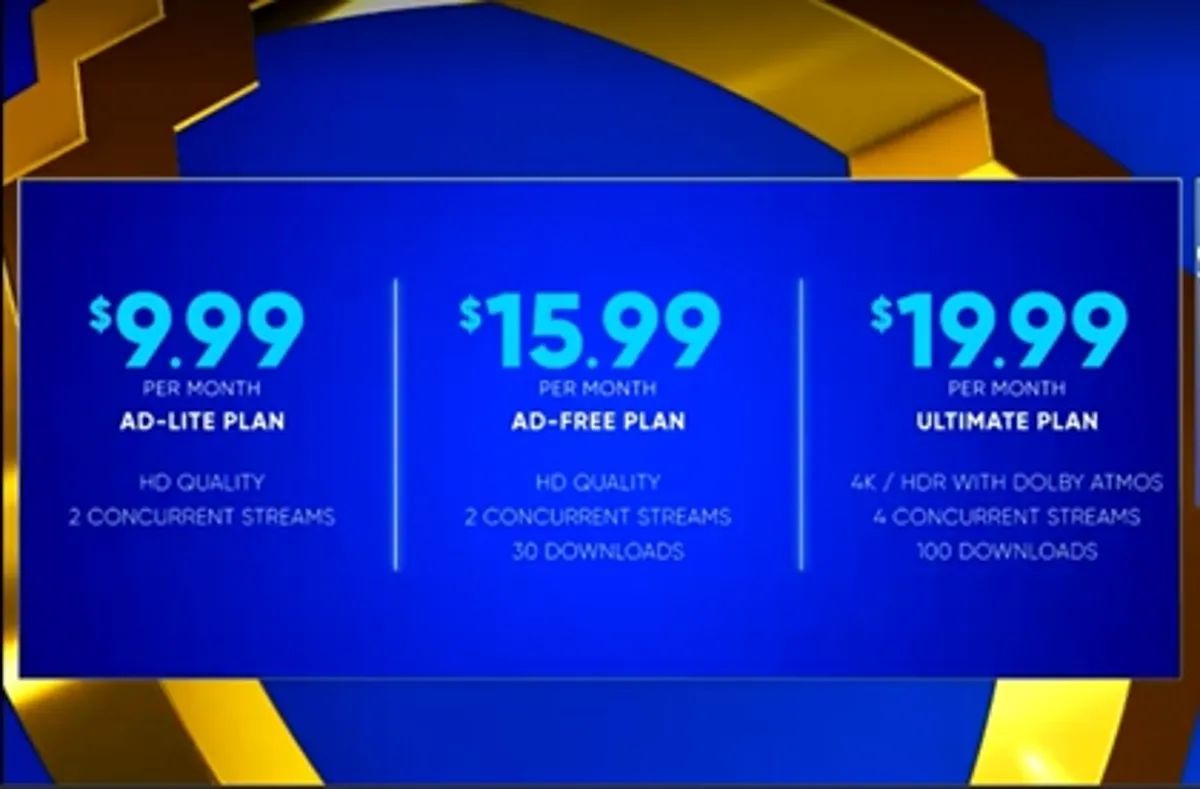
If you want to watch Max without interruptions, the max ad free price starts at $16.99 per month for the Ad-Free plan or $20.99 per month for the Ultimate Ad-Free plan. Both plans are also available with annual subscriptions that save you money compared to monthly billing.
What is the max ad free price?
Max offers two ad-free subscription tiers: "Ad-Free" and "Ultimate Ad-Free." The Ad-Free plan costs $16.99 per month or $169.99 per year, while the Ultimate Ad-Free plan costs $20.99 per month or $209.99 per year. Both plans recently saw price increases, so you can compare the latest ad-supported and bundle options on the HBO Max subscription pricing page. Annual subscriptions for both ad-free plans offer savings compared to monthly billing, making them a better value if you plan to keep the service long-term.
Max Ad-Free plan features and cost
The $16.99/month Ad-Free plan delivers a solid streaming experience without commercials. It includes streaming on up to two devices simultaneously, 1080p HD video quality, up to 30 offline downloads, and 5.1 surround sound. If you choose the $169.99 annual option, you save roughly $34 over the course of a year compared to paying monthly. This plan is ideal for individual viewers or small households who want high-definition picture quality and the freedom to download content for offline viewing.
Max Ultimate Ad-Free plan features and cost
The $20.99/month Ultimate Ad-Free plan is built for viewers who want the best possible quality and more flexibility. It includes streaming on up to four devices simultaneously, up to 4K UHD video quality with HDR, up to 100 offline downloads, and Dolby Atmos sound quality. The $209.99 annual option saves you about $42 compared to monthly billing. If you have a large family, a home theater setup, or simply want the highest resolution and immersive audio, this plan is the upgrade that justifies the higher price.
How to subscribe to a Max ad-free plan
Subscribing to a Max ad-free plan is straightforward. Follow these steps to get started:
- Visit the official Max website or open the Max app on your device.
- Select an available subscription option and review the plans offered in your specific region, as pricing can vary by location.
- Create an account or sign in to an existing one.
- Enter your payment information as required.
- Confirm your subscription, always reviewing the price and renewal terms before completing your purchase.
If you already have a Max subscription with ads and want to switch to an ad-free plan, you may need to cancel your current subscription and then re-subscribe with the desired ad-free option the following month. You can generally manage your Max subscription through your account settings. To review your current plan and renewal information, sign in to your Max account and navigate to the subscription or billing section in your profile or account settings. If a third-party provider bills you, that provider may control your payment and subscription management options.
Other ways to get Max ad-free
You don't always have to subscribe directly through Max to get an ad-free experience. Most viewers who already have HBO through a cable or satellite TV provider may get access to ad-free Max with HD streaming at no additional cost, check with your provider to see if you qualify. Max is also available as part of a discounted bundle with Disney Plus and Hulu, which includes an ad-free Max option for $30/month. However, keep in mind that the ad-free Max tier included in the Disney Plus/Hulu/Max bundle is limited to HD and standard Dolby surround sound streaming, even if Disney Plus Premium and Hulu (no ads) offer 4K. If you're looking for another route, some legacy promotions may let you get HBO max for free with AT&T, so it's worth checking if your current wireless or internet plan includes that benefit. You can also subscribe to HBO max through Amazon prime to manage your billing and streaming in one familiar place. Each alternative access method has its own feature limitations, so compare the streaming quality and device limits before choosing.