A standing order in banking is a fixed, regular payment instruction you set up to send a specific amount of money from your account to another account at intervals you choose. Because you control the amount, frequency, and recipient, a standing order gives you predictable control over recurring expenses like rent or savings transfers.
What is a standing order in banking?
A standing order is a fixed, regular payment set up by a bank account holder to send a specific amount of money to another account at regular intervals. The account holder (payer) has full control over the amount, frequency, and recipient of the payment. This means you decide exactly how much goes where and when, making it a reliable tool for managing predictable financial commitments.
How does a standing order work?
When you set up a standing order, you give your bank a permanent instruction to transfer a fixed sum on a set schedule. The bank then automatically deducts the money from your account and sends it to the recipient on each due date. This process repeats until you cancel or change the instruction. You can set up, manage, and cancel standing orders through online banking, mobile banking apps, telephone banking, or by visiting a bank branch.
Standing order vs direct debit: key differences
The key difference is that the payer initiates and controls a standing order, while a direct debit is set up by the payee (company/organisation) with the payer's permission, and the amount can vary. With a standing order, you decide the exact amount and date for every payment. With a direct debit, the company you're paying pulls different amounts from your account on varying dates, though you have a guarantee against errors. Standing orders are best suited for predictable, recurring expenses where the amount remains constant, such as rent, mortgage payments, or regular transfers to a savings account.
Common uses for standing orders
Standing orders are ideal for any fixed-amount, regular payment. Practical examples include rent, mortgage payments, regular savings transfers, and fixed-amount subscriptions. You might also use them for loan repayments, charitable donations, or utility bills if the amount stays the same each month. Because the amount never changes, standing orders work best when you know exactly what you need to pay and when.
How to set up a standing order
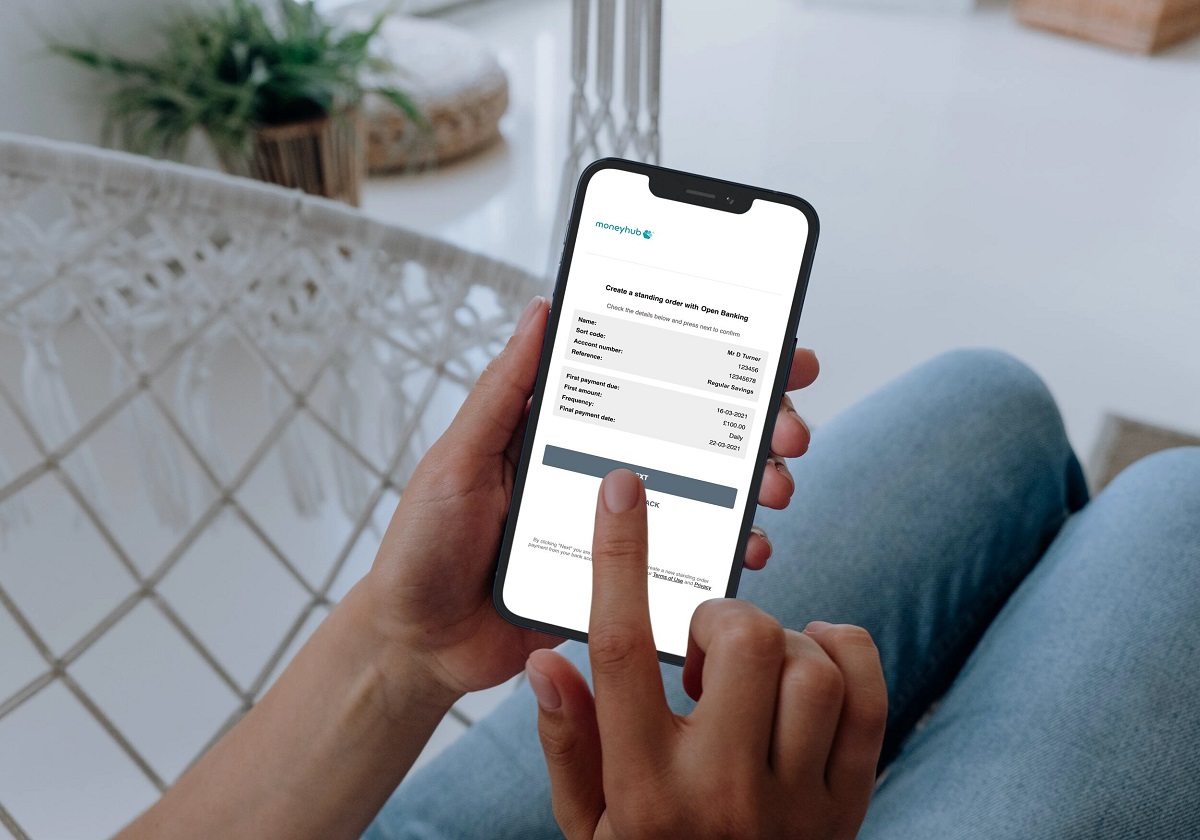
To set up a standing order, you typically need the recipient's name, sort code, account number, the fixed payment amount, payment frequency, and a payment reference. The process usually involves logging into your banking platform, navigating to the payments or standing orders section, entering the recipient's details, choosing the amount and frequency, and confirming the instruction.
How to cancel or amend a standing order
To cancel or amend a standing order, you must do so through your own bank via online banking, mobile app, telephone, or in person. You generally need to cancel a standing order at least one working day before the next payment is due; some banks may require two working days' notice via their mobile app. For example, in the Barclays app you would select 'Pay & Transfer', then 'Manage your payments', then 'Manage Standing Orders', choose the account, select the standing order, and tap 'Delete'. Always check your bank's specific notice period to avoid an unwanted payment going through.
Payment limits and frequencies
Payment limits for standing orders vary by bank and the method used. For instance, NatWest has a maximum of £20,000 per transaction and per day for personal customers, while Lloyds Bank's online limit is up to £25,000. Frequencies for standing orders can include daily, weekly, twice-weekly, monthly, twice-monthly, quarterly, semi-annually, and yearly. You can choose the frequency that matches your payment schedule, from a daily transfer to a single yearly payment.
Things to consider before setting up a standing order
Before setting up a standing order, ensure you have sufficient funds in your account on each payment date to avoid failed transactions or bank charges. Remember that the amount is fixed, standing orders cannot automatically adjust for bills that change month to month. It's also wise to review your standing orders periodically to confirm they still match your financial needs, especially if your rent changes or you switch savings accounts. Regular monitoring helps you catch any errors or outdated instructions before they cause problems.
\nRelated reading: What Are The Advantages And Disadvantages Of Online Banking, What Does Online Banking TFR Mean?, and How To Set Up PNC Online Banking.