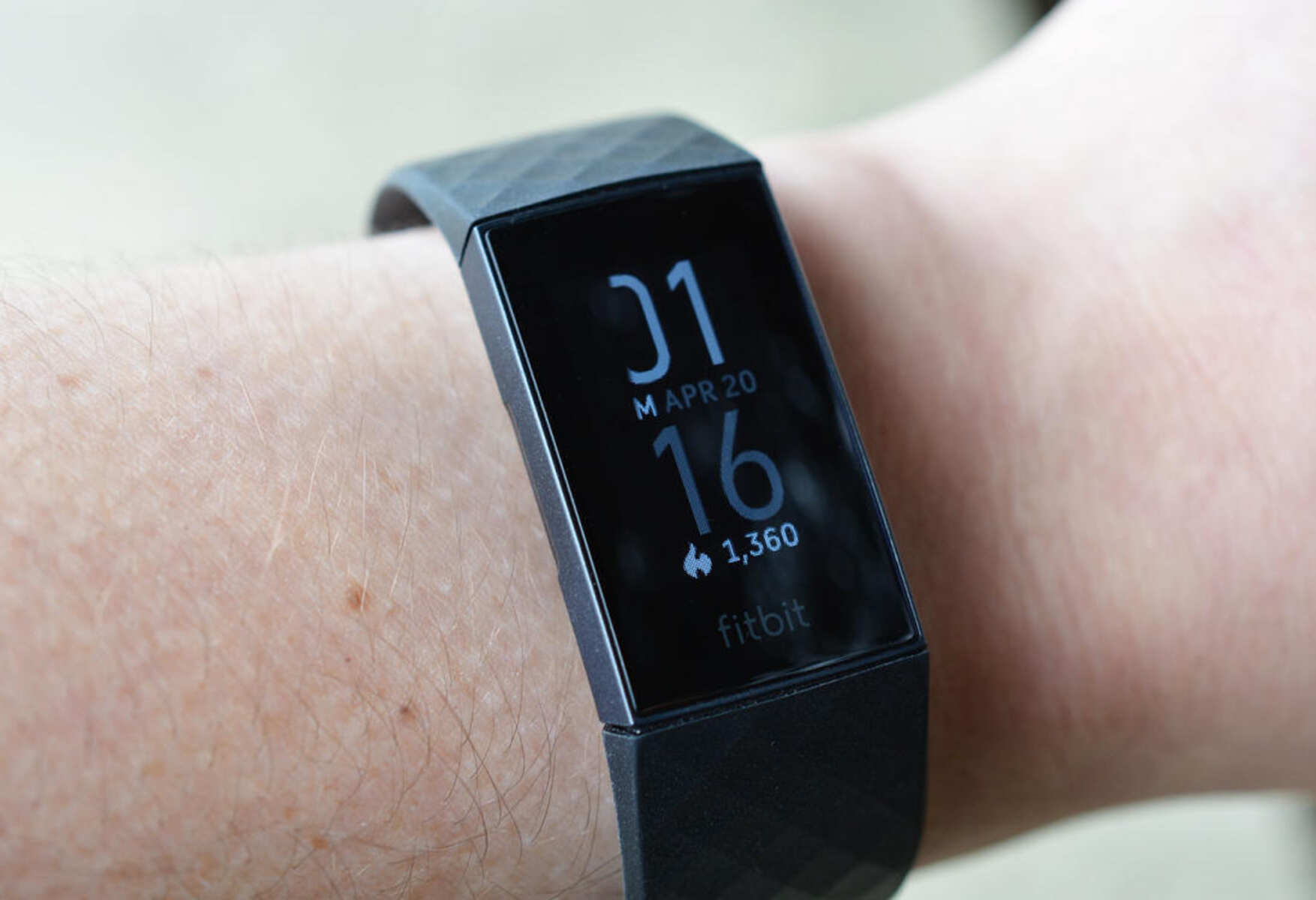
The fire symbol on Fitbit means you’ve earned Active Zone Minutes, a metric that tracks time spent in your personalized heart-rate zones during exercise. It’s not a temperature warning or a battery indicator, it’s a fitness achievement icon tied to how hard your heart works during activity. For a broader look at every status indicator on your device, see the Fitbit icon meanings page.
What the fire symbol on Fitbit actually means
The fire symbol on Fitbit is a visual shorthand for Active Zone Minutes. These minutes are calculated based on your heart rate relative to your resting heart rate and age, using your device’s built-in heart-rate monitor. When you see the flame appear, it means you’ve spent time in a zone where your heart is working at a level that contributes to cardiovascular fitness, typically the “fat burn” or “cardio” zones. The icon appears on the main stats screen, in your daily activity summary, and in the Fitbit app, giving you a quick glance at how much meaningful exercise you’ve accumulated that day.
Understanding Active Zone Minutes and the flame icon
Active Zone Minutes replace the older “active minutes” metric, which counted any movement lasting longer than 10 minutes. The newer system is more precise: it uses your heart rate to determine effort. Fitbit divides your heart-rate zones into three levels, fat burn, cardio, and peak, each corresponding to a percentage of your maximum heart rate. You earn one Active Zone Minute for every minute in the fat-burn zone, and two minutes for every minute in the cardio or peak zones. The fire symbol appears when you’ve accumulated any Active Zone Minutes, and it may intensify or animate as you earn more, depending on your device model.
Your personalized zones are calculated from your age and resting heart rate, so the same exercise can earn different minutes for different people. For example, a brisk walk might put one person in the fat-burn zone, while another person needs a jog to reach the same level. The fire symbol reflects this personalization, it’s not a universal benchmark but a measure of your own effort. The goal is to accumulate a certain number of Active Zone Minutes per week, typically aligned with World Health Organization guidelines for moderate-to-vigorous activity. The flame serves as a motivational checkpoint, showing you at a glance whether you’re on track to hit that target.
How to earn Active Zone Minutes
- Wear your Fitbit consistently during exercise so the heart-rate sensor can track your effort.
- Check your heart-rate zone in real-time on your device, it shows whether you’re in fat burn, cardio, or peak.
- Increase intensity if you want to earn double minutes per minute in the cardio or peak zones.
- Review your Active Zone Minutes in the Fitbit app to see your weekly progress and adjust your routine.
The fire symbol is not a direct count of calories burned or steps taken, it’s specifically about heart-rate effort. This distinction is why the flame icon is so useful: it cuts through the noise of other metrics and tells you whether your workout is actually improving your aerobic fitness.
Is the fire symbol a warning about overheating?
No. The fire symbol on your Fitbit’s screen is unrelated to any physical overheating of the device itself. It’s purely a fitness metric icon. However, there is a separate product safety recall for the Fitbit Ionic smartwatch, which was recalled because its lithium-ion battery could overheat and pose a risk of fire or burns. That recall is a hardware issue specific to the Ionic model, not a software symbol or a general Fitbit feature. If you own an Ionic, you should check the recall status and stop using the device if it’s affected. But for all other Fitbit models, the fire icon has nothing to do with temperature or safety, it’s always about Active Zone Minutes.
If your Fitbit itself feels hot to the touch, that’s a different matter. A warm device could indicate a battery problem or a charging issue, and you should contact Fitbit support. But seeing the flame icon on your display during or after a workout is a normal, positive indicator of exercise intensity. It’s not a signal that your device is malfunctioning or that you’re in any danger.
Where to find more icon explanations
Fitbit devices display a range of icons beyond the fire symbol, things like the lightning bolt for charging, the moon for sleep mode, and various status indicators for notifications, alarms, and connectivity. The user manuals for models like the Inspire 2, Charge 5, and Versa provide general guidance on navigating the device and managing settings, but they don’t always offer a dedicated section for every symbol. The most efficient way to decode unfamiliar icons is to consult the in-app help section or the official Fitbit support pages, which list each symbol alongside its meaning. If you’re troubleshooting a specific issue, the Fitbit setup and syncing guide covers common problems like pairing failures and sync errors, which often involve icons you might not recognize. For a comprehensive reference, search your device model’s manual or the support site for “icons on your Fitbit” to see a full glossary of what each symbol means in context.