How Do Smart Glasses Work
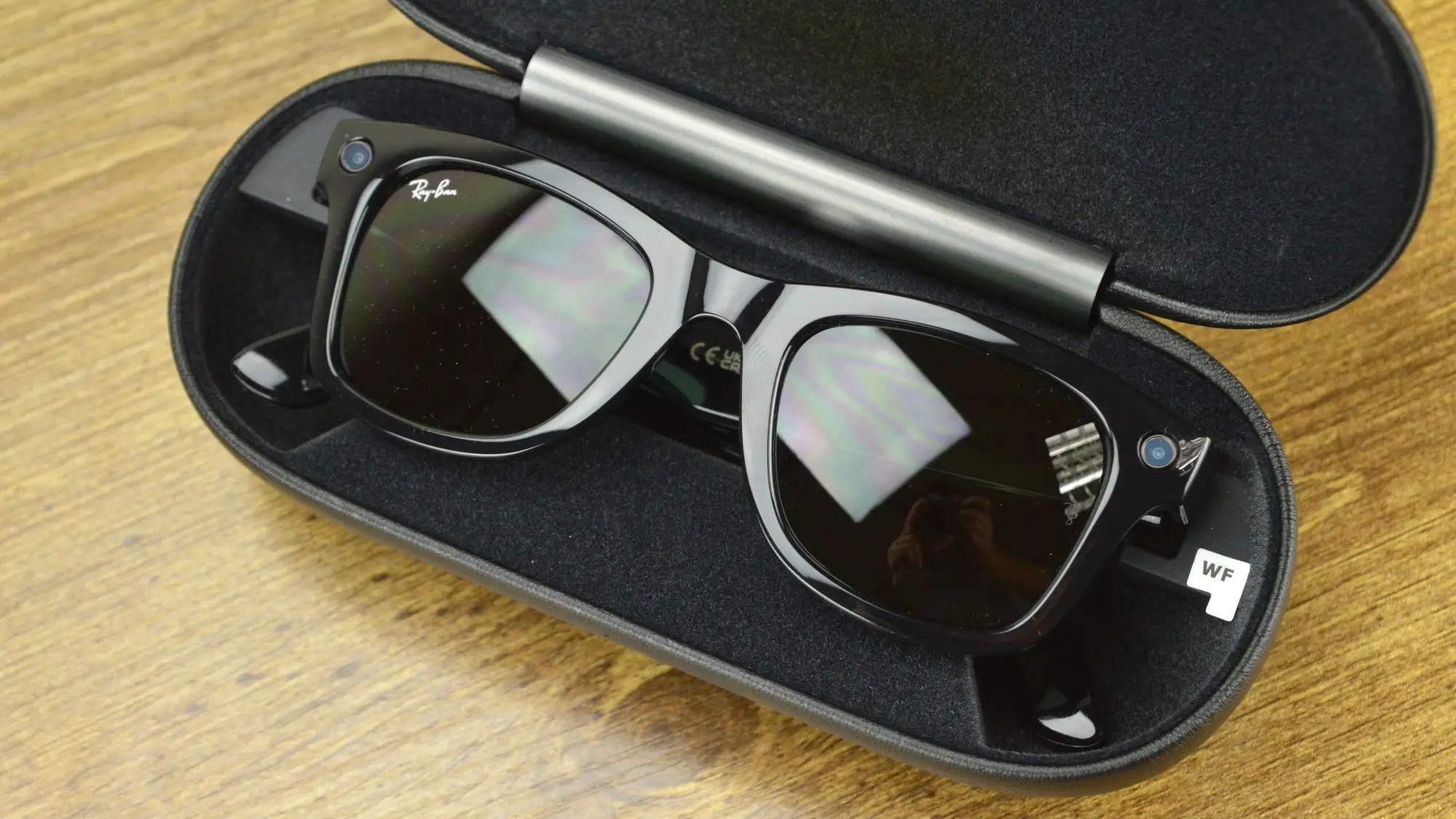
Smart glasses work by combining miniature displays, sensors, cameras, and wireless connectivity to overlay digital information directly onto your field of vision. These wearable devices project text, images, and interactive 3D objects onto transparent lenses while simultaneously allowing you to see the real world, creating an augmented reality experience that responds to your head movements, gaze, and voice commands. Keeping the battery topped up is essential for uninterrupted use, so learn how to properly charge ray ban smart glasses.
What are smart glasses and how do they work?
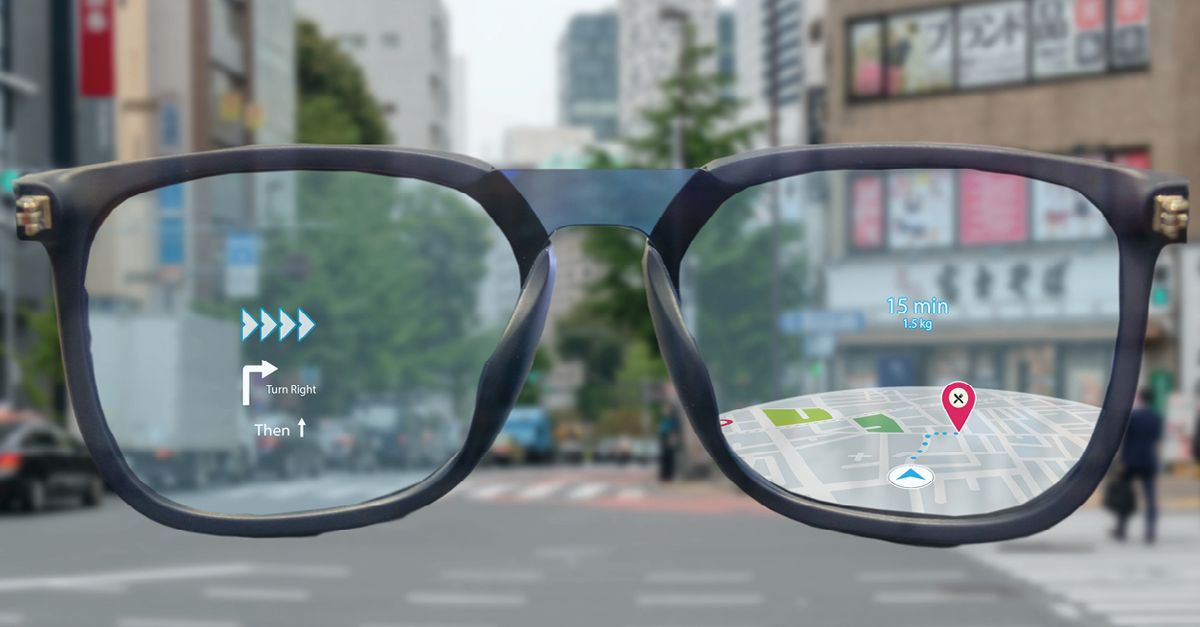
Smart glasses are wearable computing devices that integrate display technology, sensors, cameras, and connectivity into a traditional eyewear form factor. Unlike regular glasses, which only correct vision or provide sun protection, smart glasses are designed to deliver digital content, such as notifications, navigation cues, photos, videos, and AR overlays, directly in your line of sight. At their core, smart glasses function by capturing data about your environment and movements through sensors, processing that information with an onboard processor, and then rendering digital images onto a transparent display that sits in front of your eyes. This allows you to interact with digital information without looking away from your surroundings, making them ideal for hands-free tasks, navigation, communication, and immersive augmented reality applications, see 10 cool augmented reality examples to know about for a look at what these experiences can actually do.
The core technology behind smart glasses
Smart glasses rely on several essential components working in harmony to deliver their functionality. The primary hardware elements include:
Displays: The display system is the most critical component, as it determines how digital content appears in your field of vision. Modern smart glasses use micro OLED panels, waveguide optics, or diffractive optics to project images onto transparent lenses.
Sensors: A suite of sensors, including accelerometers, gyroscopes, magnetometers, and ambient light sensors, tracks head movement and orientation. Cameras and depth sensors capture visual data about the environment, while eye-tracking sensors monitor gaze direction.
Cameras: Integrated cameras serve multiple purposes, capturing photos and videos from your perspective, enabling visual recognition for AR, and supporting video calls. Some advanced models include depth-sensing cameras for accurate spatial mapping.
Processors: A dedicated processor handles the computational load, including rendering 3D graphics, running AR algorithms, processing sensor data, and executing applications. These processors are optimized for low power consumption while maintaining real-time performance.
Battery: Smart glasses use lightweight lithium-ion batteries designed to balance power capacity with comfort. Battery life varies significantly between models, ranging from a few hours of continuous use to all-day operation for simpler devices.
Connectivity: Wi-Fi and Bluetooth are standard, enabling pairing with smartphones, accessing cloud services, and receiving real-time data. Some models also support cellular connectivity for standalone operation.
These components work together to create a seamless wearable computing experience, with the operating system managing all hardware resources and providing a platform for third-party applications.
How do smart glasses display information?
The display technology in smart glasses is what sets them apart from other wearables. Unlike smartphone screens that you hold in your hand, smart glasses must project digital content onto transparent or semi-transparent lenses while maintaining a clear view of the real world. Several display technologies enable this functionality:
Micro OLED Displays: These compact, high-resolution organic light-emitting diode panels are the most common display technology in smart glasses. Micro OLEDs offer excellent contrast, vibrant colors, and fast response times while consuming minimal power. They are typically paired with optical systems that magnify and project the image into the user's field of view.
Waveguide Systems: Waveguide technology uses a transparent glass or plastic substrate with microscopic diffractive gratings or reflective surfaces. Light from a micro-display is coupled into the waveguide, where it travels through total internal reflection before being extracted toward the eye. This creates a virtual image that appears to float in front of the wearer, while the waveguide remains transparent for seeing the real world. Waveguides are favored for their compact form factor and ability to create large, bright virtual displays.
Diffractive Optics: This advanced technology uses thin films with microstructures that diffract light to project digital images onto the lens. Diffractive optics can achieve wide fields of view and high resolution while maintaining a slim profile. The microstructures are precisely engineered to control how light bends and focuses, allowing for the creation of virtual images at various depths.
To ensure digital content stays properly aligned with the real world, smart glasses use sensors to track head movements. Accelerometers and gyroscopes detect every tilt, rotation, and movement of your head, and the display system continuously adjusts the position of virtual content to match your perspective. This ensures that digital objects appear anchored to real-world locations, creating a convincing AR experience.
Eye-tracking technology further enhances display accuracy by detecting where you are looking. This allows the glasses to render higher detail at your point of focus and adjust the display based on your gaze direction. Depth sensors and cameras map the environment, enabling the glasses to place digital objects at appropriate distances and make them appear to interact with physical surfaces.
Understanding smart glasses sensors
Sensors are the eyes and ears of smart glasses, providing the contextual awareness needed for intelligent functionality. Each sensor type plays a specific role in understanding the user and their environment:
Accelerometers: These sensors measure linear acceleration along three axes, detecting movement and orientation changes. In smart glasses, accelerometers track head movements such as tilting, nodding, and shaking, enabling intuitive gesture controls and ensuring digital content stays aligned with your perspective.
Gyroscopes: Gyroscopes measure angular velocity and rotation, complementing accelerometers to provide precise head tracking. By combining data from both sensors, smart glasses can determine exact head orientation in 3D space, which is crucial for AR experiences where virtual objects need to remain fixed to real-world positions.
Cameras: Cameras serve multiple functions in smart glasses. They capture photos and videos from your point of view, enable visual recognition for identifying objects or landmarks, and support AR by providing real-time video feeds for processing. Some models include multiple cameras for stereo vision, which improves depth perception and spatial awareness.
Depth Sensors: Infrared depth sensors or time-of-flight cameras measure the distance to objects in the environment. This information is used to create 3D maps of the surroundings, allowing smart glasses to place virtual objects that appear to sit on real surfaces, avoid obstacles, and interact realistically with physical space.
GPS Modules: Global Positioning System receivers provide location data, enabling location-based services such as navigation, geotagging, and context-aware AR experiences. GPS is particularly useful for outdoor applications where knowing your position is essential.
Eye-Tracking Sensors: These sensors monitor eye movements and gaze direction using infrared cameras or active illumination systems. Eye-tracking enables hands-free interaction, adaptive display rendering, and gaze-based commands, making smart glasses more intuitive to use.
Environmental Sensors: Light sensors adjust display brightness based on ambient conditions, ensuring visibility in bright sunlight or dark environments. Some models include temperature and humidity sensors that provide contextual information for AR applications, such as weather overlays or environmental monitoring.
By combining data from multiple sensors, smart glasses can understand not only what you are doing but also the context of your environment, enabling proactive assistance and more natural interactions.
How do smart glasses track eye movement?
Eye-tracking technology in smart glasses uses specialized sensors to monitor the position and movement of your eyes, enabling gaze-based interactions and adaptive displays. There are two primary methods for tracking eye movement:
Pupil-Based Tracking: This method uses infrared cameras to capture images of the eye and track the center of the pupil. By analyzing the pupil's position relative to the eye's geometry, algorithms can determine the direction of gaze with high accuracy. Pupil-based tracking is effective in various lighting conditions and can detect subtle eye movements.
Corneal-Based Tracking: This approach uses active illumination systems that emit infrared light toward the eye. The reflection of this light from the cornea creates a glint that is detected by sensors. By calculating the relative position of the glint to the pupil center, the system can precisely determine gaze direction. Corneal-based tracking is particularly robust and works well even with eye glasses or contact lenses.
The captured eye movement data is processed by advanced algorithms that interpret gaze patterns, fixation points, and saccades (rapid eye movements). This information enables several key functionalities:
Hands-Free Navigation: You can control the smart glasses interface simply by looking at items and blinking or using voice commands to select them. This is especially valuable when your hands are occupied with other tasks.
Gaze-Based Interaction: The glasses can detect what you are looking at and provide contextual information. For example, if you look at a building, the glasses might display its name and history; if you look at a product, they might show pricing and reviews.
Adaptive Display: Eye-tracking allows the glasses to render higher resolution at your point of focus and reduce detail in peripheral vision, saving battery life and improving visual comfort.
Immersive AR: In augmented reality, eye-tracking ensures that virtual objects are rendered at the correct depth based on where you are looking, creating a more realistic and engaging experience. It also enables foveated rendering, where the system allocates more processing power to the area you are directly viewing.
Eye-tracking technology continues to improve, with newer systems offering faster response times, better accuracy, and the ability to track more complex eye movements. This enables more natural and intuitive interactions with smart glasses, bringing us closer to seamless human-computer integration.
Smart glasses and augmented reality (AR)
Smart glasses are the ideal platform for augmented reality, providing a hands-free, immersive way to blend digital content with the physical world. Unlike smartphones or tablets that require you to hold a device and look through a screen, smart glasses place AR content directly in your field of vision, allowing you to interact with virtual elements while maintaining full awareness of your surroundings.
The AR experience on smart glasses works through the integration of sensors, cameras, and displays. Depth sensors and cameras map the environment in real-time, creating a 3D understanding of the space around you. This spatial mapping allows the glasses to place virtual objects at accurate positions, making them appear to exist within the real world. As you move your head, the sensors track your position and orientation, ensuring that virtual objects remain anchored to their real-world locations.
Smart glasses offer several advantages over other AR devices:
Wider Field of View: Many smart glasses provide a larger field of view than smartphone-based AR, allowing you to see more virtual content without moving your head. This creates a more immersive and natural experience.
True Hands-Free Operation: With voice commands, eye tracking, and gesture controls, you can interact with AR content without using your hands. This is particularly valuable in industrial, medical, and field service applications where hands-free access to information is critical.
Contextual Awareness: The combination of sensors and cameras enables smart glasses to understand your environment and provide relevant AR content. For example, a mechanic working on an engine can see step-by-step repair instructions overlaid on the actual components, or a surgeon can view patient vitals and 3D anatomical models during a procedure.
Collaborative Experiences: Smart glasses can connect to other devices and users, enabling shared AR experiences. Multiple users wearing smart glasses can see and interact with the same virtual objects, facilitating remote collaboration, training, and design reviews.
AR applications on smart glasses span numerous industries. In healthcare, surgeons can access real-time patient data and imaging during operations. In manufacturing, workers can receive assembly instructions and quality checks overlaid on their work. In logistics, warehouse staff can see picking routes and inventory information. In education, students can explore interactive 3D models of historical artifacts or scientific concepts. In entertainment, gamers can engage with virtual characters and objects in their physical environment.
As AR technology advances, smart glasses are becoming more powerful and accessible, with improved displays, better tracking, and more sophisticated software. The result is an increasingly seamless integration of digital and physical worlds, opening up new possibilities for how we work, learn, and play.
How to set up and use consumer smart glasses: Meta AI example
Consumer smart glasses like the Meta AI glasses are designed to be user-friendly, with a straightforward setup process that takes just a few minutes. Here is a step-by-step guide to getting started with Meta AI glasses:
Step 1: Check Smartphone Compatibility
Before setting up your Meta AI glasses, ensure your smartphone meets the requirements. Meta AI glasses are compatible with both iOS and Android devices. Make sure your phone has Bluetooth and Wi-Fi capabilities enabled.
Step 2: Download the Meta AI Mobile App
Go to the Apple App Store or Google Play Store and search for the Meta AI app. Download and install the app on your smartphone. The app serves as the control center for your glasses, allowing you to manage settings, view captured media, and access additional features.
Step 3: Create or Log In to Your Meta Account
Open the Meta AI app and either create a new Meta account or log in to your existing account. You will need to provide your email address and create a password. If you already have a Facebook or Instagram account, you can use those credentials to log in quickly. Your Meta account is required to sync data, access cloud services, and use Meta AI features.
Step 4: Pair Your Glasses
With the app open and your glasses charged, put on the glasses and press and hold the pairing button until the LED indicator starts blinking. The app will search for your glasses via Bluetooth and connect them automatically. Once paired, the app will guide you through any firmware updates that may be available.
Step 5: Grant Permissions
The app will request permissions to access your phone's camera, microphone, contacts, and notifications. Grant these permissions to enable full functionality. The camera permission is needed for capturing photos and videos with your glasses, while microphone access enables voice commands and calls. Contact and notification access allows the glasses to display incoming calls and messages.
Step 6: Configure Settings
After pairing, customize your glasses settings in the app. You can adjust display brightness, volume, and notification preferences. You can also set up voice assistant options, choose which apps can send notifications to your glasses, and configure privacy settings for media capture.
Step 7: Learn Basic Controls
Familiarize yourself with the physical controls on your glasses. Most models have a touchpad on the temple for scrolling and tapping, plus buttons for capturing photos, recording videos, and activating the voice assistant.
Step 8: Explore Features
Once set up, you can start using your glasses for various tasks. Capture photos and videos hands-free by using the capture button or voice commands, and send messages using voice dictation.
Offline Functionality
Even without a Wi-Fi connection, your Meta AI glasses remain functional for basic tasks. You can still capture photos and videos, check battery level using voice controls, and listen to audio from your Bluetooth-connected phone. This ensures you can use your glasses in areas with limited connectivity.
After completing the setup process, your Meta AI glasses are ready to use. The app provides ongoing management tools, including firmware updates, storage management, and feature customization. As you use your glasses, the AI learns your preferences and provides more personalized assistance over time.
How industrial smart glasses work: RealWear Navigator example
Industrial smart glasses represent a different class of wearable technology designed for demanding work environments. Unlike consumer smart glasses that prioritize media and communication, industrial models like the RealWear Navigator focus on hands-free access to information, durability, and voice-controlled operation for workers in manufacturing, logistics, field service, and other industrial sectors.
The RealWear Navigator features a high-resolution micro display that fits just below the line of sight. This positioning is deliberate, it allows workers to view digital information without blocking their natural field of vision. The display appears like a 7-inch screen at arm's length, providing a comfortable viewing experience that doesn't require refocusing your eyes. This is critical for safety, as workers can maintain awareness of their surroundings while accessing information.
The Navigator is built for rugged environments. It features a robust, industrial-grade design that withstands drops, shocks, extreme temperatures, and exposure to dust and moisture. The device is certified for use in hazardous environments and is compatible with hard hats and safety helmets, making it suitable for construction sites, factories, and outdoor operations.
Voice control is the primary interaction method for the RealWear Navigator. This allows workers to navigate menus, open applications, and execute commands entirely through voice, keeping their hands free for their tasks. The voice recognition system is optimized for industrial vocabulary and can be trained to recognize specific commands relevant to the worker's job.
The Navigator works
\nRelated reading: How To Connect Samsung Smart TV To Alexa.