Discord Nitro is Discord’s premium subscription service that unlocks enhanced features beyond the free experience, with two current tiers: Nitro Basic and full Nitro. It’s designed for users who want larger file uploads, custom emojis anywhere, HD streaming, and deeper server customization.
What Is Nitro In Discord?
Discord Nitro is a paid upgrade to the standard Discord app. While Discord is free to use, Nitro adds a layer of convenience, expression, and performance. It directly answers the need for bigger file sharing, better video quality, and more personalized profiles. The service is available in two main plans: a budget-friendly Nitro Basic and the full-featured Nitro subscription. Both tiers replace the older, discontinued Nitro Classic plan.
Discord Nitro Tiers and Pricing
Discord currently offers two subscription tiers, each with its own price point. The entry-level plan is called Nitro Basic, which costs $2.99 per month or $29.99 per year. The premium tier is simply called Nitro, priced at $9.99 per month or $99.99 per year. These prices are for users in the US, and Discord notes that pricing can vary by region and currency. It’s also important to know that the legacy Nitro Classic tier is no longer available for new subscribers. Existing Nitro Classic members can keep their plan, but new users must choose between Nitro Basic and Nitro.
Nitro Basic Features
Nitro Basic is the affordable way to get some of the most requested perks. Subscribers can use custom emojis and stickers from any server they have access to, which is a major upgrade from the free version where emojis are locked to their home server. The file upload limit jumps from the free tier’s 20 MB to 50 MB per file. This makes sharing screenshots, short clips, and documents much easier. Nitro Basic also includes a special Nitro Basic profile badge so other users can see you’re a supporter. However, it does not include HD streaming, increased message length, or Server Boosts.
Full Nitro Features
The full Nitro subscription is the complete package. It includes everything from Nitro Basic, plus a significant boost in capabilities. The file upload limit is raised to 500 MB, which is ideal for sharing high-resolution images, video files, or larger project files. For streamers, Nitro enables HD streaming up to 4K resolution at 60 frames per second, ensuring your gameplay or presentations look crisp and smooth. You also get a higher message character limit of 4,000 characters per message, perfect for long-form posts or detailed guides. Full Nitro includes two free Server Boosts (worth $13.98 in value) and a 30% discount on any additional boosts you purchase. Profile customization is also a key feature, allowing you to set an animated avatar, a profile banner, and choose from unique profile themes. You can even create per-server profiles, meaning you can have a different avatar and “About Me” section for each community you join.
App Customization and Nitro Rewards
Full Nitro subscribers get exclusive control over the Discord app’s appearance. You can change the Discord app icon on your device and select from over 20 app color themes to match your style. This goes beyond the default dark and light modes, offering a deep level of personalization. Additionally, Nitro includes access to the Nitro Rewards program. This offers partner benefits such as Xbox Game Pass (Starter Edition) with over 50 games and 10 hours of cloud gaming monthly in eligible regions. Users may also receive discounts on gaming hardware and other partner services. These rewards are periodically updated, so subscribers can check the Nitro tab in Discord for current offers.
Server Boosting with Nitro
Server Boosting is one of the most valuable features for community builders. Full Nitro subscribers receive two Server Boosts that they can apply to any server they join. When you boost a server, you directly improve its capabilities. Each boost increases the server’s level, unlocking perks for all members. These perks include more custom emoji slots, a custom server banner, a vanity URL (like discord.gg/yourname), and higher audio quality for voice channels. At higher boost levels, servers can also unlock an animated server icon and a custom invite splash background. Boosting is a way to support your favorite communities and give them the tools to grow. Note that Nitro Basic does not include any Server Boosts, so this feature is exclusive to full Nitro subscribers.
How To Get Discord Nitro Safely
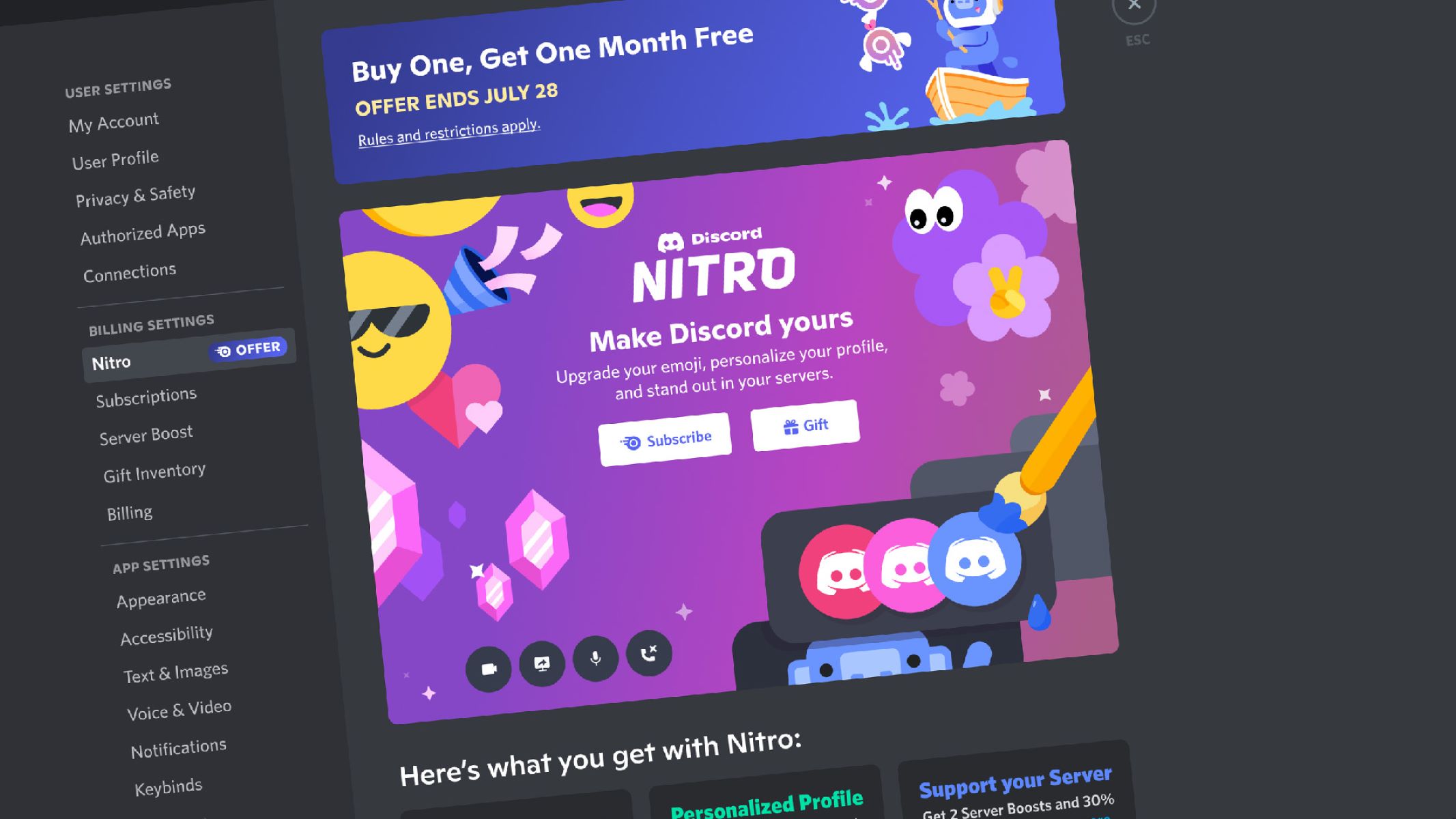
Subscribing to Discord Nitro is straightforward and should only be done through official channels. To get Nitro, open Discord and go to User Settings (the gear icon next to your username). Click on the Nitro tab on the left sidebar. From there, you can choose between Nitro Basic or Nitro and complete your payment. If you have a gift code, you can redeem it by going to User Settings > Gift Inventory. Warning: Be very cautious of any offers for “free Nitro” that come from links outside of Discord’s official website or app. These are almost always scams designed to steal your account credentials. Discord will never ask you to verify your account via a random website. Always double-check that you are on discord.com or within the official Discord app.
Frequently Asked Questions
How To Boost a Discord Server
To boost a server, you must have an active full Nitro subscription (which includes 2 boosts). You can then choose which of your available boosts to apply. The server’s boost level will increase immediately, unlocking new perks for everyone.
How To Make Reaction Roles On Discord
Reaction roles are typically set up using a bot like Carl-bot or Dyno. Add the bot to your server, then use the bot’s dashboard or commands to create a message and assign specific emoji reactions to specific roles. When users click the emoji, they automatically get the assigned role.
How To Play Games On Discord
Discord offers a few ways to play games. You can play games directly in Discord using the Activities feature in a voice channel (like Chess or Poker). For a larger library, full Nitro subscribers get access to Nitro Rewards, which sometimes includes games via partner offers like Xbox Game Pass.
How To Stream Nintendo Switch To Discord Without Capture Card
Streaming a Nintendo Switch to Discord without a capture card is possible using the console’s built-in broadcast feature. First, start a stream to your Twitch or YouTube account from the Switch’s Capture button. This method adds a slight delay but requires no extra hardware.
\nRelated reading: How To Nuke Discord Servers, How To See Closed DM's On Discord, and How To Link Discord And Twitch.