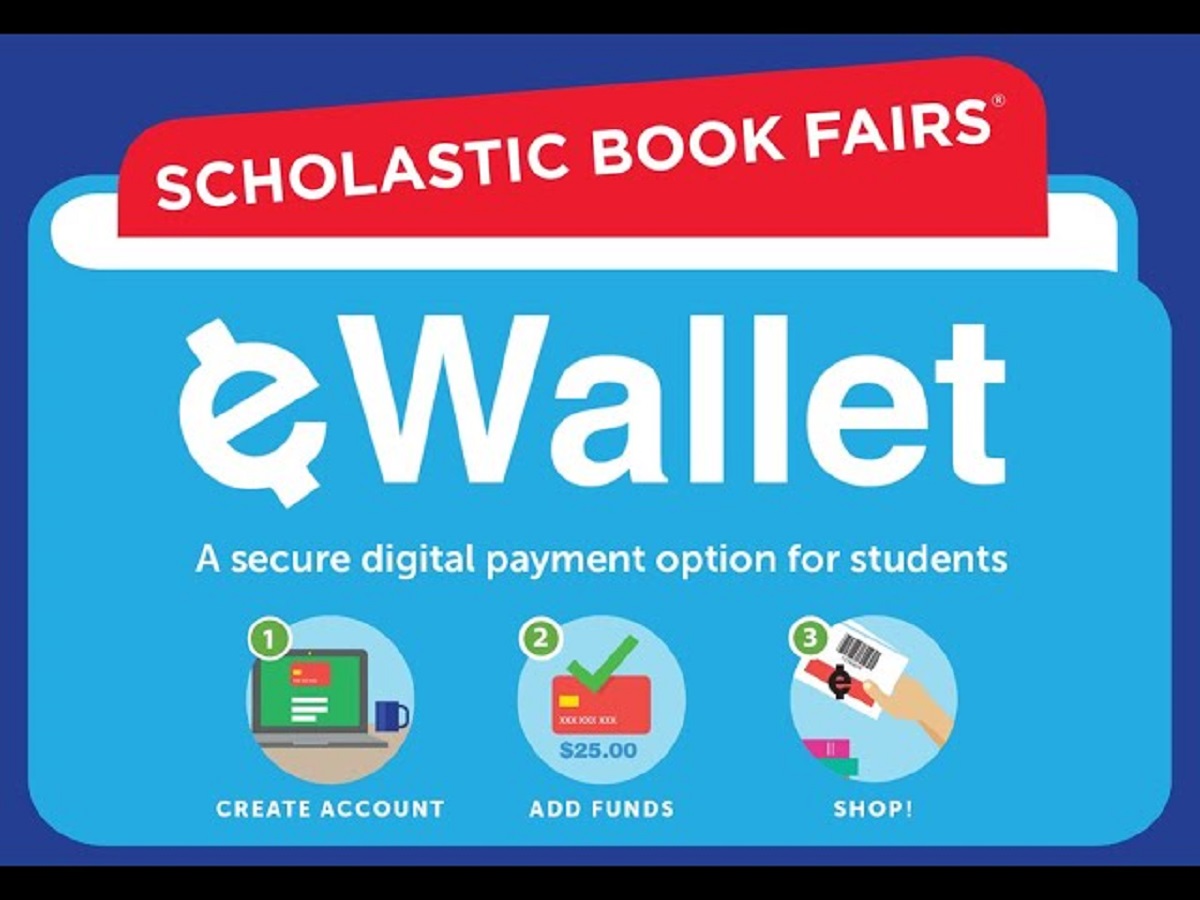
The Scholastic e-wallet is a secure, cashless digital payment method that lets students buy books at their in-person Scholastic Book Fair without needing cash or checks. Instead of sending your child to school with money, you pre-load funds online, and your child pays at the register with just their name and teacher's name. This guide walks you through everything you need to know about the Scholastic e-wallet, from setup to what happens to unspent money.
What is the Scholastic e-wallet?
The Scholastic e-wallet is a digital payment option built specifically for students to shop at in-person Scholastic Book Fairs. It replaces the need for physical cash, checks, or order forms, making the entire buying process faster and more secure for both parents and kids. Because the funds are stored digitally, you don't have to worry about your child losing money on the way to school or struggling to make change. The e-wallet is tied to a parent's or guardian's Scholastic account, and it's designed to work only with Scholastic Book Fairs, not as a general-purpose payment app.
How does the Scholastic e-wallet work at the Book Fair?
At a high level, the Scholastic e-wallet works like this: you add money online before the fair, and when your child is ready to pay, they simply tell the cashier their name and teacher (or room number). The cashier looks up the student's e-wallet, deducts the purchase amount instantly, and the transaction is complete. No physical card, phone, or cash is needed at the register. Because the funds are pre-loaded on the fair's registers, checkout takes just seconds, which means less time waiting in line and more time picking out books.
How to set up a Scholastic e-wallet
Setting up an e-wallet takes less than five minutes, but you'll need to start from the right place. First, visit your school's unique Scholastic Book Fair homepage, this link is usually shared by the school or available on the Scholastic Book Fairs website about three weeks before the fair begins. On that page, click the green "Get Started" button for eWallet. You'll then be asked to sign in to your Scholastic account or create a new one if you don't have it. After signing in, you'll choose your role: parents should select "I'm a parent creating an eWallet for a student," while teachers can select "I'm a teacher creating an eWallet to help fund my classroom library." Once you pick your role, you'll be prompted to enter your child's name, grade, and teacher's name. It's important to double-check this information because it's how the cashier will find your child's e-wallet at the fair. After that, you can immediately add funds and start sharing the e-wallet link with family and friends who might want to contribute.
Adding funds to the e-wallet
To add money to your child's e-wallet, log into your Scholastic account and navigate to the eWallet section. From there, you can add funds using a credit card or other online payment methods, Scholastic accepts most major credit cards and some digital payment options. You'll choose the amount you want to load, and the funds appear in the e-wallet almost instantly. One of the most convenient features is the ability to share a unique link with grandparents, aunts, uncles, or family friends. That link lets them contribute directly to your child's e-wallet without needing access to your account or your child's personal information. Just keep in mind that there are legal limits on how much you can deposit: individual deposits cannot exceed $1,000.00, and the total value in an eWallet on a single day cannot exceed $5,000.00. These limits are in place to protect against fraud and are strictly enforced by the system.
What happens at the Book Fair checkout
When your child is ready to pay, they simply walk up to the cashier and provide their name, teacher, and/or room number. The cashier will enter that information into the register, and the e-wallet balance will appear on the screen. The cashier then scans the books, and the total is automatically deducted from the e-wallet. It's really that simple, no card to swipe, no phone to tap, and no checks to write. On the technical side, the e-wallet funds are pre-loaded on the Book Fair registers, which means the system doesn't need to call home to verify the balance every time. However, the registers do need an internet connection to process transactions and update balances in real-time. If the internet goes down, the school has a backup: a printed Scan Sheet that includes unique barcodes for each e-wallet. The cashier can scan those barcodes to process the transaction and keep the balances updated once the connection is restored. This ensures that even a technical glitch won't stop your child from buying their books.
What happens to unspent e-wallet funds
One of the biggest worries parents have is what happens to the money if their child doesn't spend it all at the fair. The good news is that leftover funds are not lost. After the Book Fair concludes, any unspent e-wallet balance is automatically converted into a Scholastic e-gift balance within the account holder's Scholastic account. This e-gift balance can be used in several ways: you can use it to fund a new eWallet for a future Book Fair, shop online with Scholastic (including Book Clubs), or transfer it between children within the same account. This flexibility means you never have to worry about wasting money, it stays in the Scholastic ecosystem and can be put toward your child's reading journey whenever you choose. Just note that you cannot withdraw the funds as cash; they are strictly for Scholastic purchases.
Important rules and requirements to know
Before you set up an e-wallet, there are a few key rules and requirements to keep in mind. First, the account creator must be a legal resident of the United States or its territories and at least 18 years of age. This means a grandparent or other relative cannot create the e-wallet on your child's behalf unless they meet these criteria. All funds are held in US dollars, so if you're traveling or living abroad, you'll need to consider currency conversion. Another important detail is that the student's name, grade, and educator information must be re-confirmed annually for the eWallet to be active at in-school Book Fairs. This is a security measure to ensure that the correct child is using the funds and that the money goes to the right school. So, when the new school year starts, be sure to log in and update your child's details before the next Book Fair rolls around.
\nRelated reading: What Does PNC Stand For In Banking, What Does ITF Mean In Banking?, and What Does ODP Mean In Banking?.