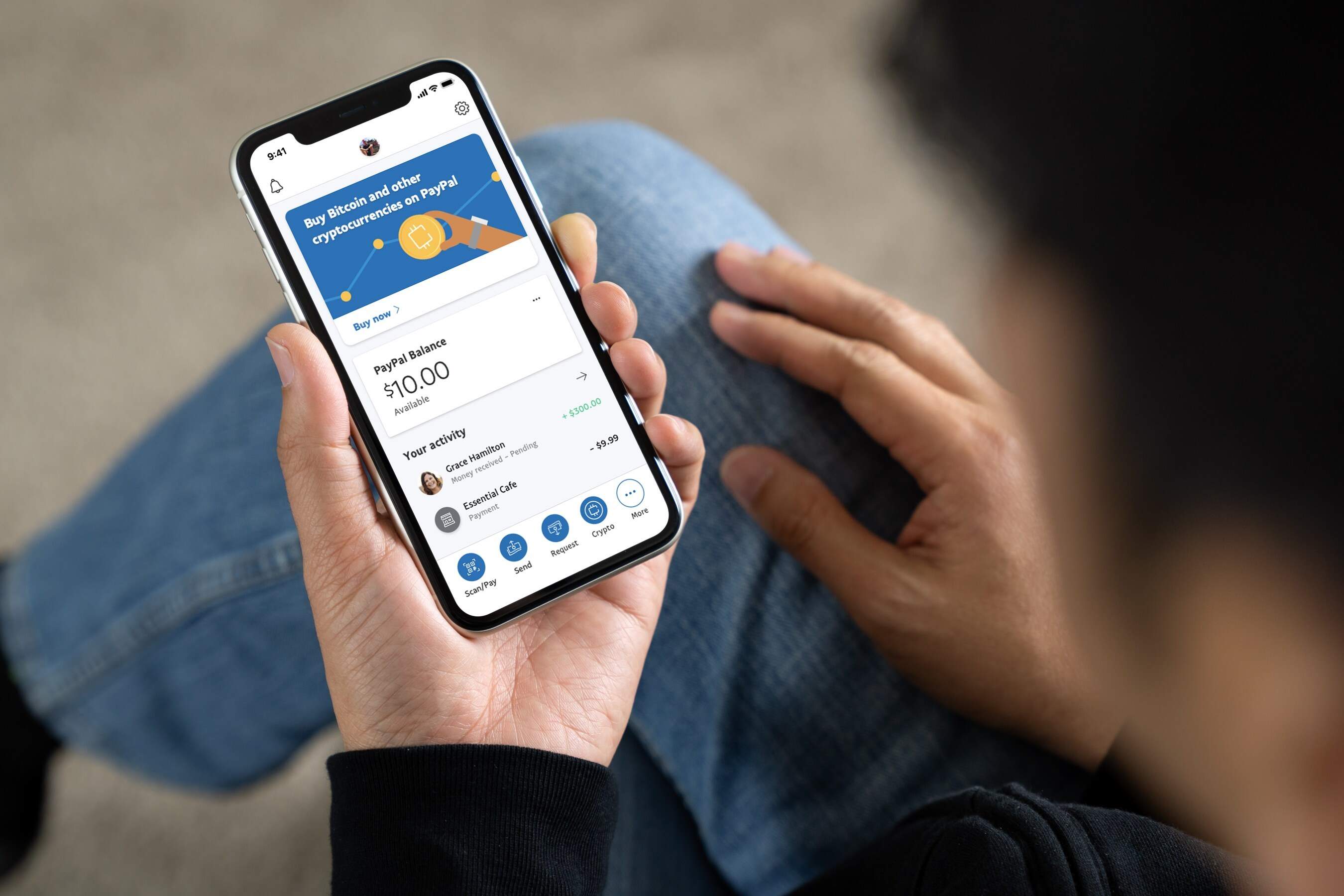
Yes, you can buy crypto with PayPal directly inside your PayPal account in the U.S. This means you don't need a separate exchange account to get started, you can buy, hold, and sell Bitcoin, Ethereum, and other supported coins right from the PayPal app or website. The process is fully integrated, takes only a few taps, and lets you fund your purchase with your PayPal balance, bank account, or debit card, just add a bank account to PayPal first if you need a direct funding source.
Can you buy crypto with PayPal directly?
Absolutely. PayPal has built cryptocurrency buying, selling, and holding directly into its platform for U.S. users. You don't need to transfer money to an external exchange or link a third-party service. The supported cryptocurrencies are PayPal USD (PYUSD), Bitcoin (BTC), Ethereum (ETH), Litecoin (LTC), Bitcoin Cash (BCH), Solana (SOL), and Chainlink (LINK). To get started, you just need a PayPal account in good standing and the latest version of the PayPal app on your iOS or Android device. The entire purchase flow happens inside PayPal, making it the most convenient way to buy crypto if you already use PayPal for payments.
What you need before you buy
Before you make your first crypto purchase, make sure you meet these simple requirements. You need a personal PayPal account in good standing, business accounts aren't eligible for crypto purchases. If you’re unsure about your login details, access my PayPal account to confirm your credentials before proceeding. You must also agree to PayPal's Cryptocurrency Terms and Conditions when you first access the crypto feature. Finally, you need a verified funding source linked to your account: a PayPal balance, a linked bank account, or a debit card. Credit cards and PayPal Credit are not allowed for crypto purchases, so don't try to use them. Once your funding source is verified, you're ready to buy.
Step 1: How to buy crypto on the PayPal app
The PayPal app is the fastest way to buy crypto, it takes less than a minute once you're set up. Here's the exact step-by-step process:
Open the app and find the PYUSD tile
On your Home feed, look for the PYUSD tile (or the crypto section). Tap it to enter the crypto dashboard.
Tap 'Buy'
Once you're in the crypto section, tap the 'Buy' button. This will open the purchase screen.
Confirm your amount
Enter the dollar amount you want to spend, you can start with as little as $1. The app will show you how much crypto you'll receive at the current exchange rate.
Tap 'Next'
After confirming the amount, tap 'Next' to proceed to the payment method screen.
Choose your payment method
Select from your PayPal balance, linked bank account, or debit card. Remember, credit cards and PayPal Credit are not available for crypto purchases.
Tap 'Authorize and Schedule'
Review the details, then tap 'Authorize and Schedule' to complete the purchase. You can also choose to set up recurring buys at this stage if you want to invest regularly. Your crypto will appear in your PayPal balance instantly.
Step 2: How to buy crypto on the PayPal website
If you prefer using a computer, the web-based method works just as well. Here's how to buy crypto on the PayPal website:
Click 'Finances'
Log in to your PayPal account and click on 'Finances' in the top navigation menu.
Click 'Buy'
Under the Finances section, click the 'Buy' button next to Cryptocurrency.
Choose a cryptocurrency
Select which crypto you want to buy, BTC, ETH, LTC, BCH, SOL, LINK, or PYUSD.
Select the purchase amount and frequency
Enter the dollar amount you want to spend. The default is 'One-time,' but you can also set up recurring purchases (daily, weekly, or monthly) if you want to dollar-cost average.
Choose a permitted payment method
Pick from your PayPal balance, bank account, or debit card. Again, no credit cards or PayPal Credit.
Click 'Buy Now'
Review the transaction details, including the exchange rate and any fees, then click 'Buy Now' to confirm. Your crypto will be added to your PayPal balance immediately.
Understanding PayPal's crypto fees and limits
PayPal charges a transparent fee structure for crypto purchases. The transaction fee varies based on the dollar amount of your purchase, larger purchases have lower percentage fees. Additionally, a cryptocurrency conversion spread is built into the exchange rate when you buy or sell crypto, which is how PayPal makes money on the price difference. For PayPal USD (PYUSD) specifically, there are no buy or sell fees, but fees do apply when you convert between PYUSD and other supported cryptocurrencies. Holding crypto in your PayPal account is completely free, there are no storage or maintenance fees. As for limits, verified U.S. accounts have a maximum weekly crypto purchase limit, which you can view in the app or on the website. These limits are in place for regulatory compliance and security purposes.
Crucial rules: irreversible transactions and no private keys
Two rules are absolutely critical to understand before you buy crypto with PayPal. First, crypto purchases are irreversible once confirmed, you cannot cancel or reverse a transaction. This means if you send crypto to the wrong address or make a mistake, there's no way to get it back. Second, PayPal Buyer Protection does not apply to cryptocurrency purchases. The only protection you have is for unauthorized account activity, and that's only if you cooperate with PayPal's investigation and follow their terms. You should also know that when you buy crypto on PayPal, you are given rights to the cryptocurrency but you are not provided with a private key. This means you don't have direct control over the underlying blockchain assets, PayPal holds the keys for you. If you want true self-custody, you'll need to transfer your crypto to a hardware wallet, but be aware that transfers may incur network fees and are subject to PayPal's withdrawal limits.
External exchanges vs. buying directly: what's best?
For the vast majority of users, buying crypto directly through PayPal is the most straightforward and convenient option. It's integrated, fast, and doesn't require you to create an account on a separate exchange, verify your identity again, or link external payment methods. The entire process happens within an app you already trust and use. However, if you're looking for cryptocurrencies that PayPal doesn't support, or if you want to hold your assets in your own wallet with private keys, you'll need to explore external exchanges that accept PayPal as a payment method. While those platforms offer more coins and true self-custody, they come with additional steps: you'll need to create an exchange account, complete KYC verification, link your PayPal, deposit funds, and then make the purchase. For most people, the trade-off isn't worth it, the official PayPal method is simpler, safer, and perfectly adequate for buying Bitcoin, Ethereum, and the other supported coins. Stick with the steps above, and you'll be a crypto owner in minutes.
For the wider topic, see use PayPal credit.