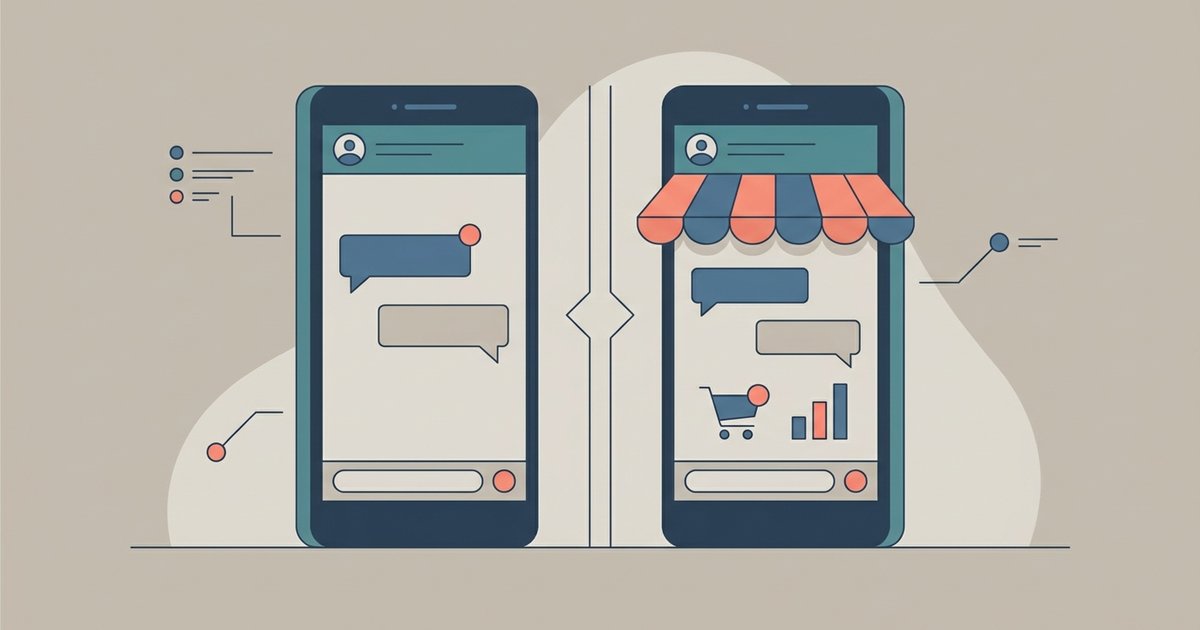
Use regular WhatsApp if you are messaging friends and family, and the WhatsApp Business app if customers contact you about something you sell or a service you run. Both are free, both run on Android and iPhone, and the Business app does everything the regular app does, plus a business profile, a catalog and tools for replying to customers faster. The main constraint is that one phone number can be active on only one of the two apps at a time.
WhatsApp's own advice is straightforward: if you are not a business, there is no need to download the separate app. If you are a sole trader or small business currently running customer chats from your personal WhatsApp, switching is usually worth it.
The two apps side by side
| Feature | WhatsApp Business app | |
|---|---|---|
| Price | Free | Free to download |
| Intended for | Personal messaging | Small business owners talking to customers |
| Chats, calls, groups, status | Yes | Yes, works the same way |
| Business profile with address, email and website | No | Yes |
| Catalog of products or services | No | Yes |
| Quick replies | No | Yes, up to 50 saved |
| Away messages | No | Yes, with a schedule and chosen recipients |
| Labels or lists for sorting customers | Personal chat lists | Yes, with messaging to everyone on a label |
| Landline number | Registration expects a mobile number | Mobile or landline, code by phone call |
Messages in both apps use the same end-to-end encryption for chats between people. The difference in privacy comes from the other side: a business may have staff or service providers handling its WhatsApp conversations.
What the Business app adds
Business profile. Customers who open your chat see information such as your address, email and website instead of just a name and photo. Completing it also feeds the default quick replies described below.
Catalog. You can list products or services on your profile. Each item needs a unique title, at least one image and a country of origin, and can include a price (in countries where prices are supported), a sale price, a description, a website link and a product code. Customers can browse it and share items with friends, and you can share your catalog in chats or on social media. If you already keep a catalog with Meta, it can be connected rather than rebuilt.
Quick replies. Saved messages, including images and videos, that you insert by typing "/" in a chat. You can store up to 50. The app also generates default quick replies from your business profile, so sending your hours or address takes a couple of taps.
Away messages. An automatic reply telling customers you are busy or away. You set it from the Tools tab, and you can choose to send it always, on a custom schedule, or outside your business hours, though that last option only appears once you have set business hours in your profile. You also choose who receives it: everyone, only people not in your address book, everyone except selected contacts, or only selected contacts. Your phone needs an internet connection for away messages to send.
Labels and lists. Labels let you tag chats, for example new customer, pending payment or order complete, and find them later. You can create up to 20 labels and send a broadcast to all the individual customers under one label. Those broadcasts go to individual chats only; they cannot be sent to groups. WhatsApp is gradually replacing labels with lists, so depending on your version you may see one or the other.
Landline registration. The Business app accepts a landline number that you own, as long as it is not an extension. When the SMS cannot arrive, you tap Call me and an automated voice reads out the six-digit code.
What stays the same
The Business app is designed to feel and work like WhatsApp. Chats, groups, voice and video calls, status updates, media and backups all behave as you would expect. People messaging you do not need anything special; they use their normal WhatsApp.
One small difference you will notice in the Business app is an official chat from WhatsApp itself, used for news and tips about the app. It carries a verified badge and the description "Official WhatsApp Business account", you cannot reply to it, and it never asks for personal information. You can archive or block it if you would rather not hear from it. Anything else claiming to be WhatsApp is a scam.
One number, one app
You cannot use the same phone number in both apps at once. If you want to keep WhatsApp for personal chats and run the Business app alongside it, each needs its own number. A dual SIM phone or an eSIM line makes that possible on a single handset, and a landline registered to the Business app is another option.
Moving your personal account to Business
If you have been running your business from your personal WhatsApp, you can move the account over to the Business app. After you verify your number in WhatsApp Business, you can bring across your chat history, media and chat preferences, so conversations with existing customers are not lost. Your number then works in the Business app, not in WhatsApp.
Moving back is less complete
Going from the Business app back to regular WhatsApp is possible but partial. On Android, WhatsApp's instructions are to back up the Business app to your Google Account first, then install WhatsApp, verify the same number and restore the backup. Anything created by business-only features does not come with you, including your catalog and collections. Treat the move to Business as something you intend to keep.
Where the Business Platform fits
There is a third option that people sometimes confuse with the Business app. The WhatsApp Business Platform is aimed at medium and large businesses that need customer support at scale and automated notifications, typically connected to other software. It is not a phone app you download. If you are one person or a small team answering customers from a phone, the Business app is the right tool.
Things to consider before switching
- Your number becomes public facing. If you print it on a website or packaging, expect messages at all hours. Away messages help, but separating personal and business numbers helps more.
- Customers see that you are a business. That is usually the point, but it changes the tone of chats with friends who happen to be customers.
- Some features vary by country. Catalog prices and some newer tools are not available everywhere.
- Optional paid extras exist. WhatsApp offers paid services through its Business Platform (API), but the core Business app is free.
The short version
If WhatsApp is how you talk to people you know, stay on WhatsApp. If it is how customers reach you, install the Business app, give it its own number if you can, fill in the profile completely, and set up an away message and a handful of quick replies on the first day. Those few minutes of setup do more for how professional you look than any other feature in the app.
\nRelated reading: How to Use WhatsApp on Two Phones With Linked Devices, How to Use WhatsApp Without a SIM Card or Second Phone Number, and How to Move WhatsApp From Android to iPhone.