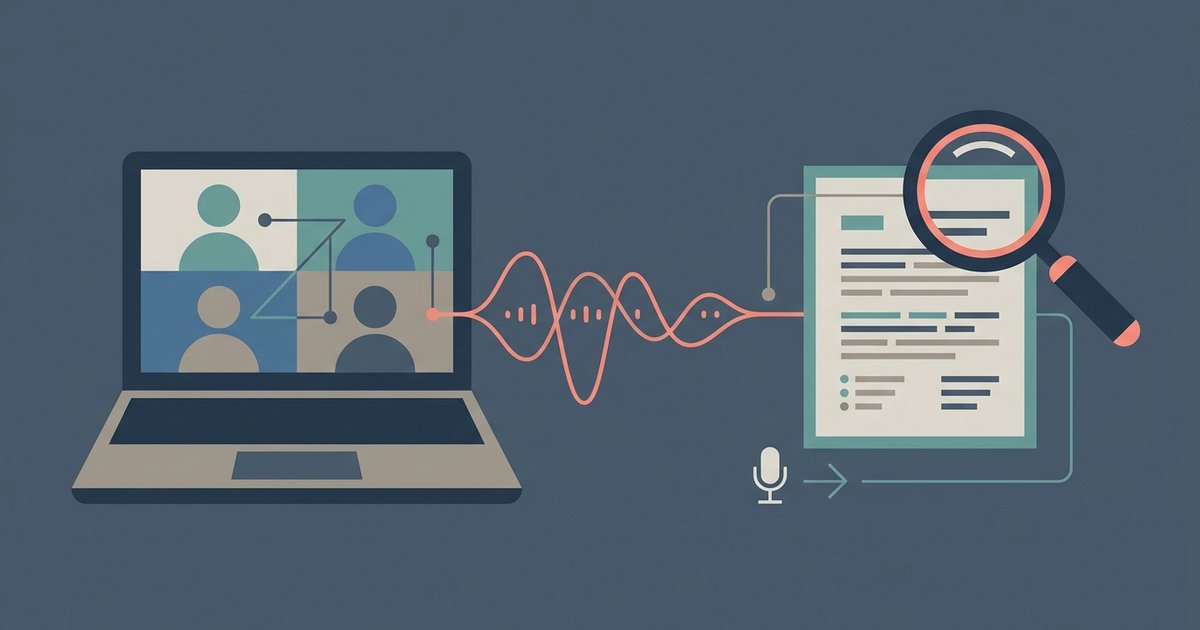
A one-hour meeting or lecture holds maybe five minutes of material you will actually need again: a decision, a deadline, a formula, a name. The problem is finding those five minutes later. Scrubbing through a recording is slow, and handwritten notes miss things. Turning the recording into text you can search, and then into short notes, fixes both. Here is a practical workflow that works for work calls and classes alike.
Why a searchable transcript beats a recording
A recording is linear: to find one sentence you have to listen your way to it. A transcript is random access. You can press Ctrl+F for "budget" or "exam", jump straight to the passage, and copy the exact wording instead of paraphrasing from memory. It also makes the content usable by people who were not there, who prefer reading, or who need captions.
Many meeting platforms produce a transcript on their own, but only if the feature was switched on before the call started, your plan includes it, and you had permission to record. For a Teams call where that was set up, see our guide on how to download a transcript from Teams. For everything else, such as a phone recording of a lecture, a Zoom file saved locally or a voice memo from an interview, you need to transcribe the file yourself.
Step 1: Record so the transcript comes out clean
Transcription accuracy is decided mostly at recording time. A few habits make a big difference:
- Get the microphone close to the speaker. In a lecture hall, sit near the front or place your phone near the lectern if that is allowed. Distance adds echo, and echo causes skipped and invented words.
- Record the call itself, not the room. For online meetings, use the platform's own recording rather than a phone held near a laptop speaker.
- Cut background noise at the source. Close windows, mute notifications and ask remote participants to mute when they are not talking.
- Say names and key terms clearly once. Product names, course codes and surnames are where transcripts most often go wrong.
Always follow the rules on recording. Many workplaces, universities and jurisdictions require consent from everyone being recorded, and some lecturers do not allow it at all.
Step 2: Transcribe the file
Upload the recording to a transcription service that accepts common audio and video formats. Transcript.you's meeting transcription tool takes files such as MP3, MP4, M4A, MOV and WAV, lets you choose the spoken language, and labels different speakers automatically, which matters when you need to know who agreed to what. For classes there is a matching lecture to text page built for turning recorded lectures into study notes.
You can start without signing up. The free tier is meant for short clips: it handles files up to 50 MB and up to five minutes of audio, with TXT export. Full-length meetings and lectures need a paid plan, which removes the duration limit, raises the upload size and adds exports such as DOCX, PDF and subtitle files. If you only transcribe the occasional short clip, the free tier may be all you need.
If your recording is a lecture posted on YouTube rather than a file on your device, you usually do not need to upload anything. Paste the video link into a YouTube transcript tool to pull the existing captions as text with timestamps.
Step 3: Clean up only what matters
Do not try to correct every "um" in an hour-long transcript. Instead, skim for the parts you will reuse and fix those:
- Names, numbers, dates and prices, which are both important and easy for speech recognition to get wrong.
- Technical terms and acronyms. If one term is wrong throughout, use find and replace.
- Speaker labels around decisions, so the record shows who committed to each action.
When something looks doubtful, jump back to that timestamp in the recording and listen. That takes seconds, and it is the single most important habit for trusting a transcript.
Step 4: Turn the transcript into notes
A transcript is a source, not a set of notes. Condense it into a short document that you will actually reopen. For meetings, a simple template works well:
- Decisions: what was agreed, in one line each.
- Action items: task, owner and due date.
- Open questions: anything left unresolved for next time.
- Key quotes: exact wording worth keeping, with the timestamp.
For lectures, organise notes by topic rather than by time: definitions, worked examples, anything the lecturer said would be on the exam, and questions to follow up. AI summaries can speed up the first draft of either, but read the draft against the transcript. Summaries can drop qualifiers such as "only if" or "not yet", and those small words often carry the meaning.
Step 5: Store everything so you can search it later
The value of transcripts compounds when they live in one searchable place. A few simple rules keep that library useful:
- Name files consistently, for example "2026-09-17 Marketing weekly" or "BIO101 Lecture 04 Cell respiration".
- Keep the notes and full transcript together, with the notes at the top and the transcript underneath, in a notes app or shared drive that supports full-text search.
- Add a few tags, such as project, client or course code, so you can filter before you search.
- Delete what you do not need. Transcripts of confidential meetings are sensitive documents; keep them where your organisation's policies allow and remove old ones.
A quick checklist
| Stage | Do this | Why it matters |
|---|---|---|
| Before | Get consent, reduce noise, record close to the speaker | Clean audio gives an accurate transcript |
| Transcribe | Upload the file, set the language, keep speaker labels | You can see who said what |
| Check | Verify names, numbers and decisions against the audio | These are the details people act on |
| Summarise | Decisions, actions, open questions, key quotes | Notes you will reopen, not a wall of text |
| Store | Consistent names, tags, searchable location | Find any meeting or lecture in seconds |
Once this becomes routine, recordings stop being files you never open again. Every meeting and lecture turns into a short set of notes backed by a full, searchable record you can check whenever a detail matters.
\nRelated reading: How AI Email Assistants Can Finally Tame Your Cluttered Inbox and 8 Best Meeting Scheduler Apps in 2026.