Facebook Dating is a separate dating service inside the Facebook app. You create a Dating profile that is distinct from your main profile, and your Facebook friends cannot see it, nor does your Dating activity appear in your Feed. It is still running, and it is available in a specific list of countries to adults whose Facebook accounts meet a few conditions.
Who can use Facebook Dating
Meta sets three requirements. To access Dating you must:
- Be at least 18 years old.
- Have a Facebook account in good standing that is at least 30 days old.
- Live in a country where Dating is available.
Dating runs in the Facebook app for Android and iPhone rather than on the Facebook website. Meta also says it may restrict access, and that you may lose access if you are under 18, have a new or inactive account, or have broken Meta's Terms of Service, Community Standards or other policies.
Where it is available
Meta's Help Center keeps a list of countries where Dating operates. It includes the United States and several US territories, Canada, the United Kingdom, every European Union country, plus Norway, Iceland, Switzerland and Liechtenstein, a large part of Latin America including Mexico, Brazil, Argentina, Chile, Colombia and Peru, and several Southeast Asian countries including the Philippines, Malaysia, Singapore, Thailand, Vietnam and Laos. Countries such as India and Australia are not on the list. Because Meta can change availability, check the Who can use Facebook Dating page in the Help Center if you are near the edge of the list or have just moved.
How the Dating profile works
To start, open the menu in the Facebook app and tap Dating, then follow the prompts to create a profile. You add photos and details, and set preferences for the kind of person you want to meet. Meta says your preferences can include things like height, age and education, and you can mark a preference as a strong preference to narrow suggestions.
Once your profile is set up, you can send likes and messages to people you are interested in. When someone likes you back, you match and can chat inside Dating. Meta requires that Dating profiles and activity are not promotional, and all Dating users must follow the Community Standards.
You can delete your Dating profile at any time without deleting your Facebook account. If you do, you cannot create a new Dating profile for seven days. Deleting your Facebook account, on the other hand, deletes your Dating profile too.
What your friends can and cannot see
This is the part most people want to be sure about. Meta states that your current Facebook friends, and anyone outside Dating, cannot see your Dating profile. Your Dating activity does not appear in your Facebook Feed, and conversations in Dating are separate from your conversations in Messenger.
There are two exceptions to be aware of:
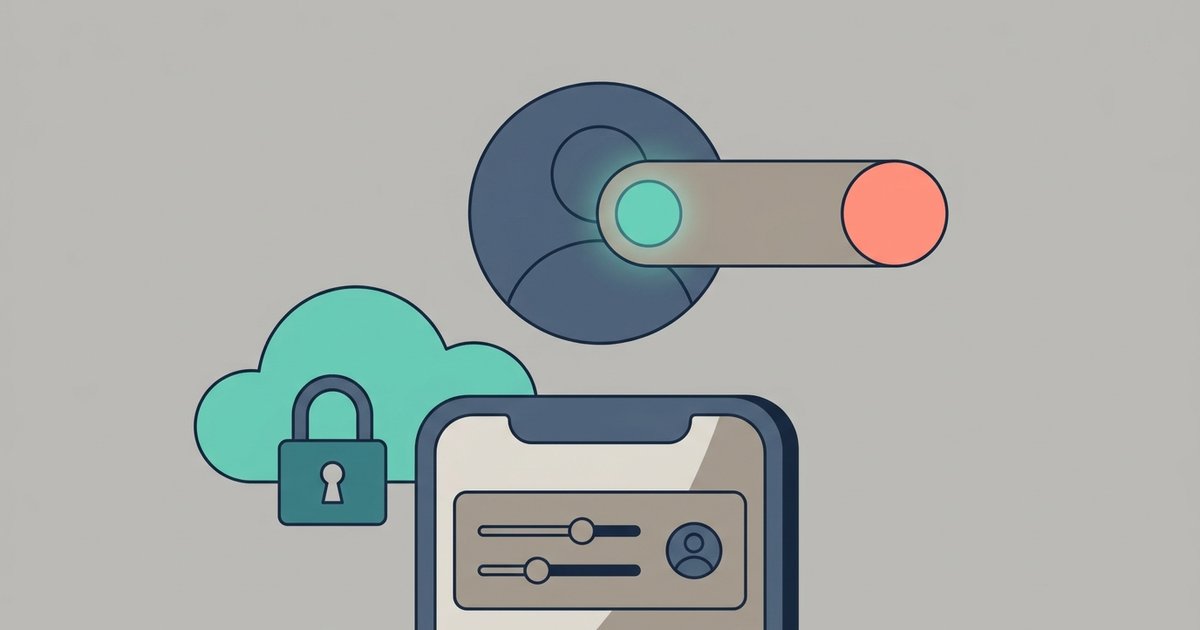
- Friends of friends. By default, Dating can suggest friends of your Facebook friends as matches, and can show your profile to them. Meta says this is on unless you turn it off. In the app, open Dating, tap the profile icon in the top right, then Settings, then Privacy settings, and switch off Suggest friends of friends. With it off, your suggestions will not include people who are friends with your Facebook friends.
- Matches who later become friends. If you become Facebook friends with someone you matched with, your matches or suggested matches in Dating can still see your Dating profile.
Also remember that your Dating profile is visible to anyone on Dating who is shown it as a suggestion. Separation from Facebook is not the same as privacy from other daters.
How matches are suggested
Meta says Dating suggests matches based on your preferences and the information in your Dating profile, and also uses what you and others do on Facebook. Examples it gives include information on your Facebook or Dating profile, such as your hometown or the schools you attended, and interests such as Facebook groups and events you have in common. It notes that it may use other Facebook signals too. The Facebook Dating Supplemental Privacy Policy, together with Meta's main Privacy Policy, describes how Dating uses your information.
Crushes
Dating includes a Crush feature for people you already know. You can send a crush to your Facebook friends or their friends from the Crush tab at the bottom of Dating. According to Meta's current help page, when you add someone as a crush they can see that you liked them in Dating, and your profile appears in their Liked you tab. Only send a crush if you are comfortable with that person knowing.
Match Anywhere
Match Anywhere lets you browse suggested matches outside your primary Dating location by adding up to two more locations. Meta says the feature is only available to some people and not to new Dating profiles. You can also control whether daters who added your area as an extra location can see and match with you.
Safety features
Meta describes several protections built into Dating:
- Blocking. You can block a profile from your Matches. Blocking in Dating does not block the person on Facebook or Messenger, but anyone you have blocked on Facebook is automatically blocked in Dating.
- Reporting. You can report profiles and conversations. Meta says it will not tell the person that you reported them.
- Verification. Meta may ask you to verify your Dating profile to prevent impersonation or underage use.
- Friends of friends control. The setting above lets you keep your wider social circle out of your suggestions.
Meta is also clear about what it does not do. Facebook Dating does not run criminal background checks or other screenings, such as sex offender register searches. Its safety policy advises keeping identifying details such as your surname, address, phone number and workplace out of your profile and chats.
Scam warning signs
Meta lists common signs of a dating scam: someone who wants to leave Dating immediately for email or another messaging app, claims to be in love very quickly, plans to visit and then cancels because something bad happened, or asks for money, gifts or gift cards. Its advice is blunt: any online love interest who asks for money is likely a scammer. Report the person instead of replying, and contact your bank and local law enforcement straight away if you have already sent money.
Meeting in person
For first dates, Meta's tips are practical: tell a trusted friend or family member where you are going and when you expect to be home, share your location with them, meet and stay in a public place, arrange your own transport, keep your phone charged, and keep an eye on your drink. If you feel uncomfortable, end the date, and block and report the person afterward.
Is it worth trying
If you live in a supported country and already use Facebook, Dating is easy to try from the app you already have, and it does not announce itself to your friends. Before creating a profile, decide whether you want friends of friends included, keep identifying details out of your profile, and treat any request for money or a quick move to another app as the end of the conversation.