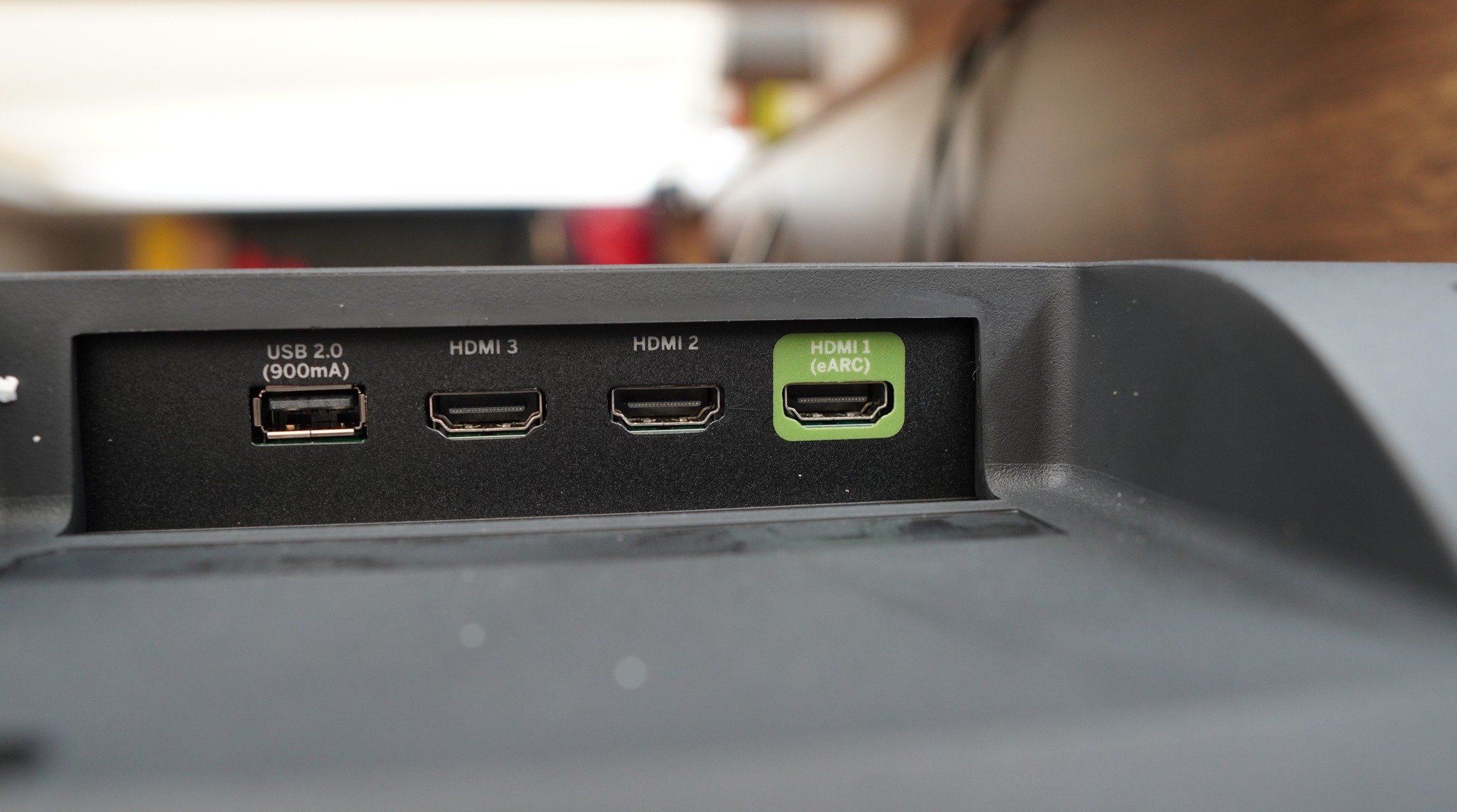
This tag collects articles about connecting and controlling audio equipment through HDMI ARC (Audio Return Channel) and related ports on modern televisions. It is written for anyone setting up a soundbar, surround sound system, or a dedicated audio component like a Sonos or Bose speaker with a TV, particularly when the TV is from a different brand than the audio gear. The content is practical, focusing on the physical ports, remote pairing, and cable paths that make the audio work correctly.
The articles solve two main kinds of problems. The first is simply finding the right port: several pieces walk you through locating the HDMI ARC jack on specific TV brands such as Vizio, LG, Hisense, and Samsung, since these ports are often labeled inconsistently or tucked away. The second is the actual hookup and control workflow, how to connect a soundbar to a Roku TV or a Vizio TV, how to add a Sonos to an LG OLED, or how to make an older surround sound receiver work with a newer TV that may lack the same analog outputs. A few articles also cover remote control and pairing, such as getting a Samsung TV remote to operate a soundbar or using an LG remote to control volume on a connected Bose unit.
Beyond the straightforward connection guides, the content also addresses practical setup concerns like connecting an Onn soundbar to a Roku TV or a Vizio TV, and how to integrate a Roku Stick with a soundbar. For readers with older equipment, the article on hooking up an old surround sound system to a newer TV explains the safe use of available inputs and adapters, without suggesting any signal bypass or unauthorized access. The goal is to help you get audio from your TV to your speakers reliably, using the correct ports and remote pairing steps, so you can watch and listen without guesswork.