This tag collects articles about cloud gaming and game streaming, aimed at readers who want to play PC or console titles on devices that normally can’t run them, Chromebooks, school computers, phones, or smart TVs. It is for people who need practical, step-by-step guidance on getting games running through services like GeForce Now, Xbox Cloud Gaming, or other streaming platforms, without upgrading hardware or buying a dedicated console.
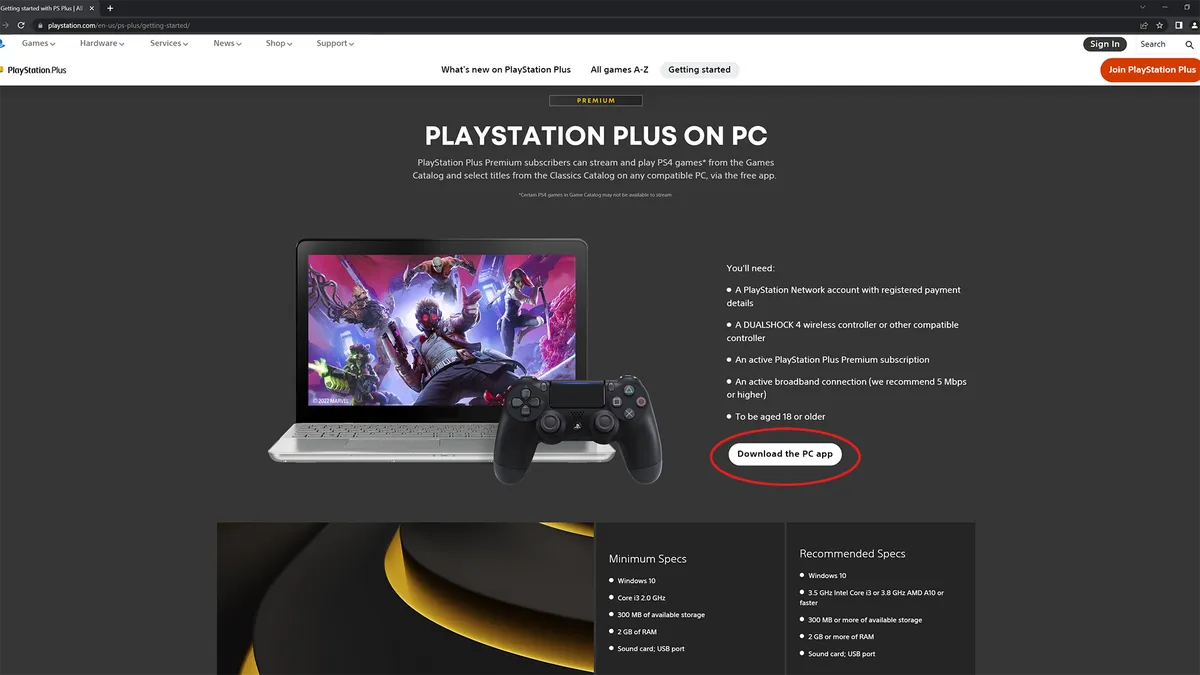
The articles solve two main kinds of problems. First, they cover setup and access: how to stream PlayStation games on a PC, get Sims 4 running on a Chromebook, or play Among Us without downloading anything. Several pieces focus specifically on school-owned devices, explaining how to download games on a school Chromebook or a school computer, and whether GeForce Now works in that environment. Second, they address hardware and service choices: what game controller works with a Samsung Smart TV, how the free tier of GeForce Now compares to the paid version for latency, and which of the 16 best game streaming services available today fits your needs.
Throughout, the tone is practical and legal. Articles about downloading games on school machines or without the Epic Games launcher are framed as legitimate alternatives, using official streaming apps or web-based versions, not as ways to bypass restrictions or pirate software. The goal is to help readers play the games they already own or can legally access, on the screens they already have.